Developer API Key - Programmatic Access to Kipps.AI
Learn how to use the Kipps.AI Developer API Key to automate tasks and integrate with external systems.
Overview
The Developer API Key allows you to access Kipps.AI programmatically. This means you can build your own tools, connect Kipps.AI with other services, or automate actions such as managing your chat or voice agents.
What Is a Developer API Key?
It’s a special access code that lets software outside of Kipps.AI connect to the platform securely. Unlike keys used to connect to external services (like OpenAI or Pinecone), this key is for accessing Kipps.AI’s own system.
What You Can Do With It
- Secure Access: Every request made using your API key is authenticated.
- Wide Access: Use it to manage bots, check messages, automate tasks, and more.
- Fair Use: Rate limits are in place to ensure stable performance.
- Tracking: All usage is logged so you can see when and how it’s used.
How to Create Your Developer API Key
-
Go to the API Key Section:
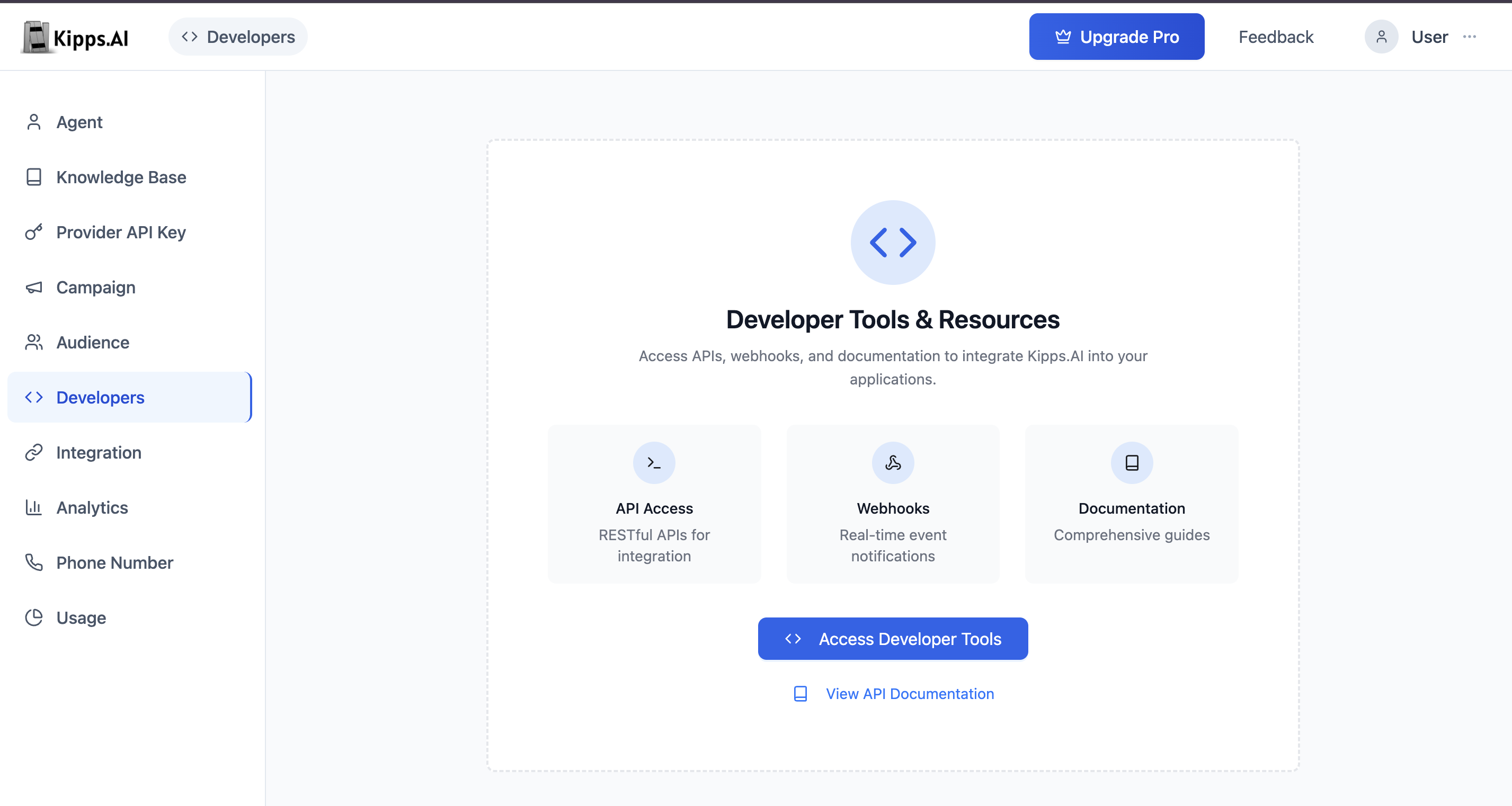
- From your dashboard, navigate to Developer.
-
Generate the Key:
-
Click the "Access Developer Tools" button.
-
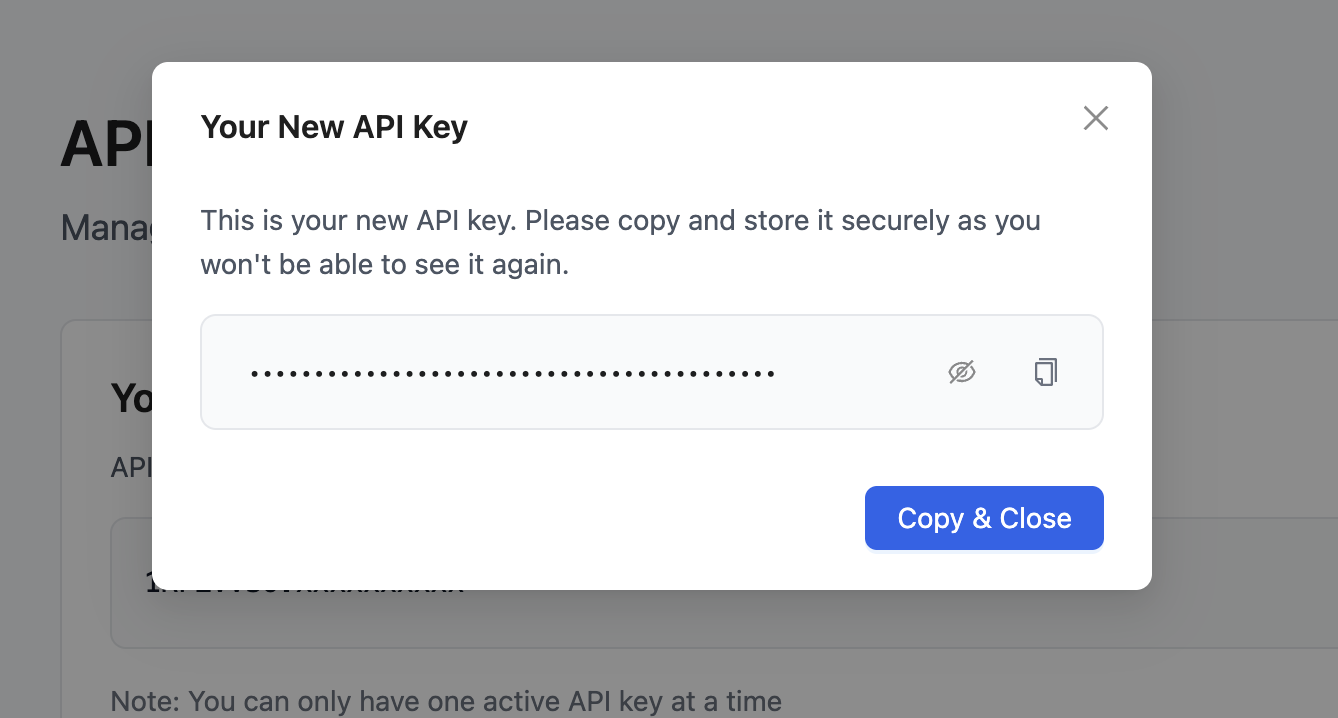
A unique API key will be created for you.
-
-
Copy and Store Your Key:
- You will only see the full key once.
- Copy it and store it somewhere safe. After that, only a short version (prefix) will be visible.
Managing Your Key
-
View Existing Key:
- After creation, you’ll see the prefix of your key listed on the API Keys page.
-
Delete the Key:
- Only one key can be active per account.
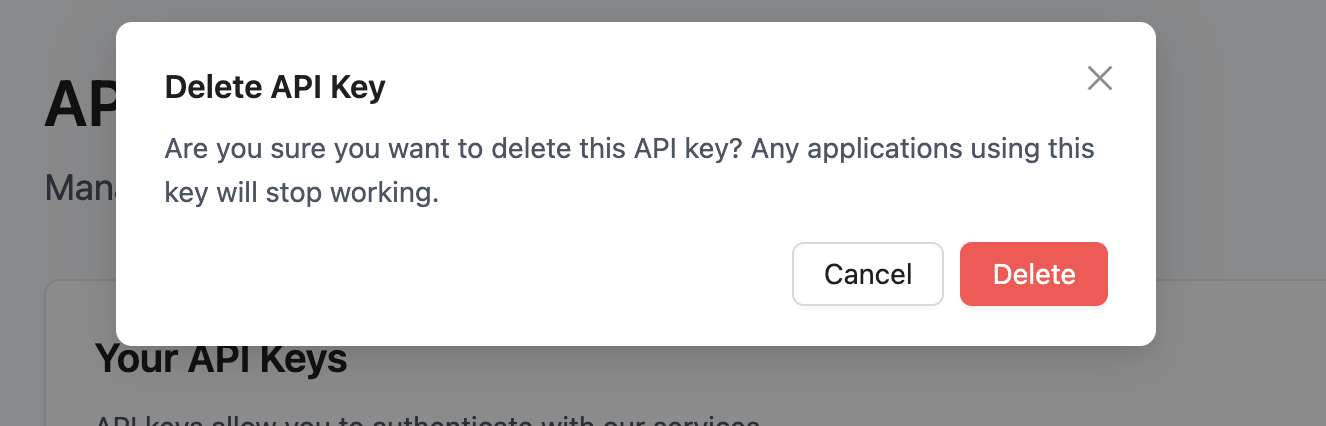
- To create a new one, delete the existing key using the trash icon.
- Deleting a key disables any systems using it instantly.
How to Use the Key
Add the key to your API requests like this:
curl -H "Api-Key: your-full-api-key-here" \
     -H "Content-Type: application/json" \
     https://api.kipps.ai/endpoint
This tells Kipps.AI that your request is coming from a verified source.
Security Best Practices
- Never expose your API key in client-side code: Do not embed the key in browser JavaScript, mobile apps, or any code that users can inspect. Always call the API from a backend server.
- Store keys in environment variables: Use
.envfiles or your cloud provider's secrets manager rather than hardcoding the key in source files. - Rotate the key if compromised: Delete the existing key immediately and generate a new one. Update all systems using the old key before the next API call.
- Monitor usage logs: Check the usage dashboard periodically. Unexpected spikes in API calls may indicate unauthorized use of a leaked key.
Troubleshooting
I receive a 401 Unauthorized error on every request.
Confirm that the Api-Key header matches the full key value exactly—including any leading or trailing characters. Also make sure you generated the key after clicking "Access Developer Tools" and that you copied it before closing the confirmation screen (it is only shown once).
The API returns 429 Too Many Requests.
Your account has rate limits in place to ensure platform stability. Implement exponential backoff in your integration code and contact support if you need a higher limit for your plan.
I deleted my key but existing integrations are still working. After deletion, the key is immediately invalidated. If an existing integration appears to work, it may be using a cached response. Perform a fresh API call to confirm the key is revoked.
There is no key listed on the API Keys page. A key is only generated after you click "Access Developer Tools". If you haven't done this yet, no key exists. Click the button to create your first key.
Frequently Asked Questions
How many API keys can I have at once? Only one Developer API Key can be active per account. To issue a new key, delete the existing one first.
Can I share my Developer API Key with a team member? The key is account-level and grants full API access. Rather than sharing a single key, Kipps.AI recommends managing access through role-based dashboard accounts. For programmatic integrations that need to run on behalf of a user, use service account patterns within your backend.
What endpoints can I access with the Developer API Key? The key grants access to all endpoints documented in the Kipps.AI API reference, including managing agents, uploading contacts, triggering campaigns, and querying usage data.
Does the Developer API Key expire? The key does not expire automatically. It remains active until you delete it manually.
Is the API rate-limited? Yes. Rate limits are applied to prevent abuse and ensure service availability. The specific limits depend on your subscription plan. Contact support for details on your current limits.
Related Articles