Add Phone Number
Learn how to register a phone number with the platform to make it available for your agents.
Before you can use a phone number with any of your agents (Voice or Chat), you must first register it with the Kipps.AI platform. This process is done in a central management area, not within a specific agent's settings.
Steps to Register a Phone Number
-
Navigate to Phone Integrations:
- From your main account dashboard, find and click on the "Phone Numbers" or "Telephony Integrations" section in the main navigation menu. This will take you to a page listing all your existing phone integrations.
-
Add a New Phone Number:
- Click the "Connect New Phone Number" or "+ Add" button. A configuration modal will appear.
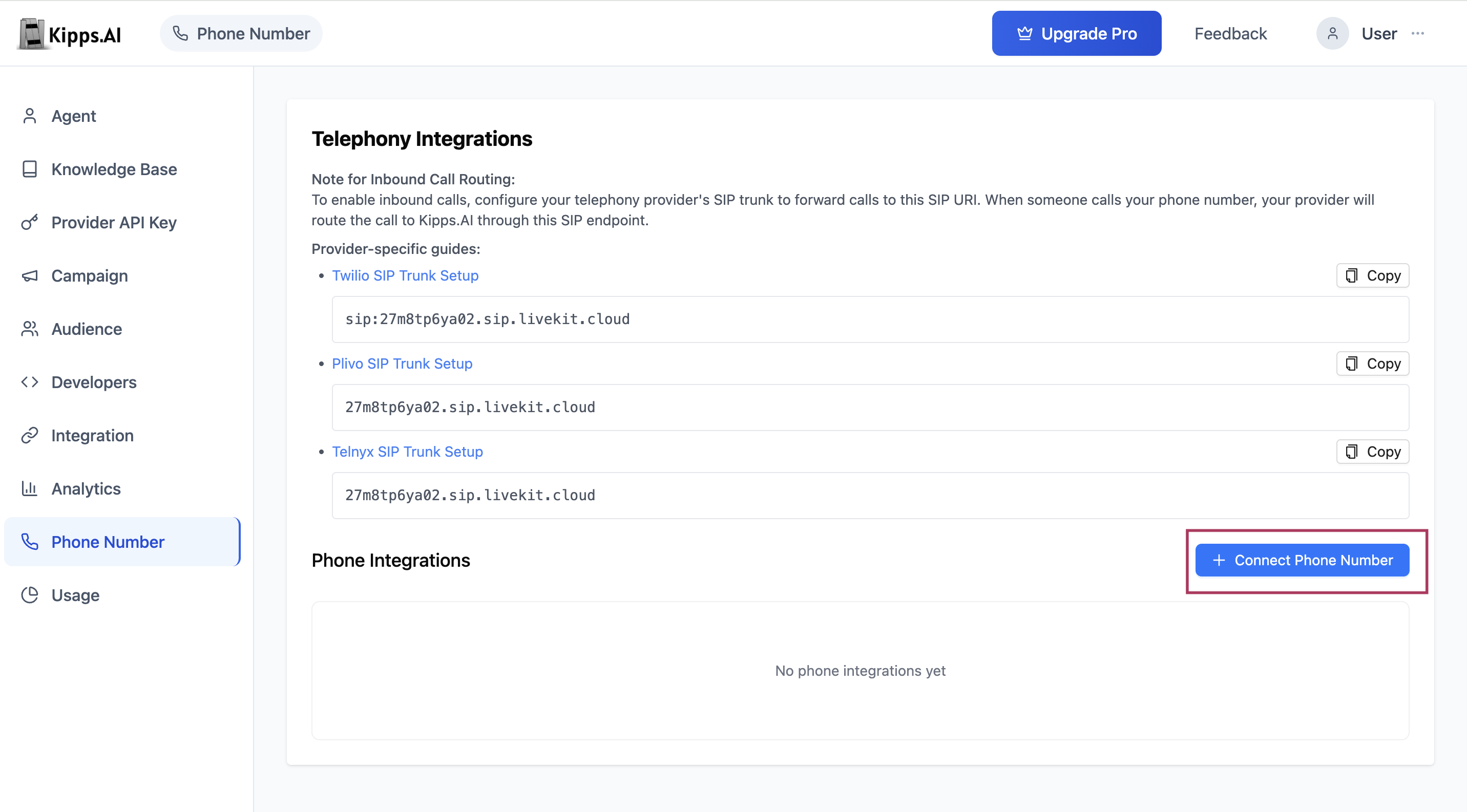
- Click the "Connect New Phone Number" or "+ Add" button. A configuration modal will appear.
-
Enter Basic Details:
- Nickname: Give this integration a unique, memorable name (e.g., "Main Support Line"). This is for your internal reference.
- Phone Number: Enter the full phone number you have purchased from your provider, including the country code (e.g.,
+15551234567). - Click "Save".
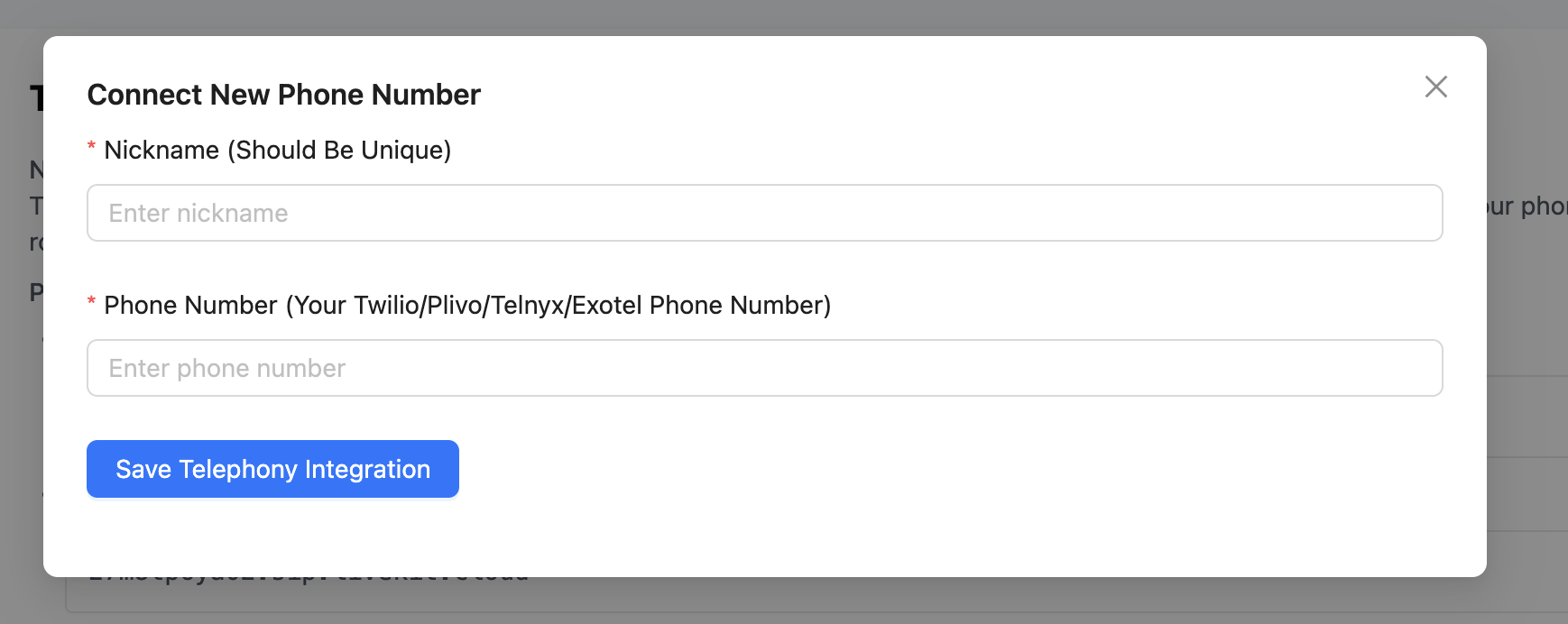 The number is now registered on the platform. It is not yet active or linked to an agent, but it is available to be connected from an agent's dashboard.
Why Register a Phone Number First?
Centralizing phone number registration keeps your telephony configuration in one place, separate from individual agent settings. This means:
- A single number can be re-assigned across agents without re-entering credentials each time.
- Administrators can manage all phone integrations from one screen.
- Agents only see numbers that are already registered and verified—reducing configuration errors.
Troubleshooting
The number I entered is not being accepted.
Make sure the number includes the full country code (e.g., +1 for the US, +44 for the UK). Numbers entered without a country code are invalid.
I saved the number but I can't see it in my agent's dropdown. After saving, navigate to the agent's Phone Numbers tab and refresh the page. If the number still doesn't appear, verify you are logged into the same workspace account that registered the number.
I accidentally registered the wrong number. There is no edit option—delete the incorrect entry and add a new one with the correct number.
Can I use the same phone number with multiple agents? Each phone number can only be actively linked to one agent at a time. Linking it to a second agent will prompt you to confirm the switch.
Frequently Asked Questions
What telephony providers are supported? Kipps.AI supports phone numbers from any standard SIP-compatible provider, including Twilio and Telnyx. You purchase the number from your provider and then register it here.
Is there a limit to how many phone numbers I can register? There is no platform-wide limit. You can register as many numbers as your subscription allows.
Does registering a number here cost anything? No. Registering the number in Kipps.AI is free. Costs depend on your telephony provider (per-minute call charges, number rental fees, etc.).
How long does it take for a registered number to become available to agents? The number is available immediately after you click Save. No propagation delay is required.
Can I rename a registered phone number? Yes. The Nickname field is editable—delete the existing entry and re-add it with the new nickname, or use the edit option if available in your dashboard version.
Related Articles