WhatsApp Flow Agent
Learn what a WhatsApp Flow Agent is, why it helps, and where to use it. A simple, no-code way to guide customers through a conversation step by step on WhatsApp.
A WhatsApp Flow Agent lets you design a WhatsApp conversation the way you would draw it on a whiteboard. You decide what your business says first, what the customer can choose, and what happens next. You build all of it on a visual canvas, with no code.
If you have ever wished your WhatsApp number could "just ask the right questions in the right order", this is for you.
What is a WhatsApp Flow Agent?
A Flow Agent is a WhatsApp agent that follows a path you have drawn, instead of improvising every reply.
You build the path from small building blocks called nodes. Each node does one simple job:
- Send a message
- Show buttons
- Ask for the customer's name
- Send a PDF
- Hand the chat to your team
You connect the nodes with lines, and the conversation follows those lines, one step at a time.
A simple way to picture it: think of a phone menu ("Press 1 for sales, press 2 for support"), but on WhatsApp, friendlier, and with buttons, images and links.
Flow Agent vs. AI Agent
Kipps.AI gives you two ways to run a WhatsApp conversation. They are not rivals; many teams use both together.
| Flow Agent | AI Agent | |
|---|---|---|
| How it replies | Follows the path you designed | Understands the question and writes its own answer |
| Best for | Predictable journeys: bookings, lead capture, menus, order updates | Open-ended questions: "Do you deliver on Sundays?" |
| Predictability | Every customer gets exactly the steps you set | Answers vary with the question |
| Setup | Drag, drop and connect nodes | Add a Knowledge Base and instructions |
You can also mix them. A flow can collect details first and then hand the customer to an AI agent for free-form questions. This is what the Jump to AI node does.
Why use a Flow Agent?
- Consistent every time. Every customer sees the same wording, the same options and the same order. Nothing is left to chance.
- Faster for customers. Tapping a button is quicker than typing a sentence, which means fewer drop-offs.
- Cleaner data. You collect names, emails, dates and choices in a fixed shape, so your leads and contacts are easy to use.
- No developer needed. Anyone on your marketing, sales or support team can build and edit a flow.
- Safe for important steps. Pricing, consent and payment links are sent exactly as you wrote them.
- Works with your other tools. A flow can call your own API, tag contacts and hand over to a human.
Benefits at a glance
| Benefit | What it means for you |
|---|---|
| Visual builder | See the whole conversation on one screen and change it in seconds |
| Rich WhatsApp formats | Buttons, lists, images, documents, links, templates and forms |
| Variables | Greet customers by name and reuse their answers later |
| Smart branching | Send different customers down different paths based on their choices |
| Human handoff | Pass the chat to your team when a person is needed |
| Time-outs | Continue the flow automatically if a customer goes quiet |
Where can you use it?
Here are common ways Kipps customers use a Flow Agent.
Lead capture and qualification
Welcome the visitor, ask what they are looking for, collect their name and budget, then send a brochure and tag them as a "hot lead".
Appointment and demo booking
Offer a list of services, ask for a date and time, confirm the booking, and send a reminder message.
Customer support menu
Let customers pick "Track order", "Returns" or "Talk to an agent". Answer common questions automatically and hand over only the complex ones.
Order and delivery updates
Send order confirmations, tracking links and feedback requests using approved templates.
Product catalog and brochures
Share product images, price lists and PDFs, then ask which item the customer wants to know more about.
Surveys and feedback
Ask a few quick questions with buttons and lists, then save the answers against each contact.
How a flow works
Every flow follows the same basic idea.
- A customer messages your WhatsApp number, or taps a button on one of your template messages.
- The flow begins at the Conversation Start node.
- The flow moves along the lines you drew, one node at a time. Message nodes send something to the customer.
- When a node needs an answer (for example, a button choice), the flow pauses and waits for the customer.
- The customer replies, and the flow continues down the matching path.
- The flow ends, hands over to a person, or passes to an AI agent.
Types of nodes
In the builder, nodes are grouped in the left-hand panel.
| Group | What it is for | Nodes |
|---|---|---|
| Messages | Things your business sends | Text Message, CTA / URL, Media, Template, WhatsApp Flow |
| Ask & Collect | Things you ask the customer, then wait for an answer | Reply Buttons, List / Menu, Multi-select, Text Input, Date / Time, Location, Image Input, Form |
| Logic & Flow | Decisions and actions behind the scenes | Delay / Nudge, Condition, API / Webhook, Jump to AI, Human Handoff, Tag Contact, End Chat |
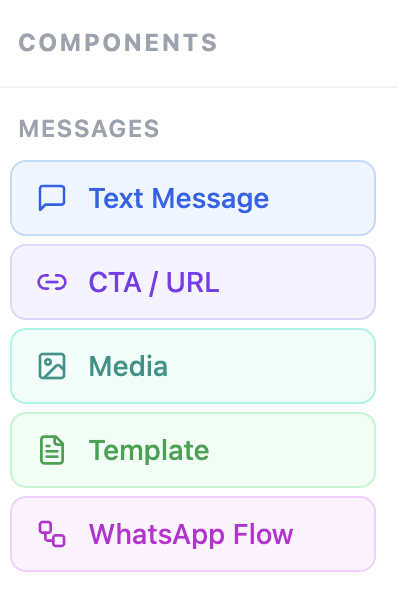
Messages
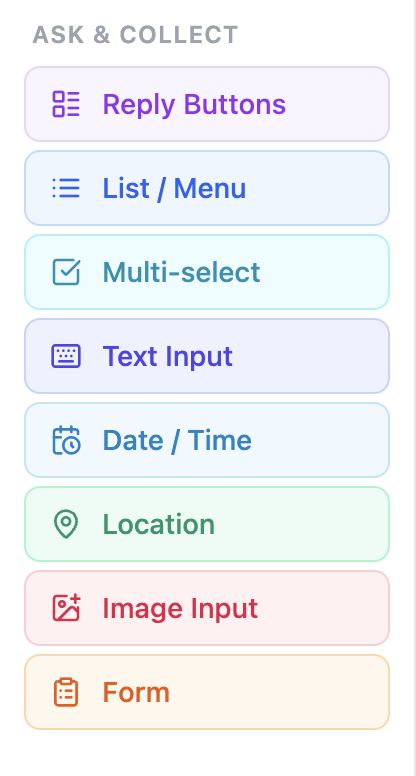
Ask & Collect
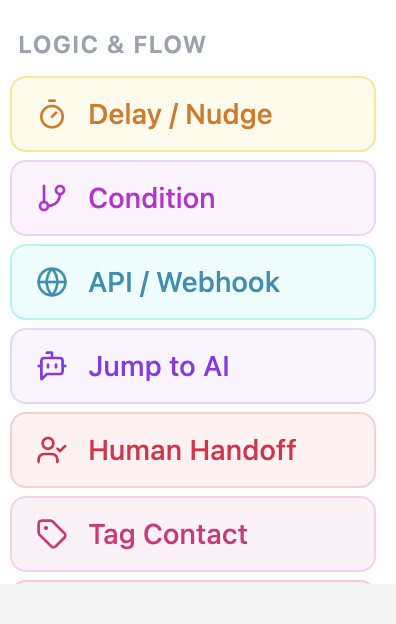
Logic & Flow
Want to learn the Messages group in detail? Read Message Nodes.
Build your first flow in 5 steps
- In your Kipps dashboard, click Create WhatsApp Agent and choose Flow-based Agent (or Open the flow builder) in the template picker.
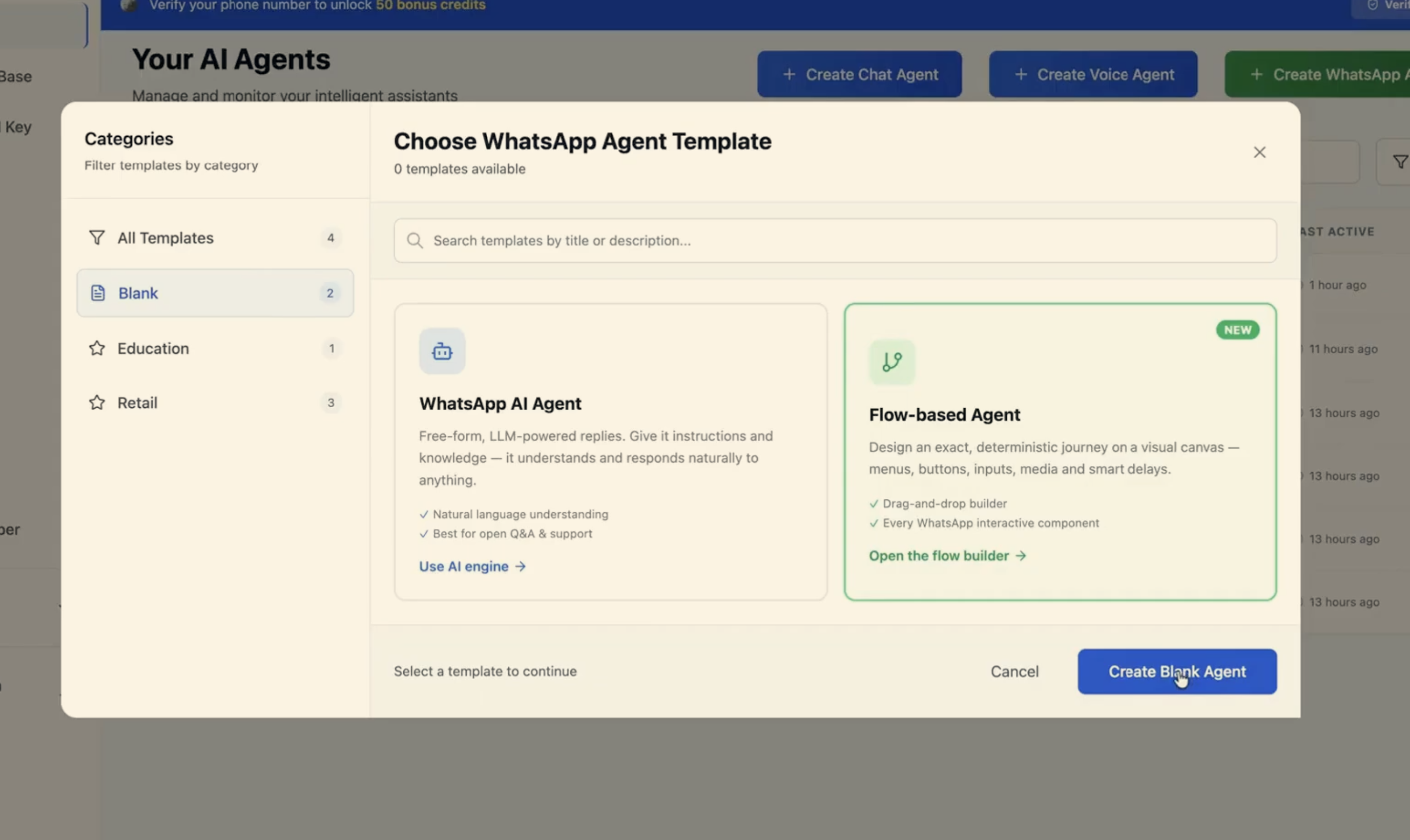
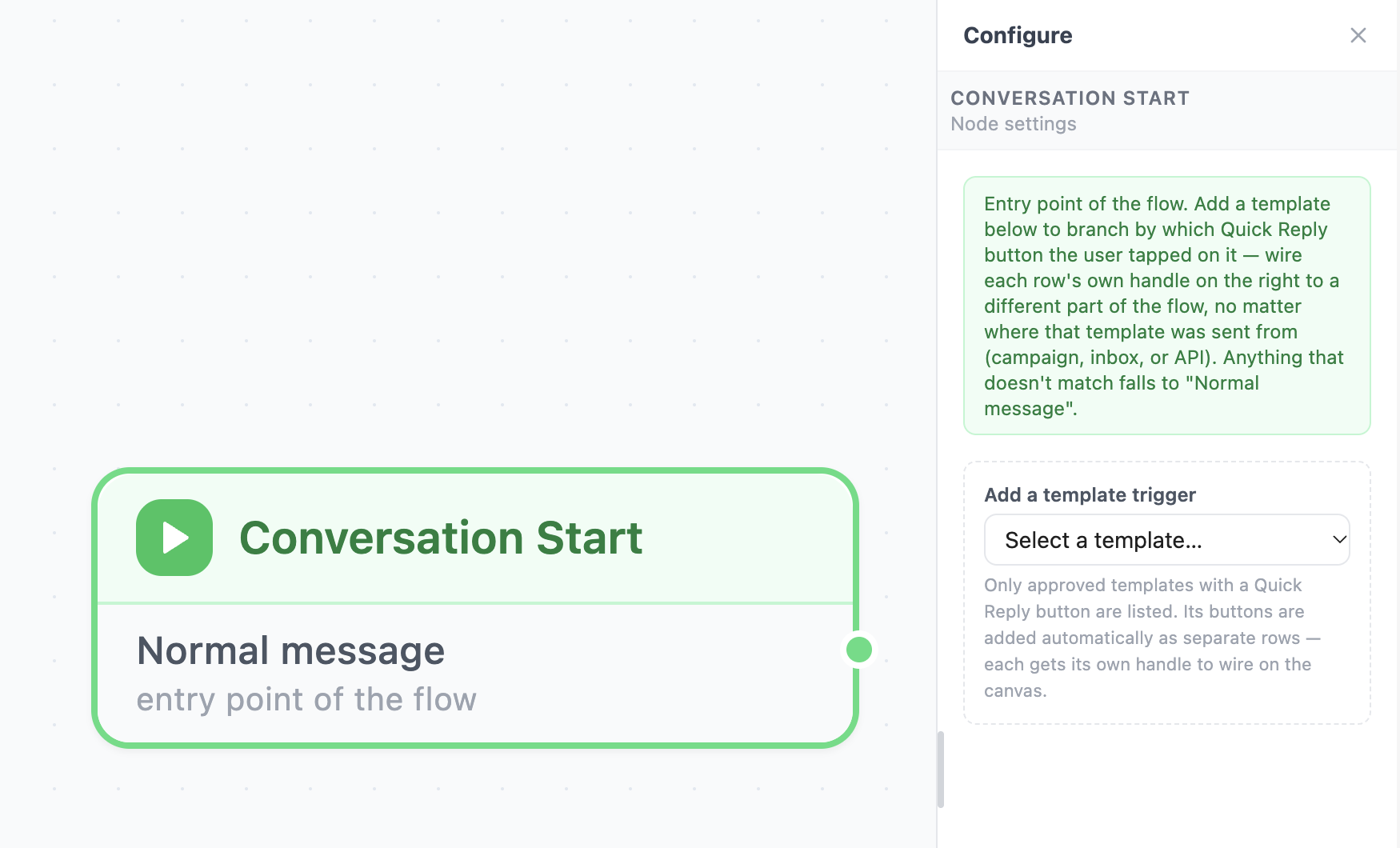
- On the canvas you will find a Conversation Start node. This is where every conversation begins.
- Drag a node from the left panel onto the canvas, for example a Text Message node.
- Connect the Start node to your new node by dragging from the small dot on its right edge to the dot on the left edge of the next node.
- Click a node to open its settings on the right, write your message, save, and test it from your own phone.
Good to know
- Messages inside the 24-hour window. WhatsApp allows free-form messages for 24 hours after the customer last wrote to you. To message someone outside that window, use a Template node with an approved template.
- WhatsApp limits apply. A button label can hold up to 20 characters, and a message up to 4,096 characters. The builder warns you before you save if something is too long.
- Always test. Send yourself a message and walk through every path, including the "customer goes quiet" path.
- Keep it short. Short messages and a few clear choices work best on a phone.
Frequently asked questions
Do I need to know how to code? No. You drag, drop and connect nodes. Code is only needed if you choose to call your own API.
Can a flow use my customer's name?
Yes. Use a variable such as {{name}} inside a message and Kipps fills it in for each customer.
What if the customer types something I did not plan for? Add a Jump to AI or Human Handoff node as a safety net, so nobody is left stuck.
Can I use a Flow Agent and an AI Agent together? Yes. Many teams use a flow for the structured part and hand over to AI for open questions.
Do I have to use WhatsApp templates? Only when you start a conversation, or write to someone after the 24-hour window. Inside an active chat you can send normal messages.
Next step
Now that you know what a Flow Agent can do, learn about the building blocks: Message Nodes
Related Articles