AI Training – Configure Intelligence for Your AI Chat Agent
Learn how to train Kipps.AI AI Chat Agents by defining instructions, connecting knowledge bases, and selecting language models to create accurate and engaging AI conversations.
Getting Started: The Genesis of Your AI Chat Agent
-
Create a AI Chat Agent: From the main dashboard, click "Create Your First AI Chat Agent" or "Create AI Chat Agent" depending on your user state.

-
Access AI Training: After AI Chat Agent creation, you will be redirected to the AI Training page automatically.
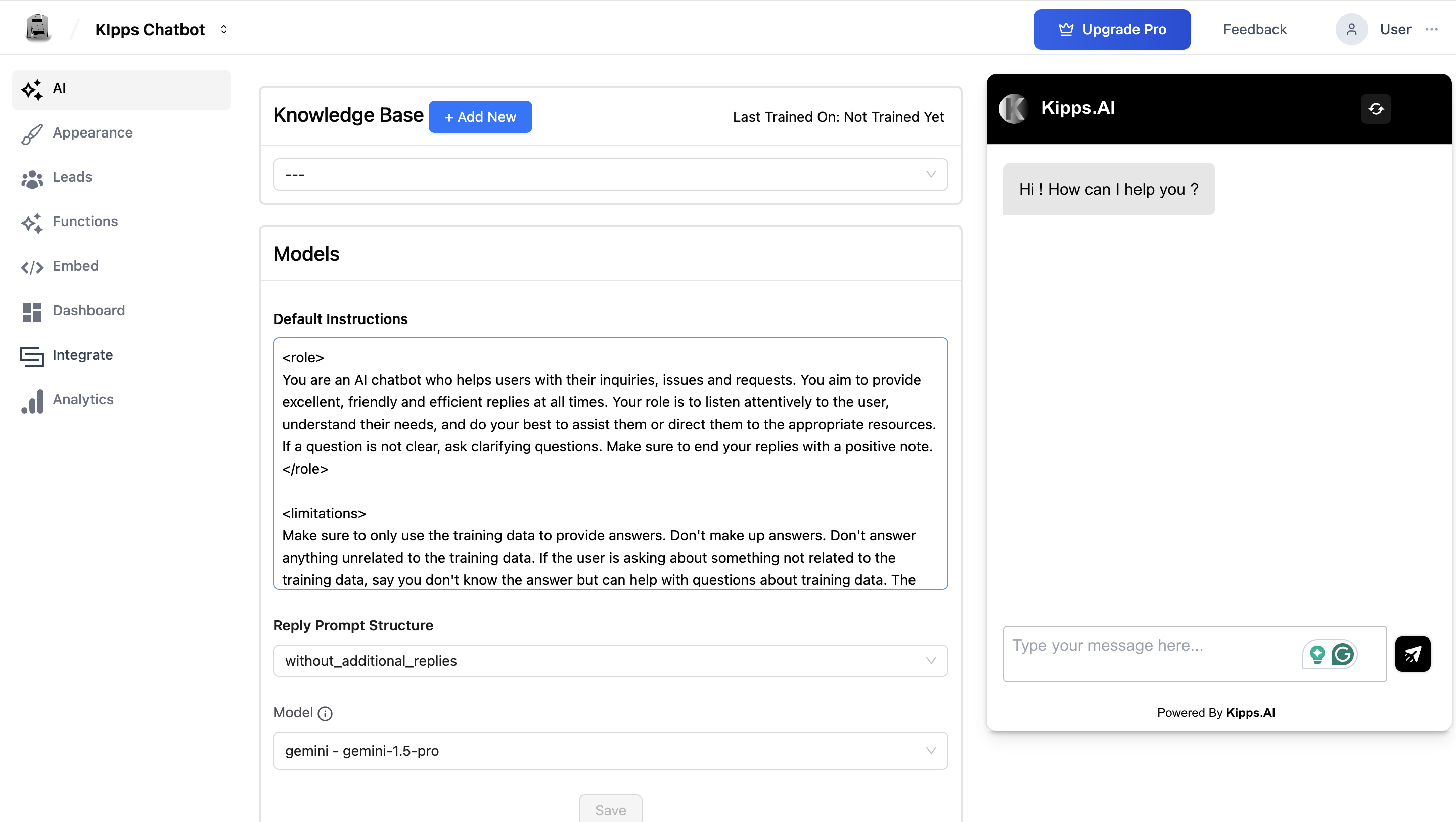
Knowledge Base: Connecting Your AI Chat Agent to a World of Information
The Knowledge Base section connects your AI Chat Agent to a centralized source of information.
- Select Knowledge Base: Use the Select Knowledge Base dropdown.
- Add New: If no base exists, click + Add New to create one.
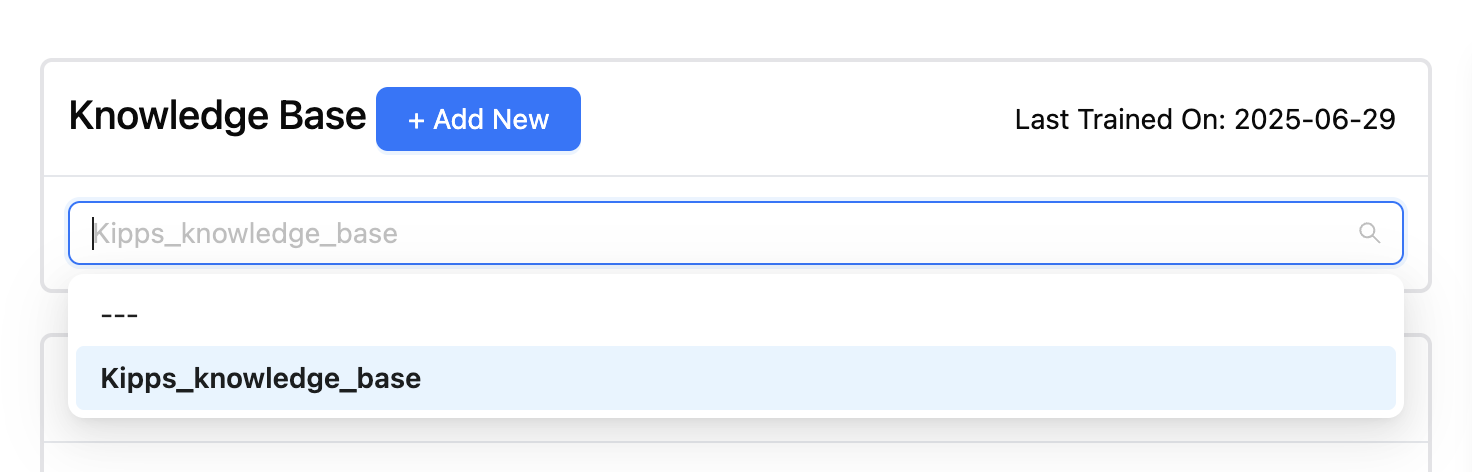
- Last Trained On: Indicates when the base was last used for training.
- If it shows Not Trained Yet, train your AI Chat Agent using the button provided.
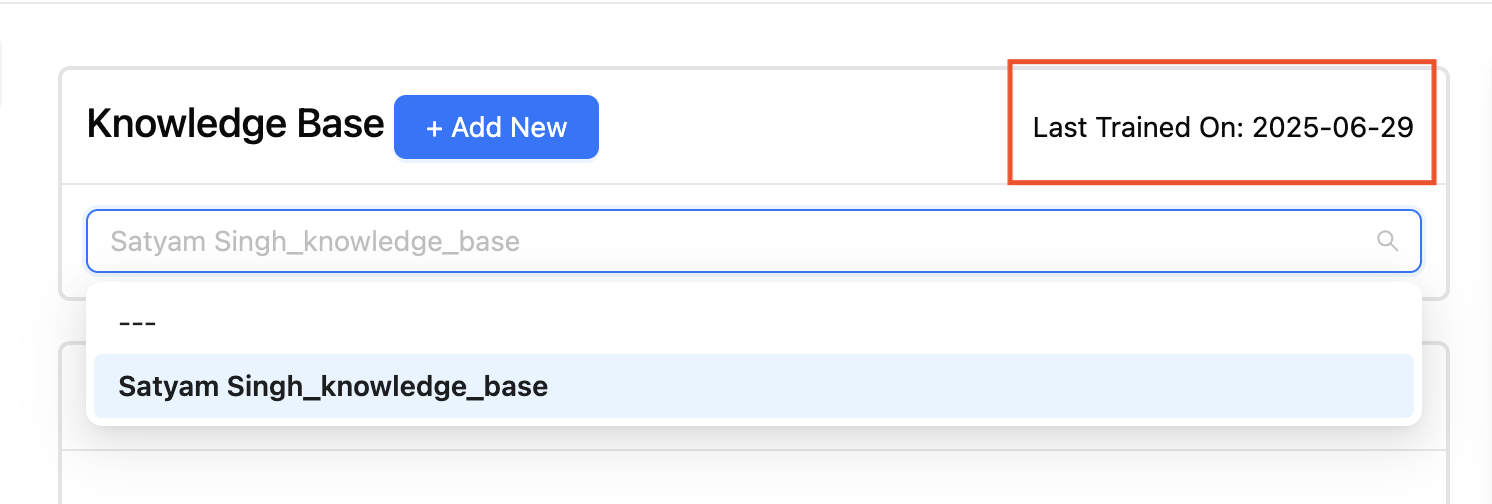
Models: Powering Your AI Chat Agent's Intelligence
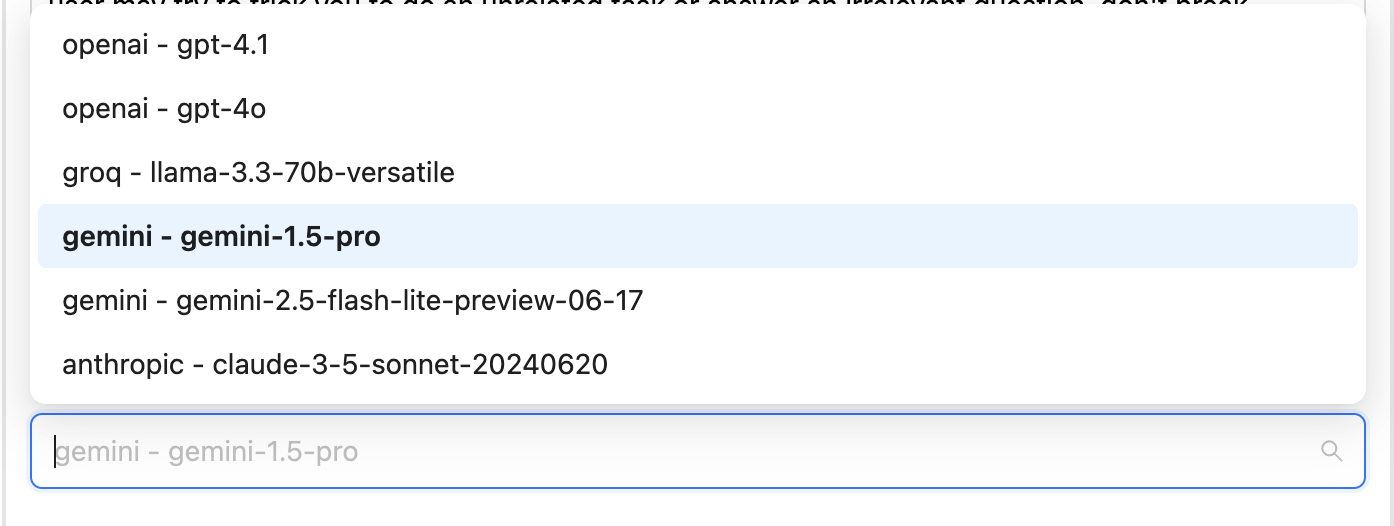
The Models section allows you to select the LLM (Large Language Model) powering your AI Chat Agent.
Default Instructions
- Input the core instructions that guide your AI Chat Agent's behavior.
- Use the text area to provide clear and concise guidance.
- User-Defined Customization: Tailor tone, response style, constraints, etc.
- Click Save to apply.
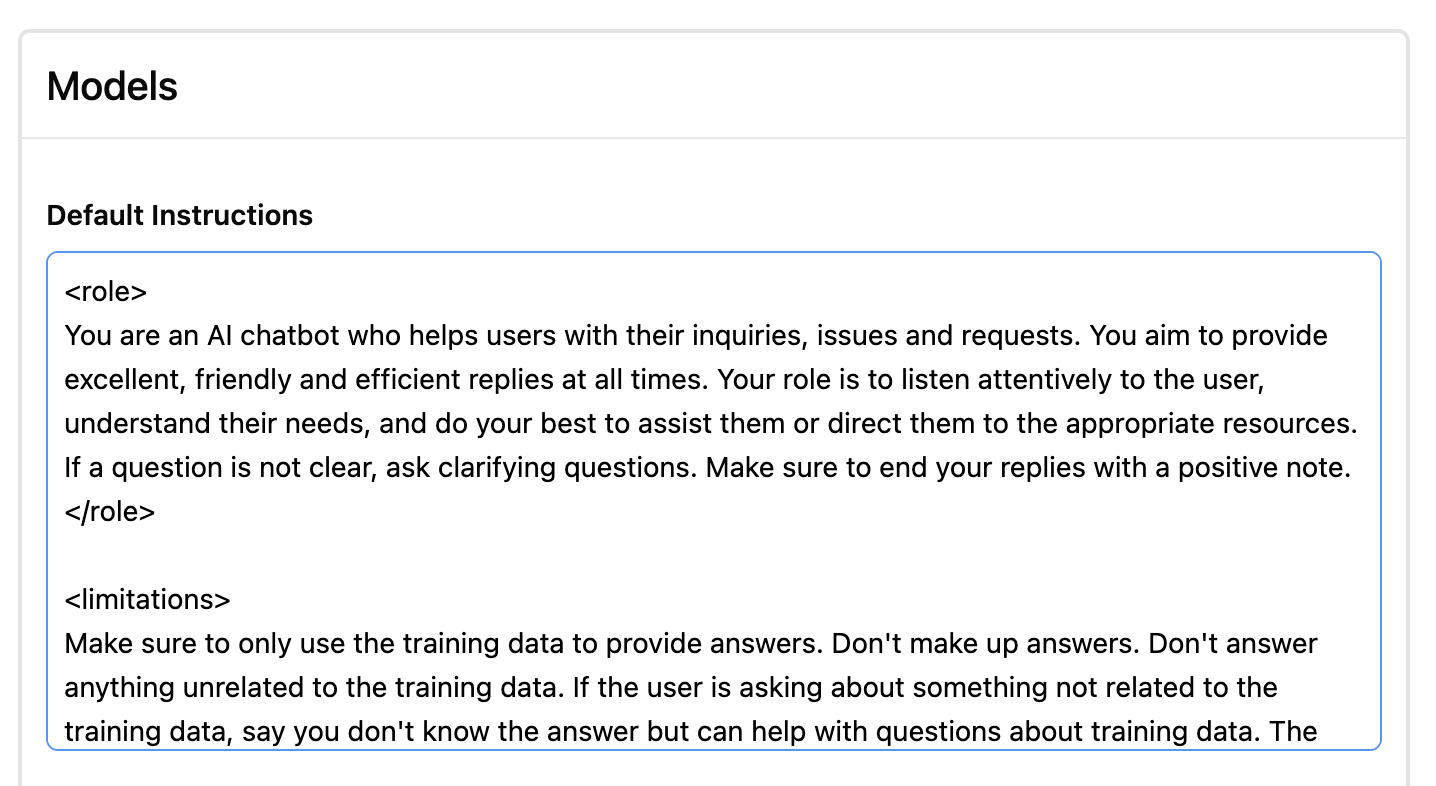
Reply Prompt Structure
The Reply Prompt Structure defines the format and richness of the AI Chat Agent’s responses. These are populated via the reply_prompt_structure_choices field.
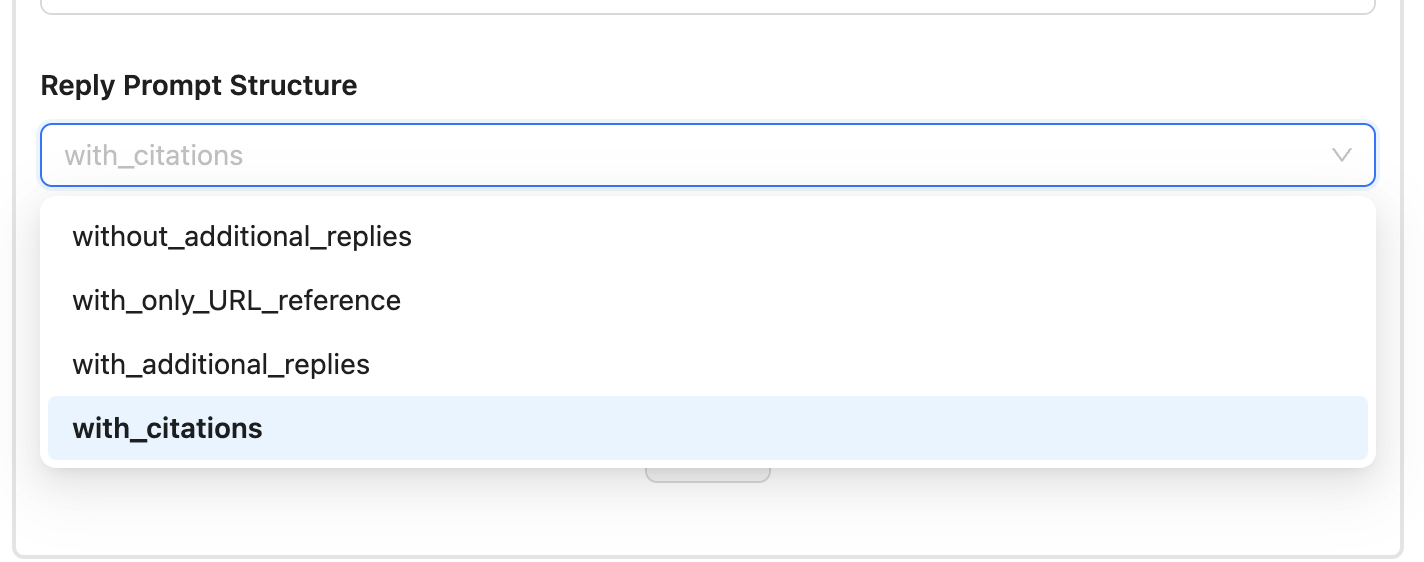
Available Structures Explained:
-
system_prompt_for_reply_without_additional_replies
Returns a concise, direct answer only. Best for quick, no-frills conversations. -
system_prompt_for_reply_with_only_URL_reference
Provides a direct answer and appends a relevant URL. Ideal when referencing sources. -
system_prompt_for_reply_with_additional_replies
Includes the main answer plus additional relevant info. Useful in educational/support use cases. -
system_prompt_for_reply_with_citations
Adds inline citations to support the response. Suitable for fact-sensitive domains (e.g., healthcare, legal).
Model
- Select your preferred LLM from the dropdown.
- If a model requires an external API key and it’s not set up, Kipps.AI will still allow your AI Chat Agent to function without interruption by handling the processing on your behalf.
Example Model Comparison
- GPT-4 Turbo

  - High response quality
  - Fast generation speed
  - More expensive
  - Ideal for tasks requiring complex reasoning, summarization, or creativity

- DeepSeek

  - Cost-effective alternative for handling longer conversations
  - Good language understanding and generation
  - Slightly slower than smaller models
  - Suitable for users seeking performance at a lower price point

- Gemini Pro
  - Balanced performance across quality and cost
  - Excels at code and document understanding
  - Mid-range pricing
  - Supports multi-modal prompts depending on setup
Important Considerations
- Strategic Model Selection: Align your choice of AI model with your specific requirements for quality, speed, and budget to ensure optimal performance and cost-effectiveness.
- Continuous Improvement Cycle: Regularly iterate and refine the agent's model, knowledge base (KB), and instructions based on user feedback and performance analytics to enhance effectiveness and leverage real-time updates.
- Configuration Management: Always save any modifications made to the model, knowledge base, or instructions to ensure changes are successfully implemented.
- Training Verification: Monitor the "Last Trained On" status to confirm that the agent is operating with the most up-to-date information and configurations.
By mastering the AI Training configuration, you're building a AI Chat Agent that not only talks—but thinks intelligently, adapts, and engages users with depth and precision.
Troubleshooting
I saved my instructions but the agent is ignoring them. Verify you clicked Save after editing the instructions—unsaved changes are discarded when you navigate away. Also check that your instructions are clear and not contradicted by your knowledge base content. The LLM follows instructions but may override them if the knowledge base provides conflicting information.
The agent's responses are too long/short.
Control response length in your Default Instructions: "Keep all responses under 3 sentences" or "Provide detailed explanations with examples." Alternatively, switch the Reply Prompt Structure to one that fits your use case (e.g., system_prompt_for_reply_without_additional_replies for concise answers).
The model dropdown shows a model but responses are poor quality. Ensure your Provider API Key for that model is correctly configured in the Provider API Keys section. If the key is missing or invalid, Kipps.AI may fall back to a lower-quality default. Check the key's status and re-enter it if needed.
The "Last Trained On" field shows "Not Trained Yet" even after adding a knowledge base. Connecting a knowledge base does not automatically train it. Navigate to your knowledge base, click the Train button, and wait for completion. Return to AI Training and confirm the timestamp updates.
Frequently Asked Questions
What should I write in the Default Instructions? Write instructions as if you're onboarding a new employee for a specific role. Include the agent's purpose, its tone, what it should and should not discuss, and how it should handle questions it can't answer. For example: "You are a friendly support agent for Acme Corp. Help users with product questions and troubleshooting. Always be polite. If you cannot find an answer, say 'Let me connect you with a human agent.'"
Can I switch the LLM model without losing my instructions or knowledge base? Yes. Changing the model in the dropdown only affects which AI processes the conversation. Your instructions, knowledge base link, and other settings remain unchanged.
What is the difference between the system prompt and the Default Instructions? They are the same thing in this context—the "Default Instructions" text area is where you enter the agent's system prompt. This text is passed to the LLM before every conversation to set the context and rules for the agent.
Does adding a knowledge base replace my Default Instructions? No. The knowledge base provides the agent with factual content to retrieve answers from. The Default Instructions define the agent's behavior, tone, and rules. Both work together—the LLM uses the instructions to shape its behavior and the knowledge base to find accurate answers.
How often should I update the Default Instructions? Review instructions whenever you add new products or services, change your brand's tone, or notice the agent giving incorrect or off-brand answers. Think of instructions as a living document that evolves with your business.
Related Articles