Functions – Shopify Function
The Functions – Shopify Function documentation explains how to extend your AI Chat Agent’s capabilities using real-time data from your Shopify store. Learn how to configure Shopify Functions, leverage live commerce data, and deliver smarter, personalized support experiences.
Overview
Functions allow your AI Chat Agent to interact with external systems. Among the available options, the Shopify Function is designed to integrate your AI Chat Agent with your Shopify store. It enables real-time, dynamic interactions that elevate the customer experience, boost sales, and reduce support load.
Shopify Functions rely on existing Shopify Integrations, which must be configured beforehand. This guide focuses solely on setting up and using the Shopify Function once that integration is active.
Why Use the Shopify Function?
Using the Shopify Function, your AI Chat Agent can:
- Provide Instant Support – Fetch live order statuses, shipping updates, and product details directly within the chat interface.
- Increase Conversions – Offer personalized product suggestions or promotions based on browsing or purchase history.
- Automate Repetitive Inquiries – Automatically handle common questions such as "Where is my order?" or "Do you have this in stock?"
- Simplify Shopify Integration – Kipps.AI makes this process easy with no complex coding required.
How It Works
The Shopify Function acts as a connector between your AI Chat Agent and the previously configured Shopify Integration. Once connected, your AI Chat Agent can use the function to pull information from your Shopify store and present it within the chat.
How to Configure a Shopify Function
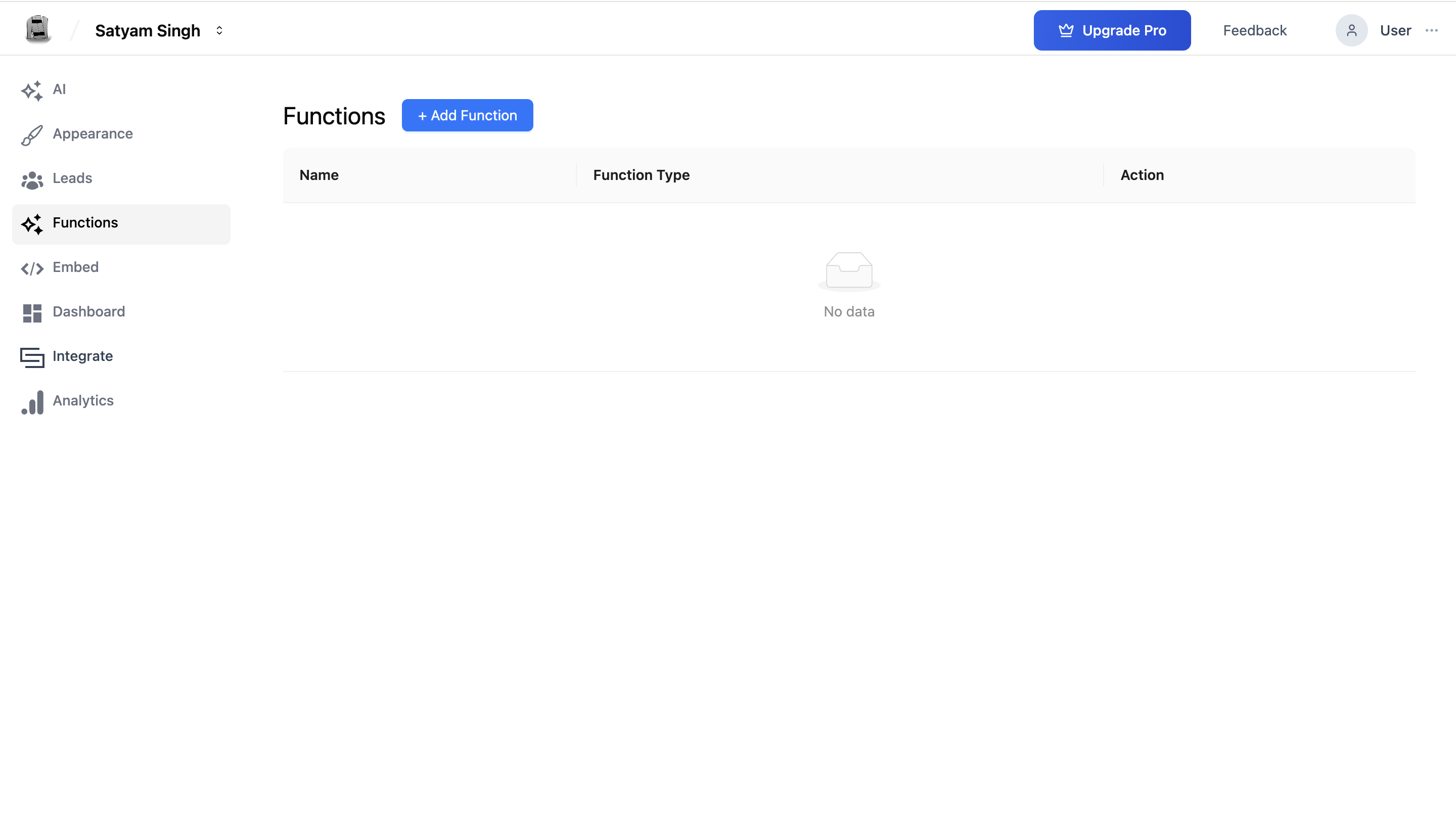
Step 1: Navigate to the Functions Page
Go to your AI Chat Agent's Agent and click on Functions from the Left sidebar.
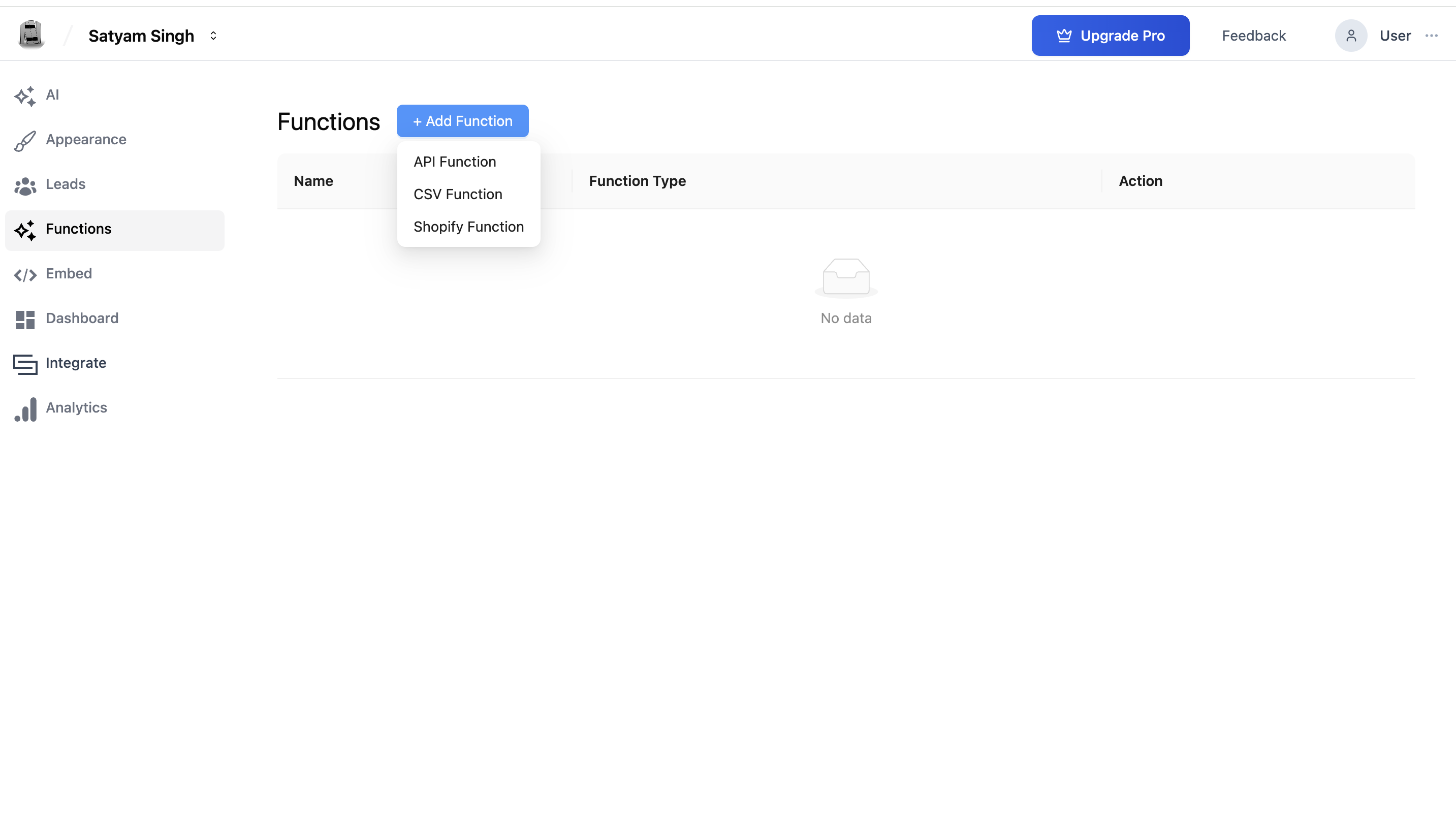
Step 2: Add a New Shopify Function
Click the "+ Add Function" button. From the dropdown menu, select "Shopify Function".
Step 3: Fill in Function Details
- Function Name: Provide a descriptive title (e.g.,
Track OrderorFind Customer Order). - Description: Summarize what this function does (e.g.,
Returns order status based on customer email or order ID).
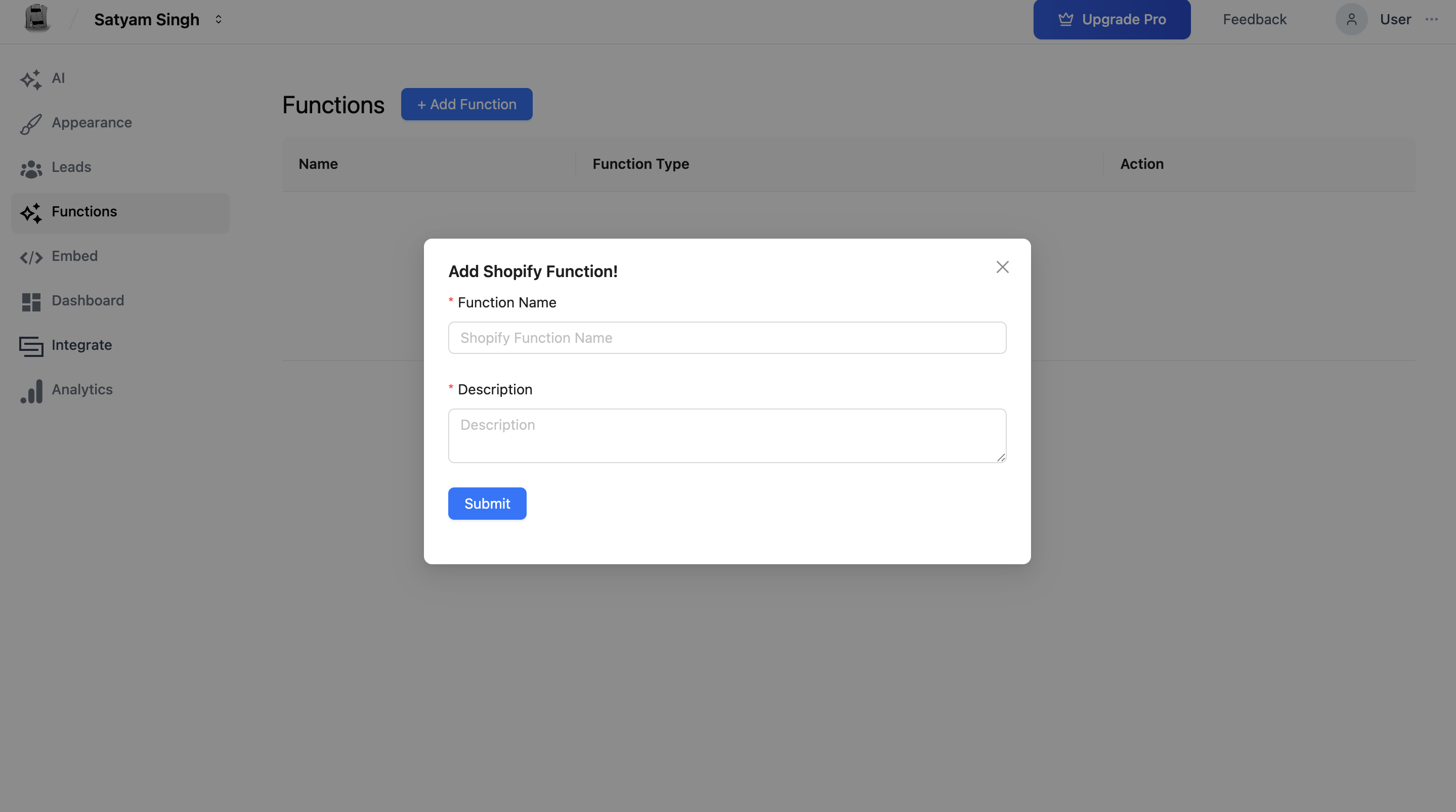
Step 4: Save Your Function
Click the Submit button to finalize the function setup.
Shopify Function Example Use Case
Let’s say a user types: “Can you tell me my order status?”
Here’s how the AI Chat Agent, with the Shopify Function enabled, would handle it:
- Ask the user for their email address or order ID.
- Use the configured function to call the Shopify Integration.
- Fetch the corresponding order data.
- Display the order number, current status (e.g., shipped, pending), and estimated delivery.
This interaction happens in real time and enhances the user's trust and satisfaction.
Managing Your Functions
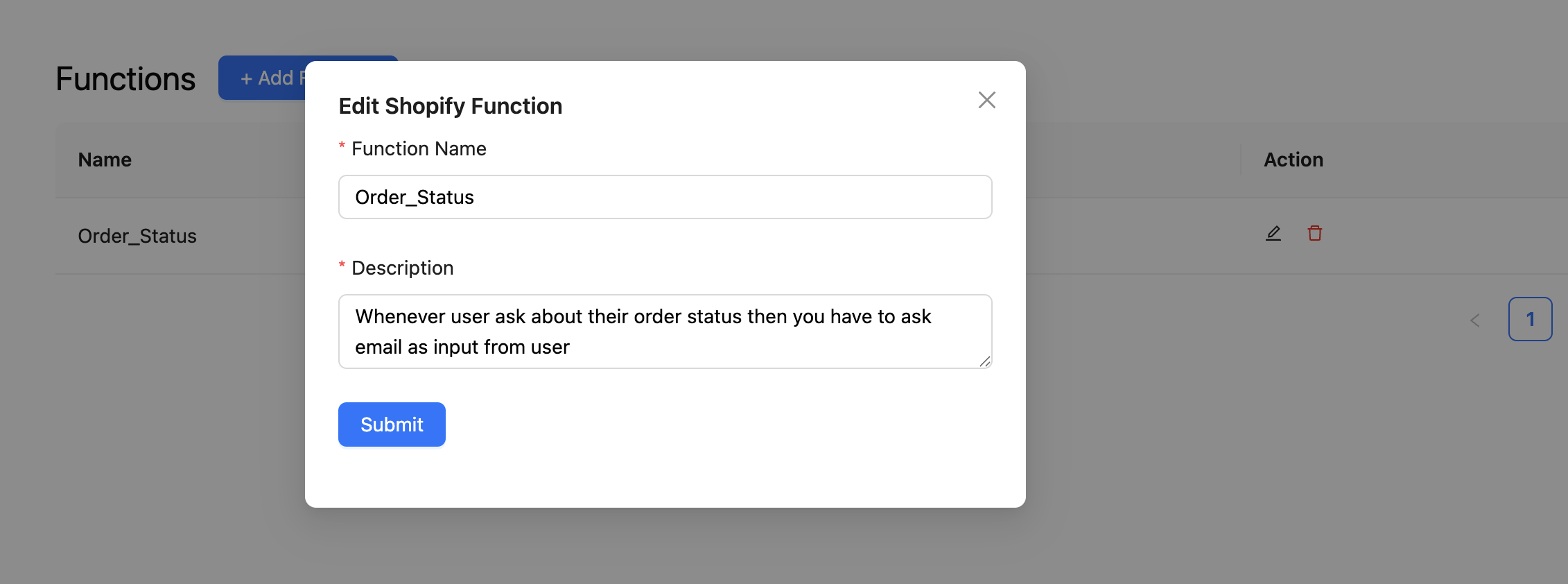
Once added, all functions appear in a list where you can:
-
Edit – Click the pencil/edit icon next to the function to modify its name or description.
-
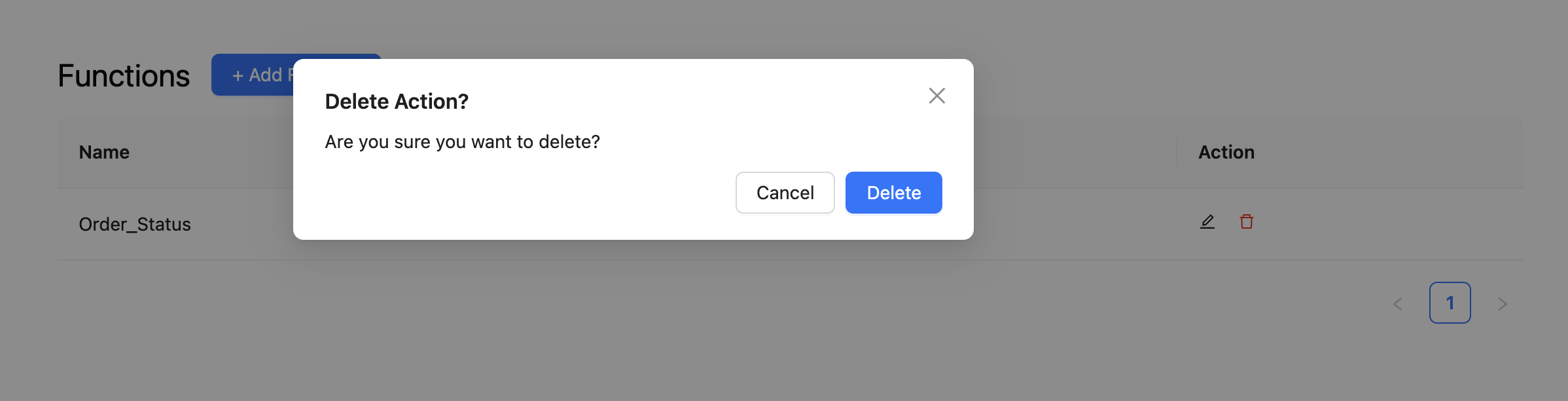
Delete – Click the trash icon to remove the function. You’ll be prompted with a confirmation dialog to prevent accidental deletion.
Best Practices
- Use Descriptive Naming: Helps you quickly identify what each function does.
- Keep Descriptions Clear: Make sure the function’s description accurately represents the task.
- Test Responses Thoroughly: Ensure your AI Chat Agent properly requests input (like email) and handles API results gracefully.
- Align with Integrations: Your Shopify Integration must be configured and active for functions to work.
Summary
The Shopify Function is a powerful tool for enhancing your AI Chat Agent with e-commerce capabilities. By linking to your Shopify store, your AI Chat Agent becomes a smart support agent, a sales assistant, and a productivity booster all in one. With Kipps.AI, setting up and using the Shopify Function is easy, intuitive, and impactful.
Next steps? Test your function, gather user feedback, and iterate to build even more personalized, data-driven conversations.
Troubleshooting
The AI Chat Agent doesn't trigger the Shopify function when users ask about their order. The function description is too vague. Update it to explicitly describe when the function should fire—for example: "Use this function when a customer asks about their order status, shipping, or delivery. Collect their email address or order ID first, then call this function to retrieve the order details."
The function triggers but returns "order not found" for valid orders.
Verify the Access Token in your Shopify integration settings has the read_orders permission scope. Also confirm the customer provided the exact email address used during checkout, or the correct order ID—not an alternate email or a mistyped ID.
The Shopify integration is marked as connected but the function fails. The Shopify integration credentials (Client ID, Client Secret, Access Token, Shop Name) may have changed or expired. Go to Integrations > Shopify and click Update to re-enter your credentials.
Frequently Asked Questions
Can the Shopify function be used by WhatsApp agents as well? Yes. The same Shopify integration can power functions in both AI Chat Agents and WhatsApp Agents. Configure a Shopify function within each agent independently, pointing to the same integration.
Can the agent check multiple orders for the same customer email? The function returns all orders associated with the provided email. Your agent's response formatting determines whether it presents one or multiple orders to the user.
Is there a limit to how many Shopify functions I can add to one agent? There is no stated limit on the number of functions per agent. However, having too many functions with similar descriptions can confuse the AI about which one to use. Keep functions distinct and well-described.
Does the function work with Shopify development or sandbox stores? Yes. You can connect a Shopify development store for testing purposes. Use the development store's Client ID, Client Secret, Access Token, and Shop Name during setup.
Related Articles