Functions – API Function
The API Function documentation explains how to supercharge your AI Chat Agent by connecting it to external REST APIs. This feature allows you to create dynamic, real-time, and interactive AI Chat Agent experiences powered by third-party services or internal tools.
Overview
The API Function enables your AI Chat Agent to communicate with any external service that exposes a REST API. This extends your AI Chat Agent's functionality beyond static knowledge bases and allows it to fetch live data, trigger external workflows, and deliver personalized responses.
Why Use the API Function?
Using the API Function, your AI Chat Agent can:
- Access Real-Time Information – Pull data such as weather, stock prices, news, and more.
- Automate Tasks – Trigger workflows like sending emails, creating support tickets, or booking appointments.
- Integrate with Your Stack – Connect your AI Chat Agent with internal systems (e.g., CRM, HRMS, analytics) or third-party apps.
- Provide Personalized Responses – Fetch user-specific data (like profile details or past orders) to tailor answers.
How It Works
Think of the API Function as teaching your AI Chat Agent a new capability. Here's how the workflow looks:
- Define the Tool – You specify what the API does and what parameters it needs.
- AI Chat Agent Understands User Intent – When a user asks a question, the AI Chat Agent determines if an API function matches the intent.
- AI Chat Agent Extracts Information – It pulls values (e.g., city name, order ID) from the conversation to prepare a request.
- Makes the API Call – The system sends the request to the specified external API.
- Delivers the Response – The AI Chat Agent formats and presents the response naturally to the user.
How to Configure an API Function
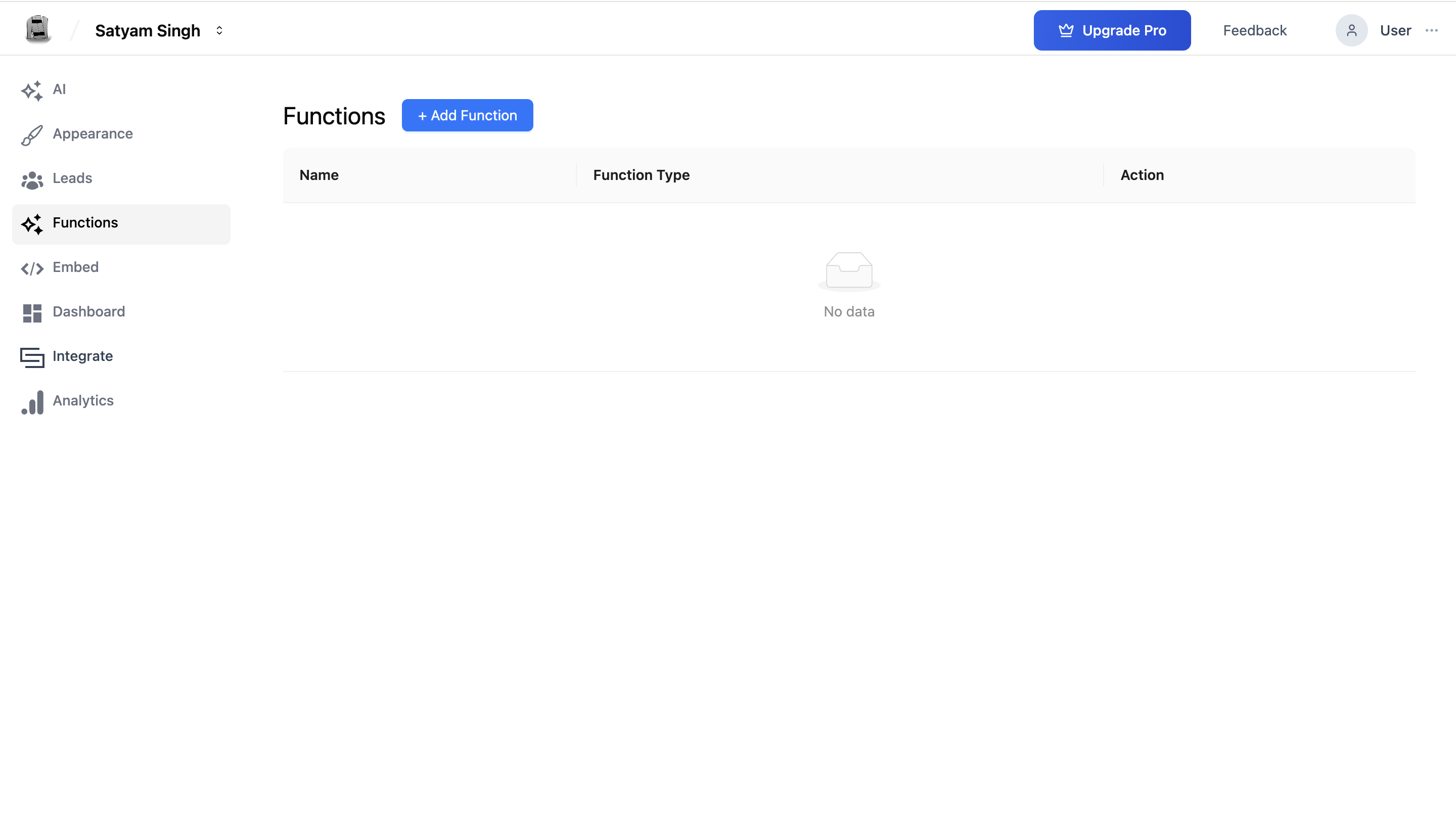
Step 1: Navigate to the Functions Page
Go to your AI Chat Agent Agent and click Functions from the sidebar.
Step 2: Add an API Function
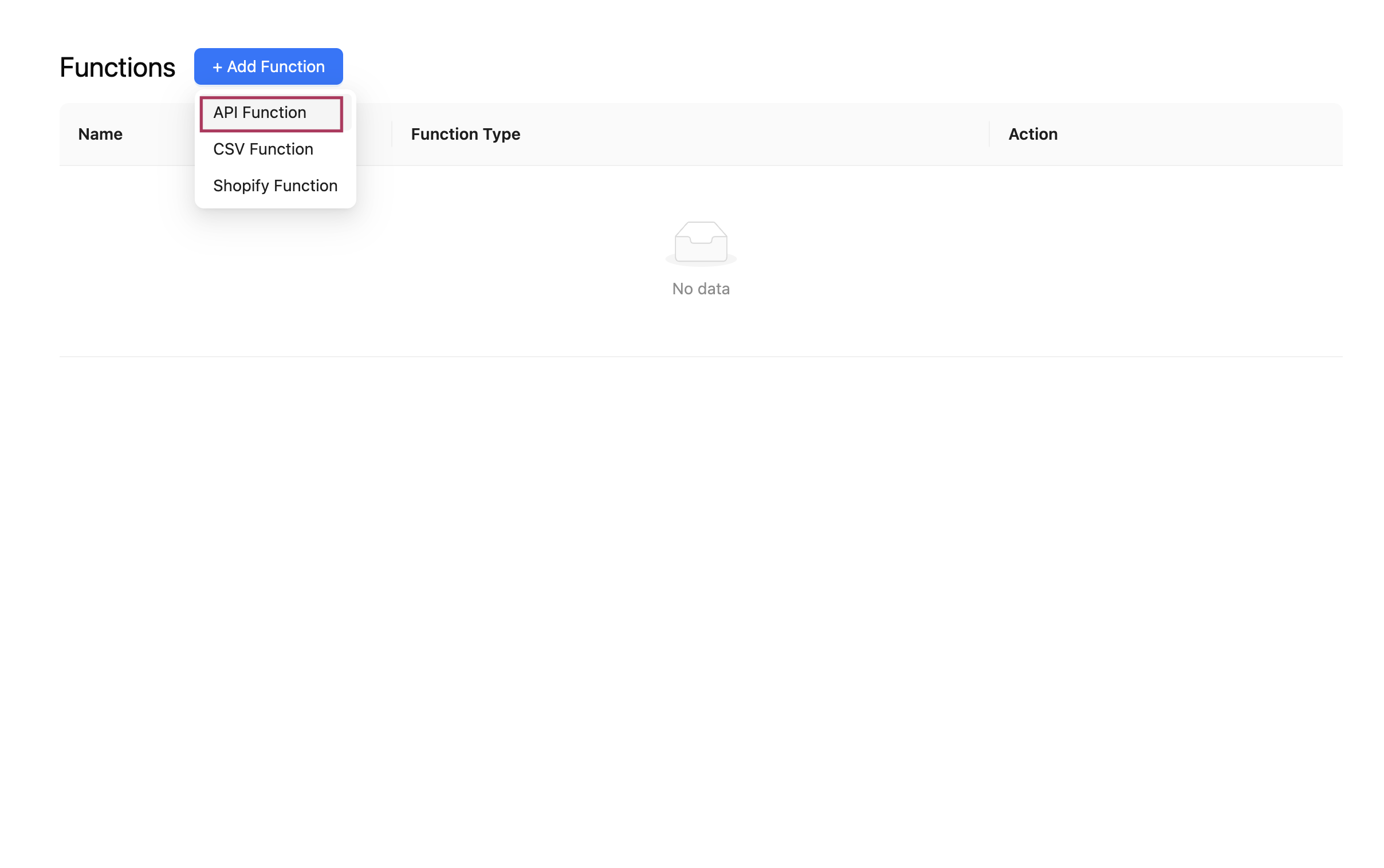
Click the "+ Add Function" button and choose API Function from the dropdown.
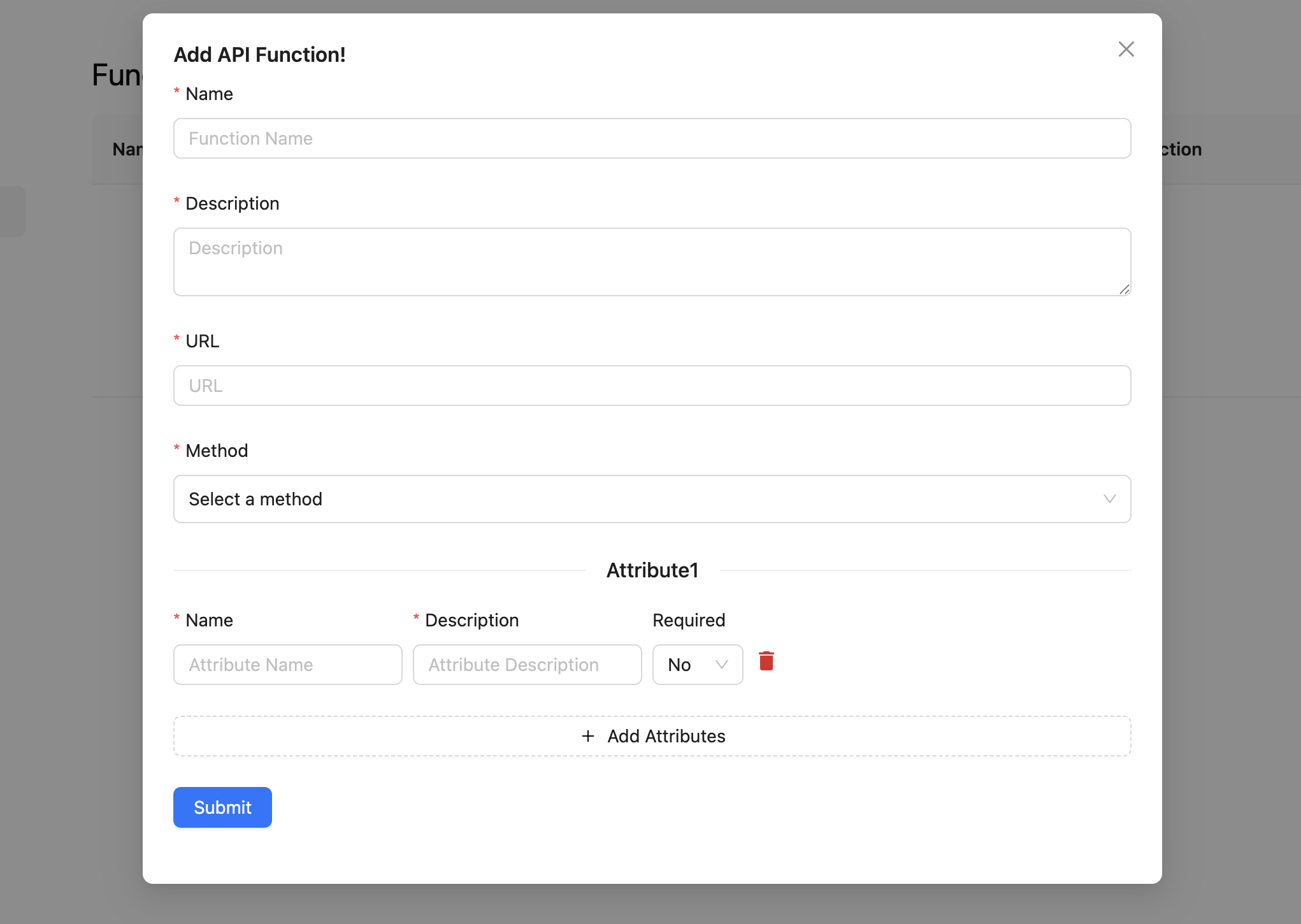
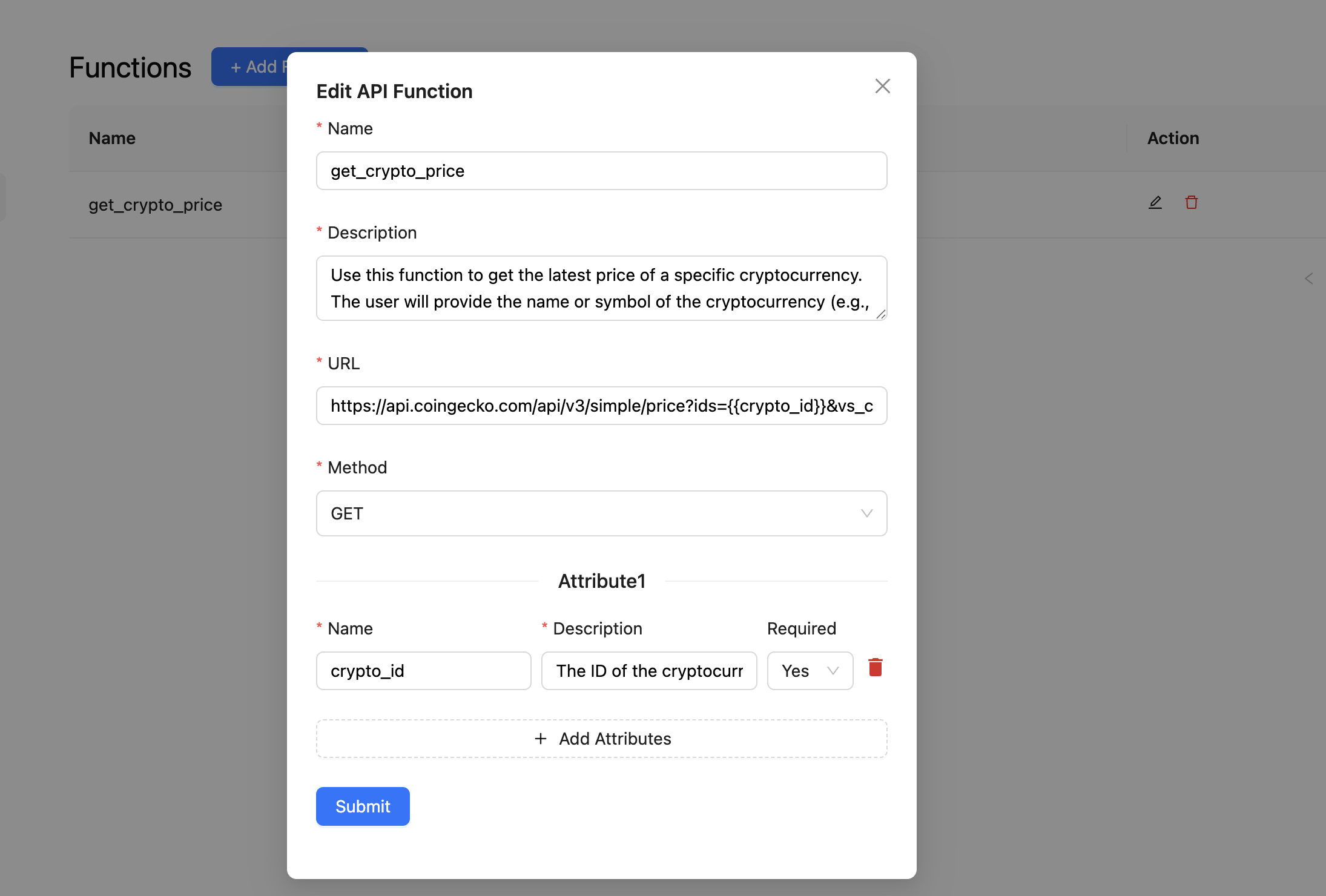
Step 3: Enter Function Details
Function Name
- A clear, internal identifier (e.g.,
get_weather_data,check_order_status). - Use only letters, numbers, and underscores.
Description
- Clearly explain what this function does and when it should be used.
- Example:
Use this function to get the weather forecast for a specific city. Requires city name as input.
URL
- The full API endpoint URL (e.g.,
https://api.weather.com/forecast).
Method
- Choose the HTTP method:
GET– Retrieve data.POST– Submit or create data.PUT / PATCH– Update data.DELETE– Remove data.
Payload Schema: Setting Input Parameters
The payload schema defines what data the API function expects. You can add multiple attributes:
Attribute Fields
- Attribute Name – e.g.,
city,email,product_id - Description – Helps the AI Chat Agent extract the right information from the user's message.
- Type – Specify the data format (
string,integer, etc.) - Required – If checked, the AI Chat Agent will prompt the user if the info is missing.
Example:
- Attribute Name:
city - Description:
Name of the city to retrieve the weather forecast for - Type:
string - Required:
Yes
Example Use Case
A user asks: “What’s the weather in Delhi?”
If you have a function configured like this:
- Name:
get_weather - Description:
Use this function to get the current weather for a city. - Payload Schema:
{ city: string (required) }
Then the AI Chat Agent will:
- Extract
Delhias the value forcity - Call your weather API
- Format and show the result to the user, like:
The current weather in Delhi is 33°C with scattered clouds.
Managing API Functions
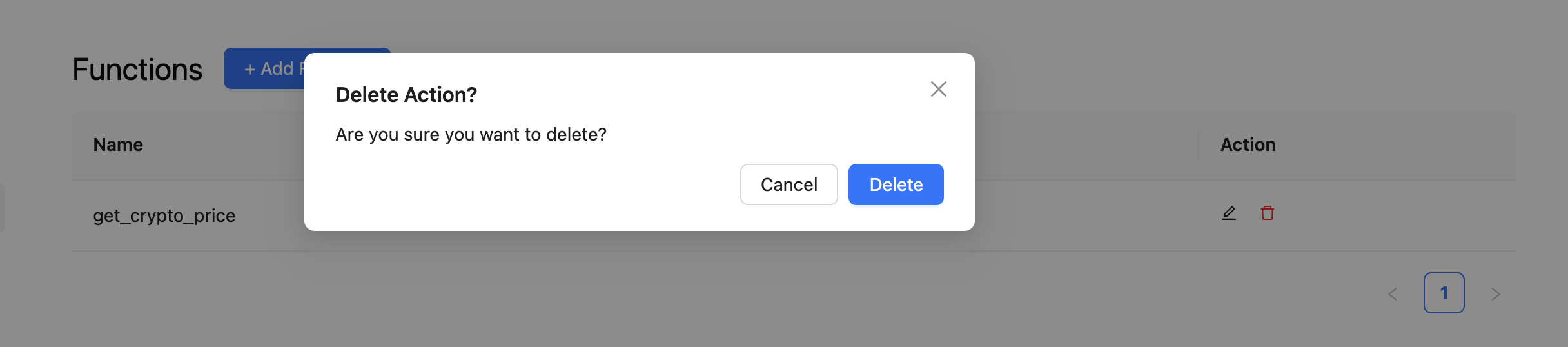
Once added, API Functions appear in your function list. You can:
-
Edit – Update any configuration fields.
-
Delete – Permanently remove the function after confirming deletion.
Best Practices
- Use descriptive names like
fetch_invoice_by_emailorcheck_flight_status. - Write a rich description so the AI Chat Agent understands exactly when to use the function.
- Define clear attribute descriptions to guide the AI Chat Agent’s data extraction.
- Test each function to ensure the AI Chat Agent responds properly based on user prompts.
Summary
The API Function unlocks a world of external data and actions for your AI Chat Agent. Whether you want to show live weather, book a demo, or fetch records from your system, this feature turns your AI Chat Agent into a truly intelligent assistant.
Kipps.AI takes care of the AI reasoning and routing logic—your job is just to describe the function, and we handle the rest.
Next: Explore how to manage CSV-based functions in the CSV Function documentation.
Troubleshooting
The AI Chat Agent never calls the API function even when the user asks a relevant question. The function description is what tells the agent when to use the function. A vague description like "fetch data" will cause the agent to skip the function. Make the description explicit: "Use this function when the user asks about their invoice, account balance, or payment history. Ask for the account email before calling." Include specific user phrases that should trigger the function.
The API is called successfully but the agent's reply ignores the response data. Check what your API returns — the agent reads the response and incorporates it into its reply. If the response is a deeply nested JSON object, the agent may struggle to extract the relevant fields. Simplify the API response to return only the fields you want the agent to communicate, or update the function description to specify exactly which fields to read.
The function worked in initial testing but now returns errors in production. Verify the API endpoint is accessible from external sources (not restricted to internal networks). Check authentication headers — API keys or tokens may have expired. Also confirm the API handles the exact payload attributes the agent sends, including the correct data types (string vs. integer) for each attribute.
The agent asks for attribute information that was already mentioned earlier in the conversation. The agent collects required attributes before calling the function based on the current conversation context. If an earlier message contains the value but the agent still asks, improve the attribute description to help the agent recognize the information when it appears: "The user's email address, which may have been mentioned earlier in the conversation."
Frequently Asked Questions
How many API functions can one AI Chat Agent have? You can add multiple API functions to a single AI Chat Agent. Each function should serve a distinct, clearly described purpose. Keep the total number reasonable — too many functions with overlapping descriptions may cause the agent to choose the wrong one.
Can I pass the user's chat session ID or IP address to the external API?
Session metadata such as IP address is not automatically passed to API functions. You can include it as an optional attribute if your application captures this data and passes it through the embed's user_detail configuration. The agent will then include it as part of the function call payload.
What HTTP methods are supported for API functions? API functions support GET, POST, PUT, PATCH, and DELETE methods. Choose the method that matches your API's endpoint requirements. GET is used for retrieving data, POST for submitting new data, PUT/PATCH for updates, and DELETE for removals.
Is there a timeout for API calls made during a chat session? Yes. API calls have a timeout to prevent the chat session from stalling indefinitely. Design your API to respond within 5 seconds. For slow operations, return an acknowledgment immediately and use a follow-up mechanism (email, webhook, or next message) to deliver the full result.
Can I test API functions without affecting production data? Yes. Use the agent's built-in test console in the Kipps.AI dashboard to simulate conversations. The API function is called with test data during these simulations, allowing you to verify the endpoint, payload, and response handling before going live.
Related Articles