Compare Dates Function
A new built-in function that allows bots to reliably check whether a customer-given date is in the past, today, or the future using a fixed, admin-configured time zone.
Compare Dates Function
The Compare Dates function provides a reliable way for your WhatsApp Agent and AI Chat Agent bots to determine if a date provided by a customer is in the past, present, or future. This prevents common issues where the AI might incorrectly interpret dates due to time zone differences or its own reasoning.
How It Works
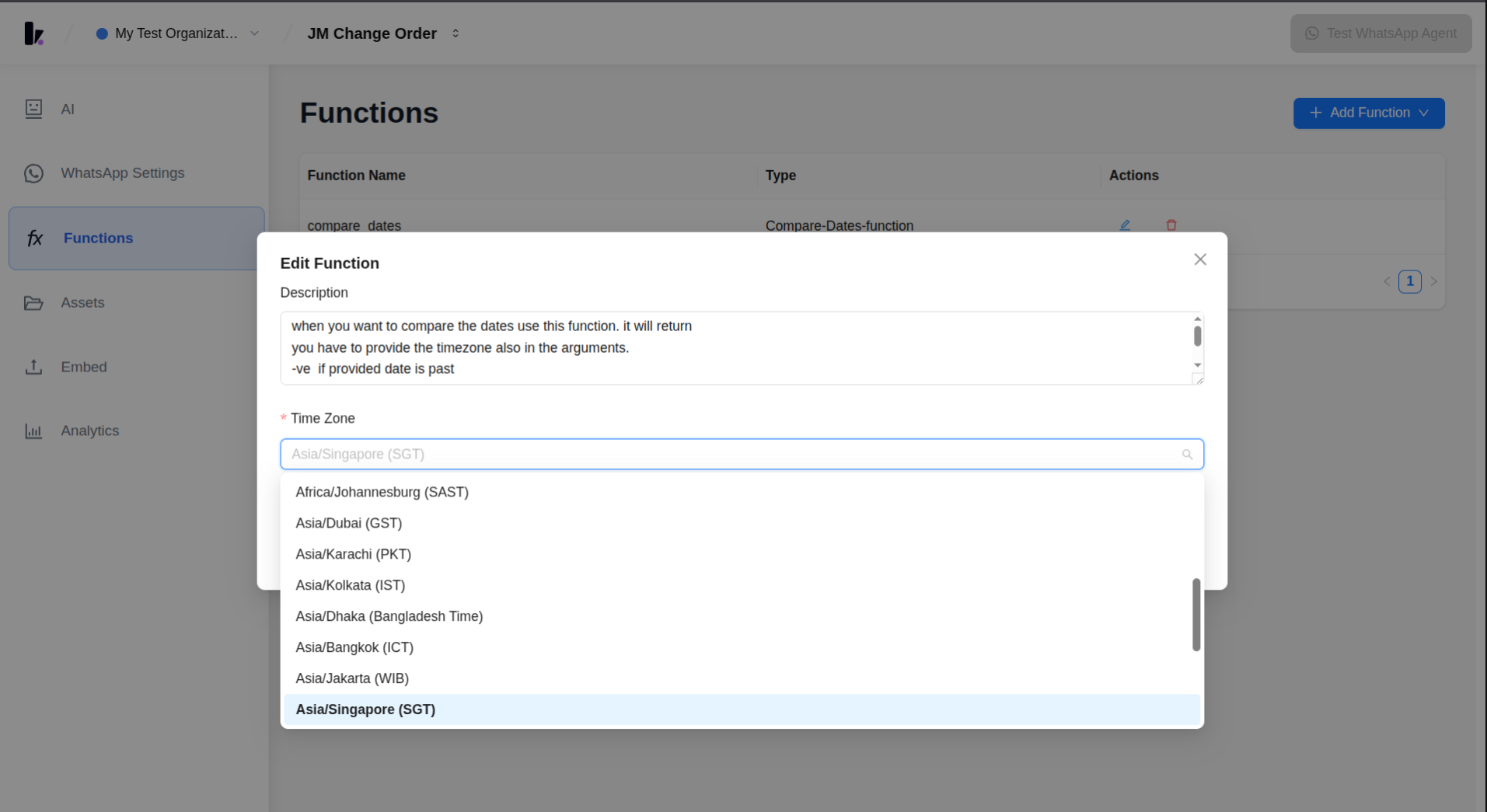
When configured, the Compare Dates function (named compare_dates) allows your agent to pass a date to it. The function then calculates how many days that date is from "today," based on a time zone you specify during setup. A negative number indicates a date in the past, zero means today, and a positive number signifies a future date. This calculation is performed by the backend system, ensuring accuracy and consistency, rather than relying on the AI's internal logic.
How to Use
Step 1
Create a WhatsApp AI Agent.
Step 2
Navigate to the Functions tab.
Step 3
Click Add Function and select API Function.
Step 4
Choose Compare Dates from the list of available API functions.
Step 5
Enter the required details: Name Description Time Zone Click Save.
Step 6
Verify that the Compare Dates function has been successfully added to the agent's functions list.
Benefits
- Removes a recurring bug class: Prevents the AI from accepting delivery dates that have already passed by accurately determining "today" and handling time zones.
- Time zone is set once by whoever configures the function: Ensures accuracy by allowing you to select a time zone from a validated dropdown, eliminating free-text typos and reliance on the model to guess or convert time zones correctly.
- Works identically for both WhatsApp Agent and AI Chat Agent bots: Provides consistent date comparison functionality across your different bot types.
Related Features
This function follows a similar pattern to features like Check/Schedule/Reschedule Google Calendar Availability, where the backend handles complex computations instead of the LLM. Other related features include Assign to Human Agent and Tag Contact.
Screenshots
Related Articles