Configurable "Continue From Previous Taps" Flow Setting
WhatsApp flow agents can now choose whether tapping a button from an earlier message continues the flow from that button, or is ignored unless it matches the step the flow is currently waiting on.
Configurable "Continue From Previous Taps" Flow Setting
This feature allows WhatsApp flow agents to control how their flows respond to users tapping buttons from previous messages. It addresses the problem of whether a user's tap should always advance the conversation from that specific button, or only if it corresponds to the current step the flow is expecting.
How It Works
When enabled, if a user taps a button from an earlier message in the conversation, the flow will restart or continue from the point associated with that button. If disabled, only buttons presented in the most recent message will be honored; taps on buttons from previous messages will be ignored, ensuring the flow adheres strictly to its intended linear path.
How to Use
Step 1
Open the WhatsApp Agent and go to Flow Builder.
Step 2
Click the gear (settings) icon in the top-right toolbar. Image: 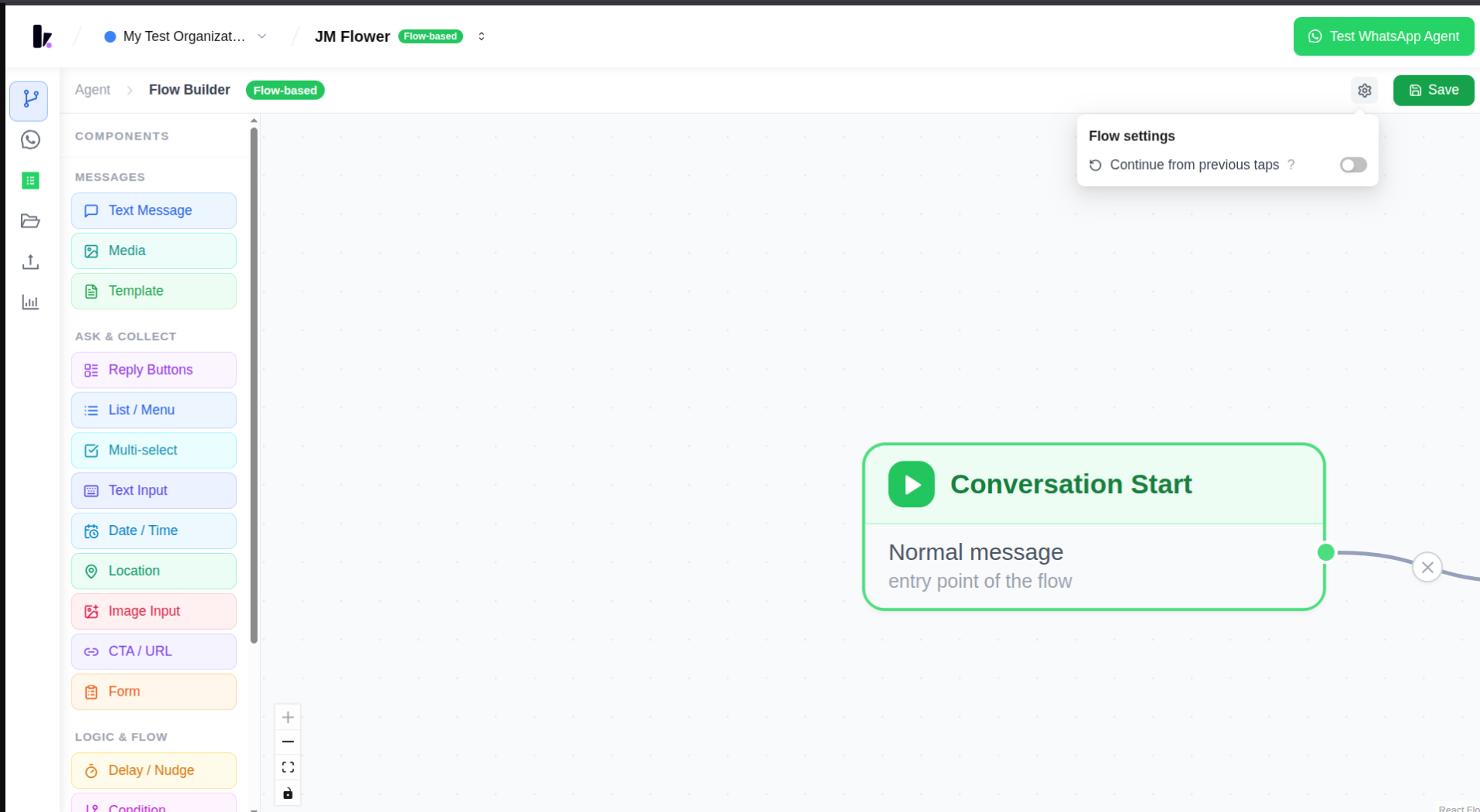
Step 3
In the "Flow settings" popover, toggle "Continue from previous taps" on or off.
Benefits
- Gives teams control over how forgiving their flow is: Allows agents to tailor the user experience to be either flexible or strict.
- Lets users tap any button they've been sent: When enabled, users can easily jump back to earlier points in the conversation.
- Ensures a stricter, single-path experience: When disabled, only the currently active step's buttons are honored, preventing confusion in complex flows.
Related Features
This setting works in conjunction with the Visual Flow Builder, and impacts the behavior of Reply Buttons Node and List Menu Node.
Screenshots
Related Articles