Date-Based Campaigns – Birthday & Anniversary Automation
Learn how to create automated date-triggered WhatsApp campaigns for birthdays, anniversaries, renewals, or any custom date field.
Overview
Date-Based Campaigns let you automatically send WhatsApp messages on a specific date tied to each contact.
This supports:
- Birthday campaigns (using Date of Birth)
- Anniversary campaigns (signup date, renewal date, membership date, custom date fields)
The setup process is identical.
The only difference is which date field you select.
Step 1: Create a Custom Date Field
Navigate to Contacts
Go to the Contacts section.
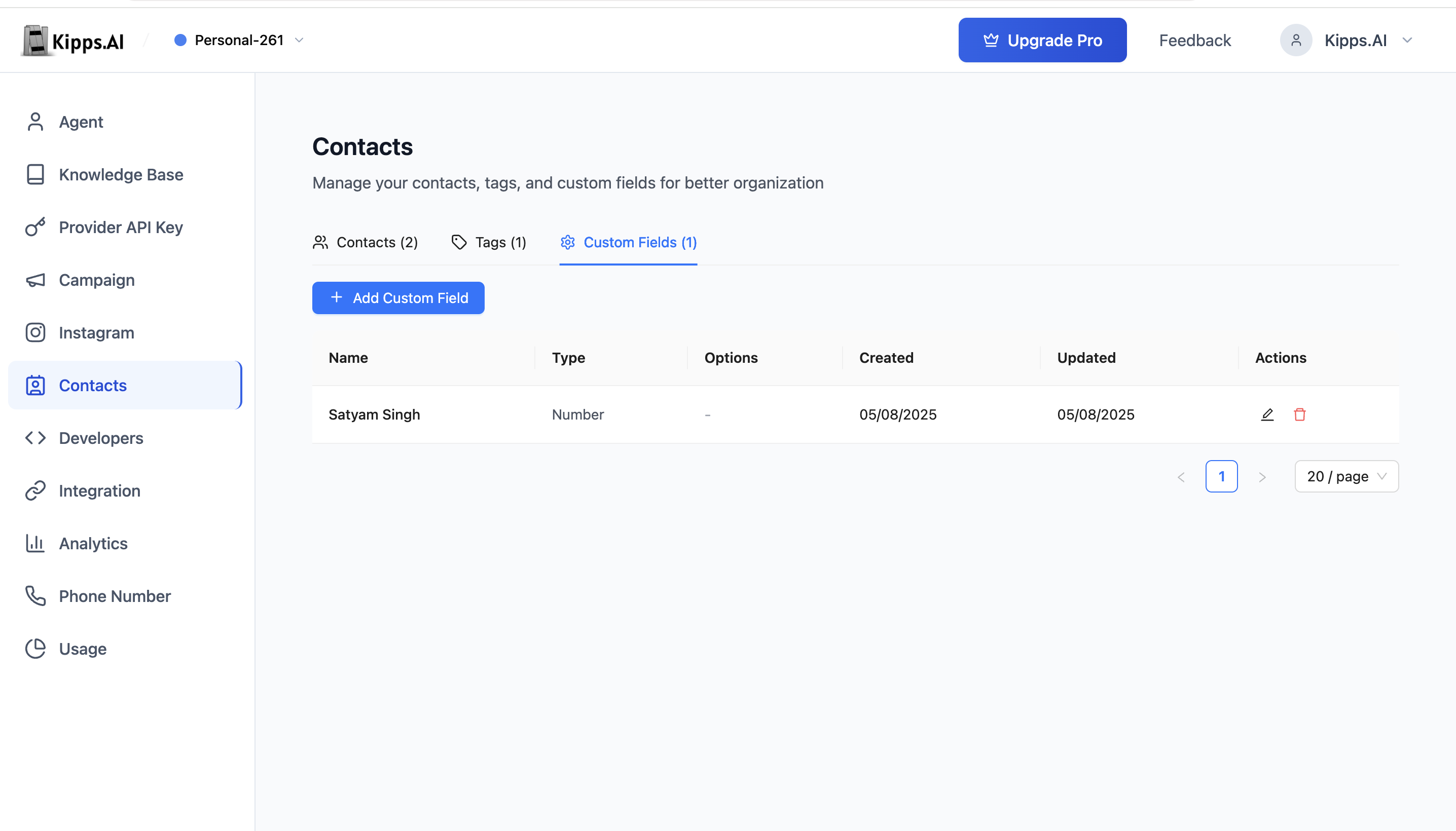
Add Custom Field
- Click Manage Custom Fields
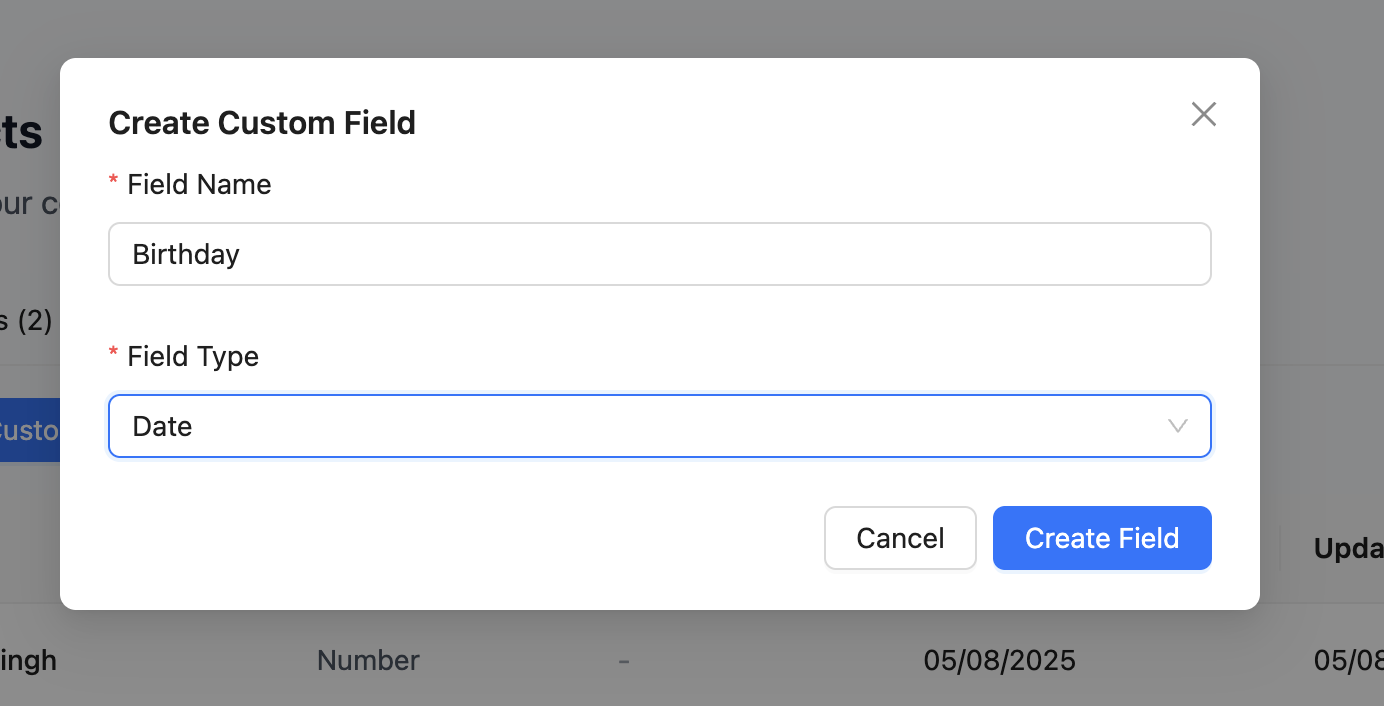
- Add a new field
- Set Field Type = Date
Use:
- “Date of Birth” – for birthdays
- “Signup Date”, “Renewal Date”, “Anniversary Date” – for anniversaries
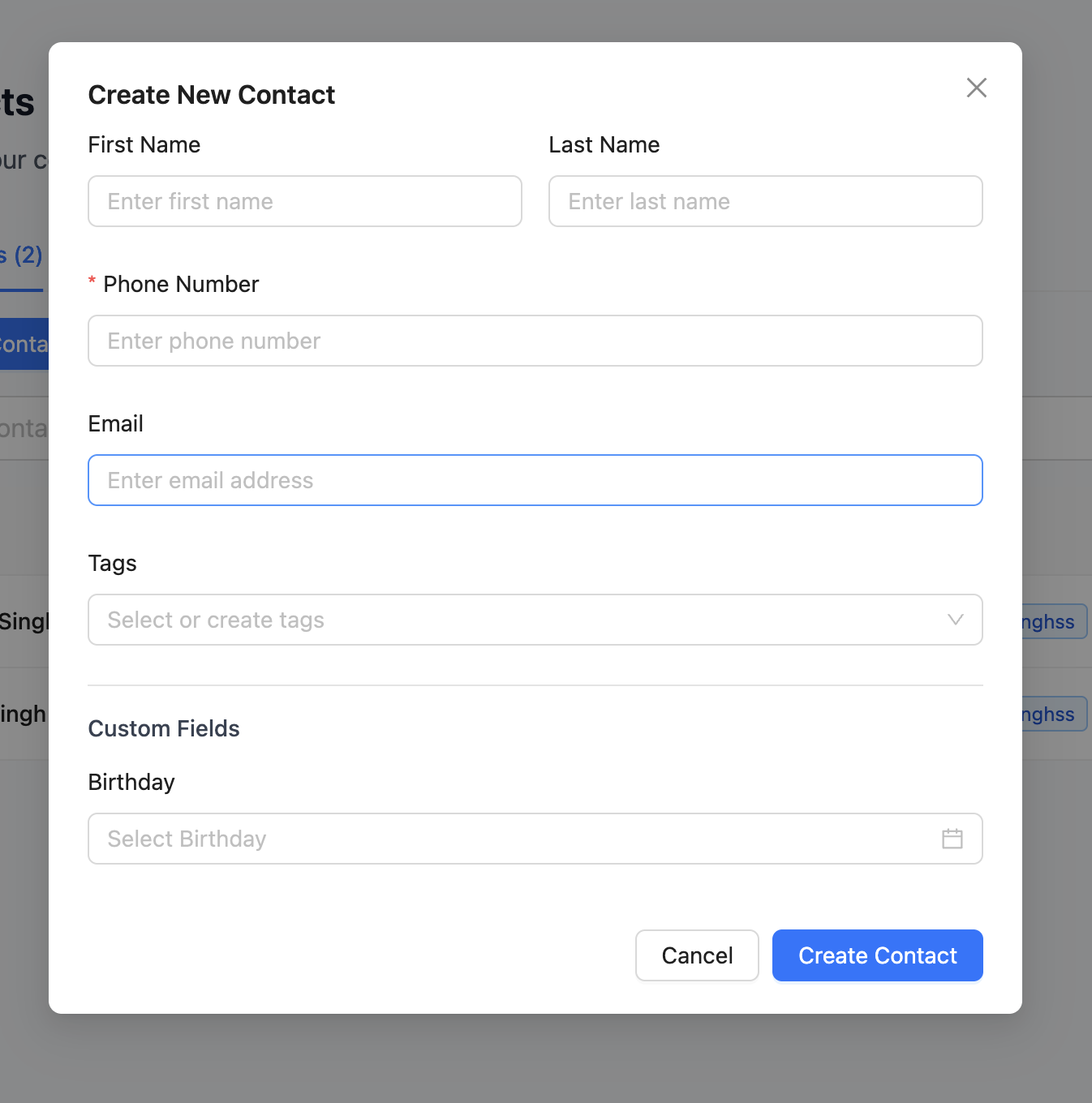
Step 2: Add Contacts With Date Values
Open Add Contact or edit a contact.
Fill the date field you created earlier.
Step 3: Create a Date-Based Campaign
Navigate to Campaigns
Go to the Campaigns section.
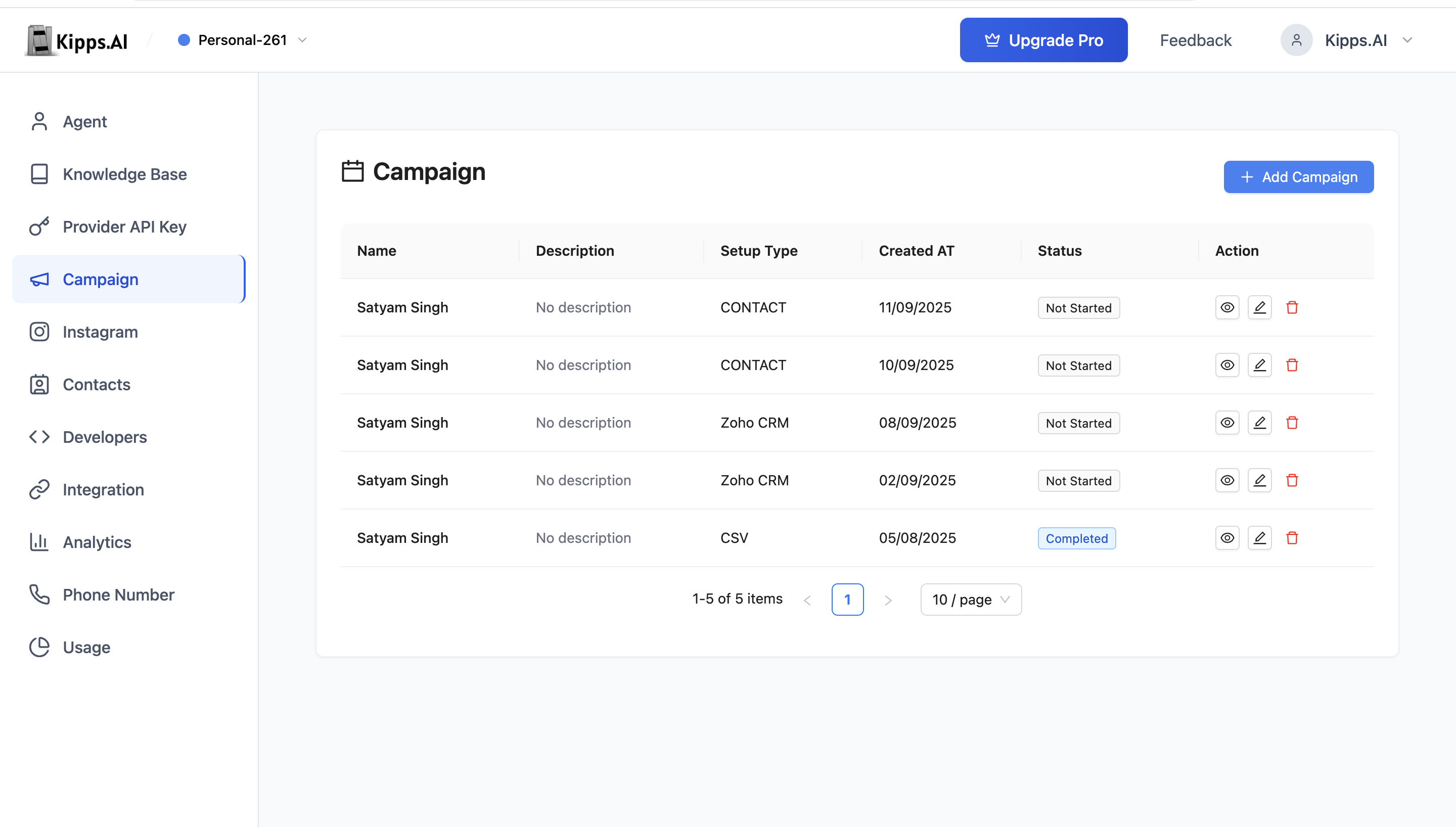
Add New Campaign
Click Add Campaign.
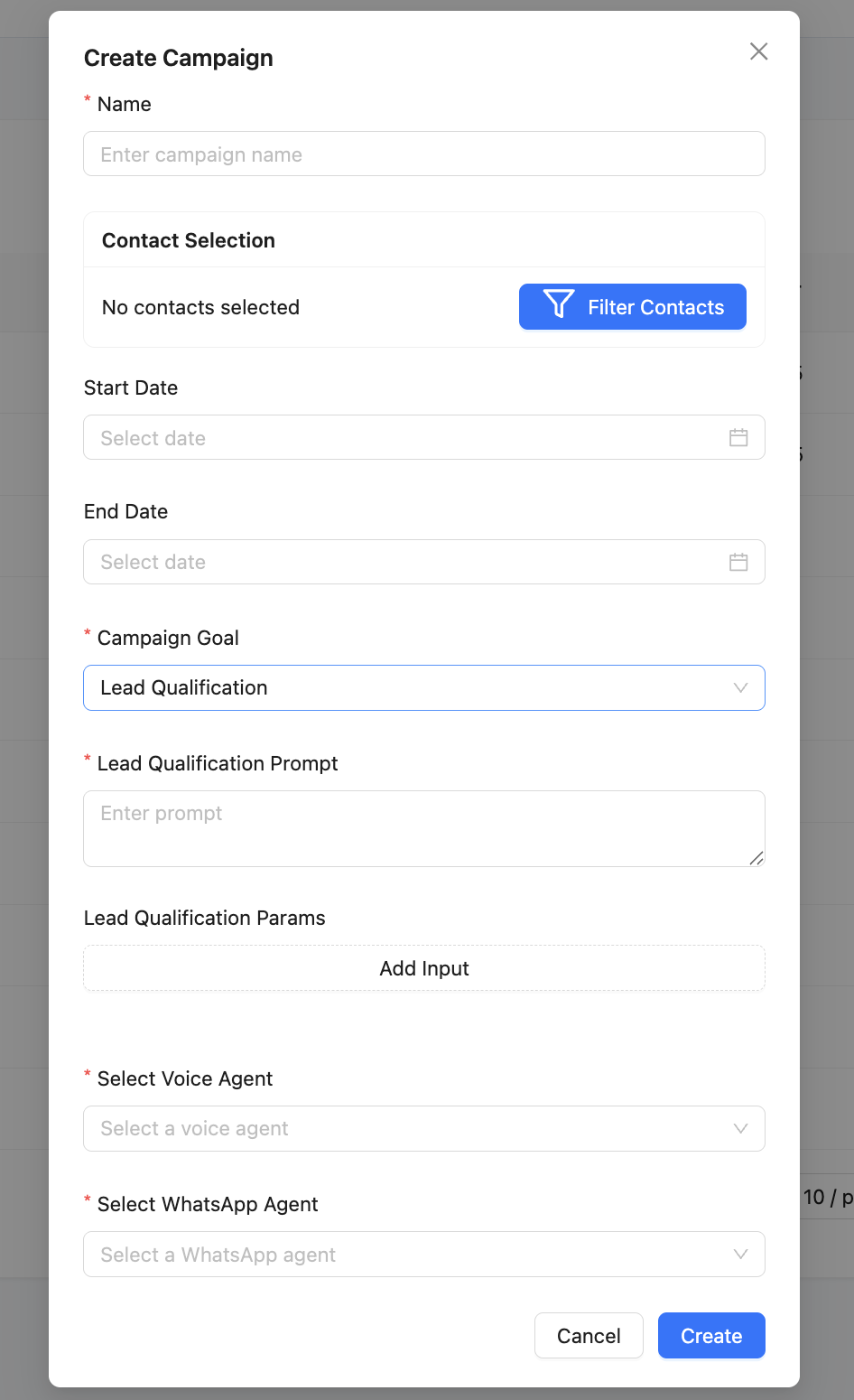
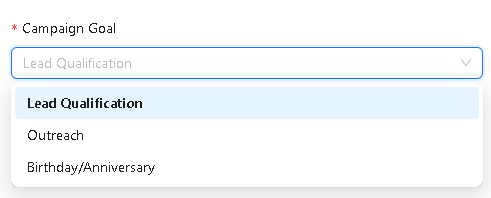
Select Campaign Goal
Choose the appropriate goal:
- Birthday – if using “Date of Birth”
- Anniversary – if using any other date field
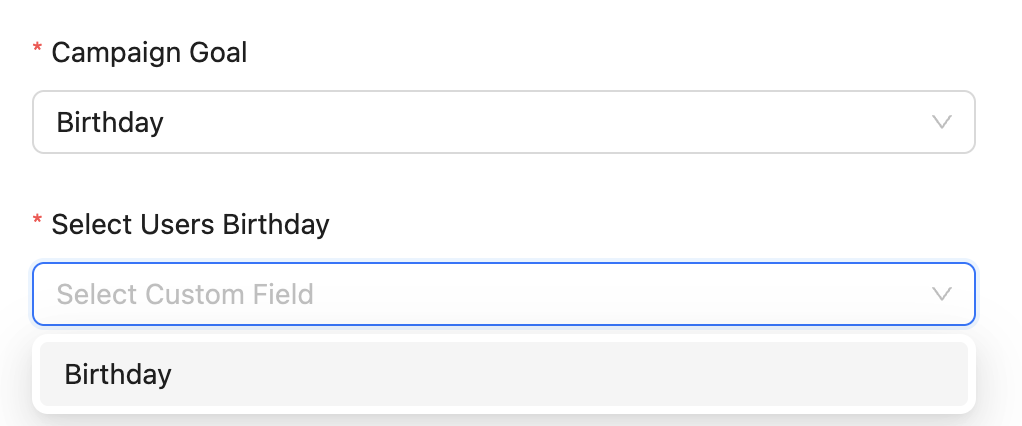
Select Users Date Field
Based on your goal:
- Selecting Birthday lists all Date fields
- Selecting Anniversary lists the same Date fields
Choose the one you want to trigger messages from.
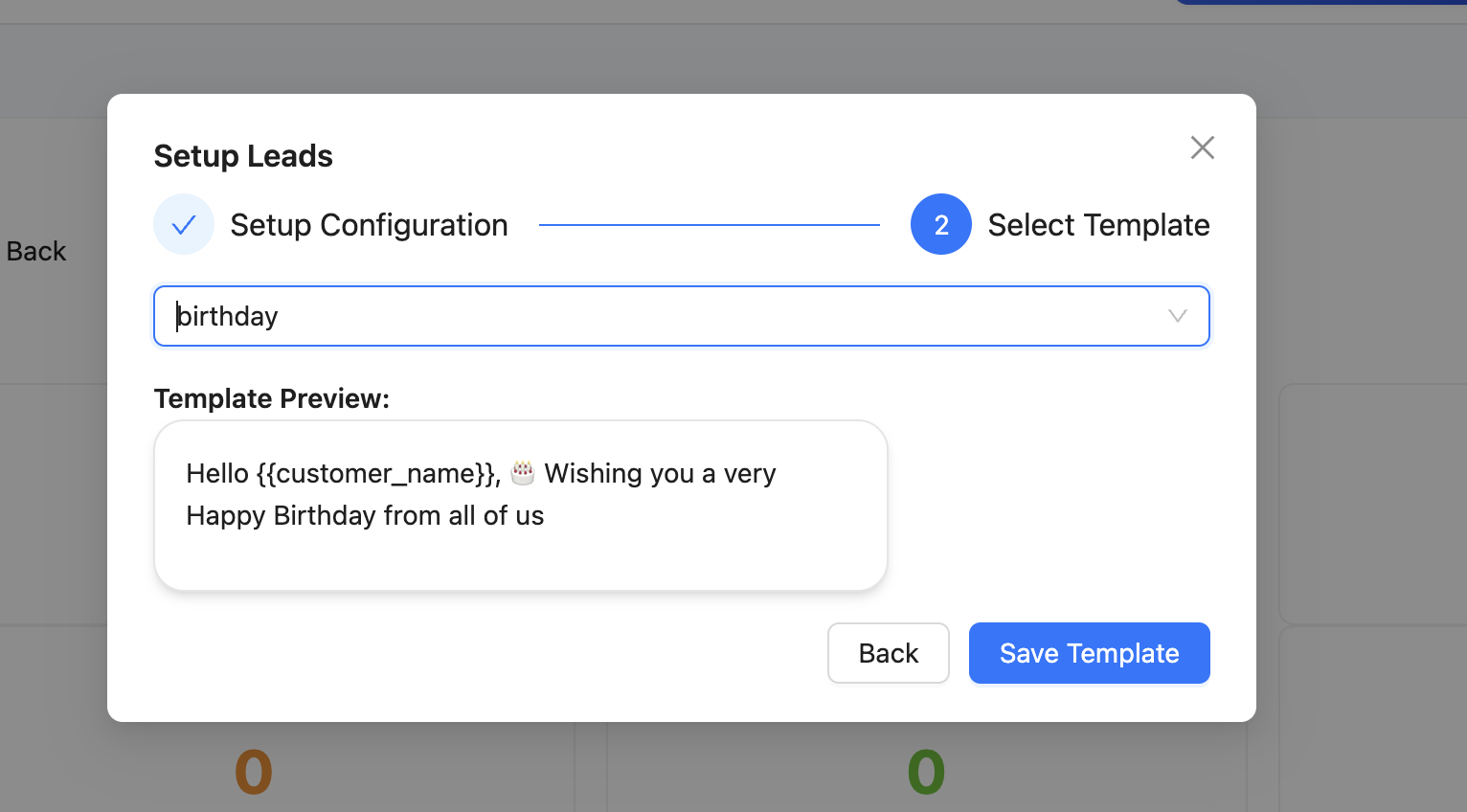
Step 4: Select WhatsApp Agent & Template
Choose:
- WhatsApp Agent
- WhatsApp Template to send automatically
Step 5: Finalize and Activate
Click Create to activate the campaign.
On the matching date:
- Birthday → Sends on the contact’s birthday
- Anniversary → Sends on their renewal/signup/custom date
Track delivery stats from the Campaign Dashboard.
Examples
Birthday Example
If “Date of Birth” = 1994-06-20, the contact is messaged every 20th June.
Anniversary Example
If “Signup Date” = 2022-01-10, the contact receives messages every 10th January.
Notes
- Only Date-type fields appear in the dropdown
- WhatsApp agent integration is required
- Templates must be approved
- Contacts without valid dates are skipped
Troubleshooting
Contacts are not receiving messages on their birthday or anniversary. Verify the custom date field is selected in the campaign's date field configuration. Also confirm the date values are stored in the correct format (YYYY-MM-DD). Contacts with blank or incorrectly formatted date fields are automatically skipped.
The date field I created does not appear in the campaign's dropdown. Only fields with the Date field type appear in the dropdown. Go to Contacts > Manage Custom Fields, verify the field type is set to "Date" (not "Text" or another type), and try again.
The campaign is active but no messages were sent today. Check that the WhatsApp template used is still approved by Meta. Rejected or modified templates will block message delivery. Also verify the campaign's End Date has not passed.
Frequently Asked Questions
Can I use the same campaign for both birthdays and anniversaries? No. Each campaign targets one specific date field. Create separate campaigns—one for "Date of Birth" (birthday) and one for "Renewal Date" or "Signup Date" (anniversary).
What happens if a contact's birthday is February 29th (leap day)? Contacts with February 29th birthdays will receive their message on February 28th in non-leap years. This behavior may vary—test with a sample contact to confirm how your configuration handles this edge case.
Can I preview which contacts will receive a message before the campaign date? Yes. View the contacts list filtered by the date field to see who has a matching date upcoming. This helps you validate the audience before the campaign sends.
Can I include a personalized message with the contact's name in the WhatsApp template?
Yes. Use WhatsApp template variables to personalize messages. For example, Hello {{1}}, wishing you a happy birthday! where {{1}} maps to the contact's name field.
Does the campaign repeat every year automatically? Yes. Date-based campaigns are recurring—they automatically send the configured template message on the matching date each year as long as the campaign remains active.
Related Articles