Date-Based Voice Campaigns – Birthday & Anniversary Automation
Learn how to create automated date-triggered Voice Campaigns for birthdays, anniversaries, renewals, or any custom date field using AI Voice Agents.
Overview
Date-Based Voice Campaigns let you automatically place AI-powered voice calls to contacts on a specific date stored in their profile.
This supports:
- Birthday campaigns (using Date of Birth)
- Anniversary campaigns (signup date, renewal date, membership date, or any custom date field)
The setup process is identical.
The only thing that changes is which date field you select.
Step 1: Create a Custom Date Field
Navigate to Contacts
Go to the Contacts section.
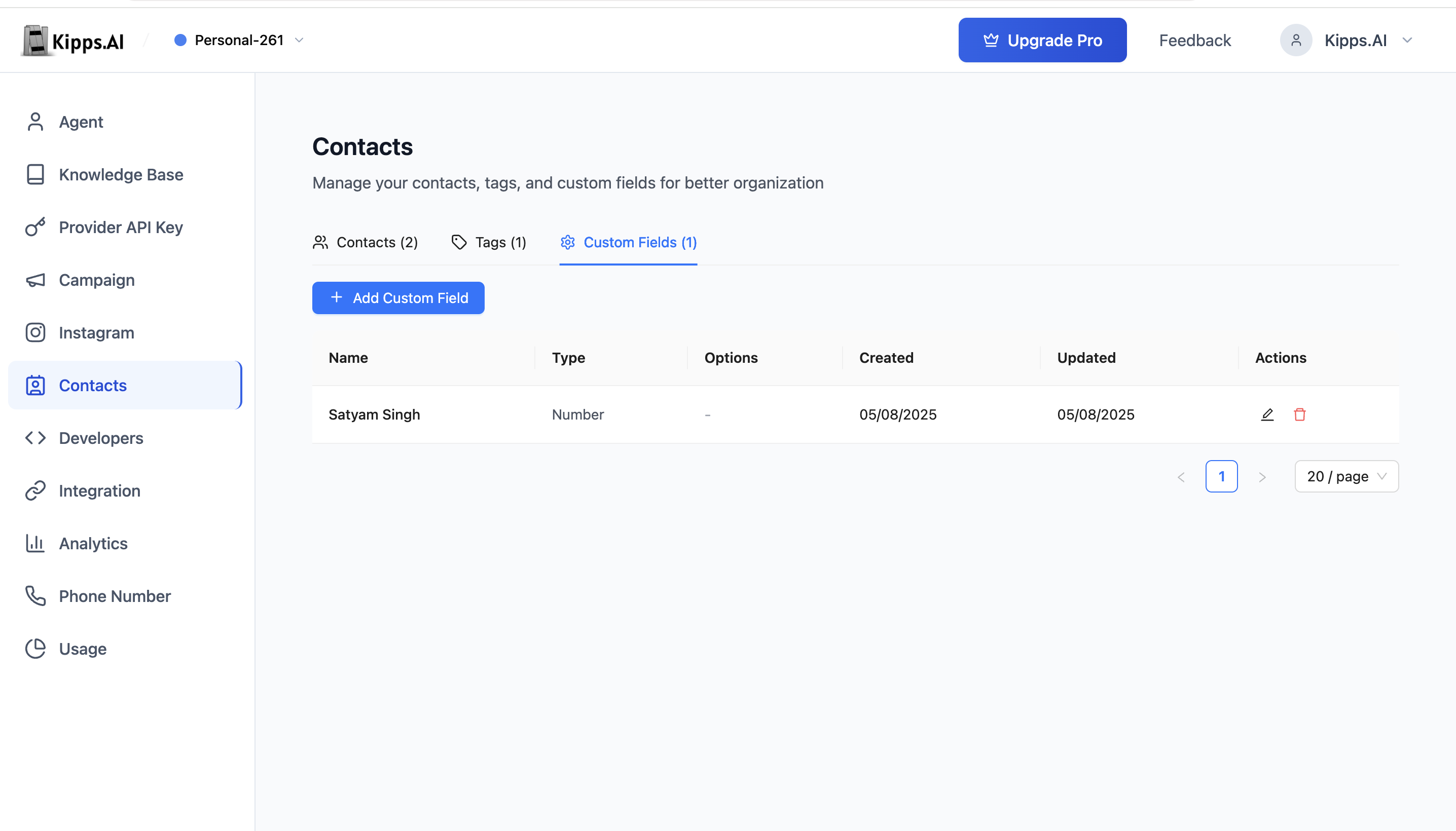
Add Custom Field
- Click Manage Custom Fields
- Add a new field
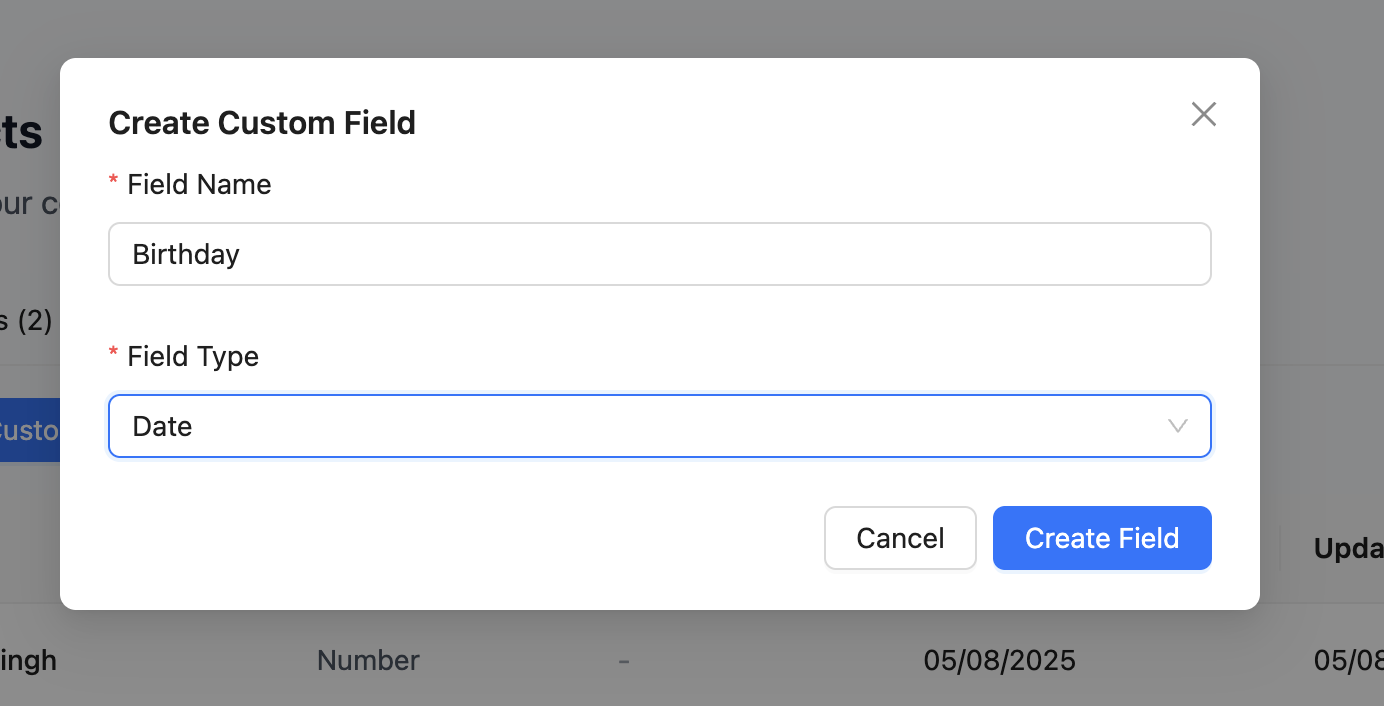
- Set Field Type = Date
Use:
- “Date of Birth” – Birthday campaigns
- “Signup Date”, “Renewal Date”, “Anniversary Date” – Anniversary campaigns
Step 2: Add Contacts With Date Values
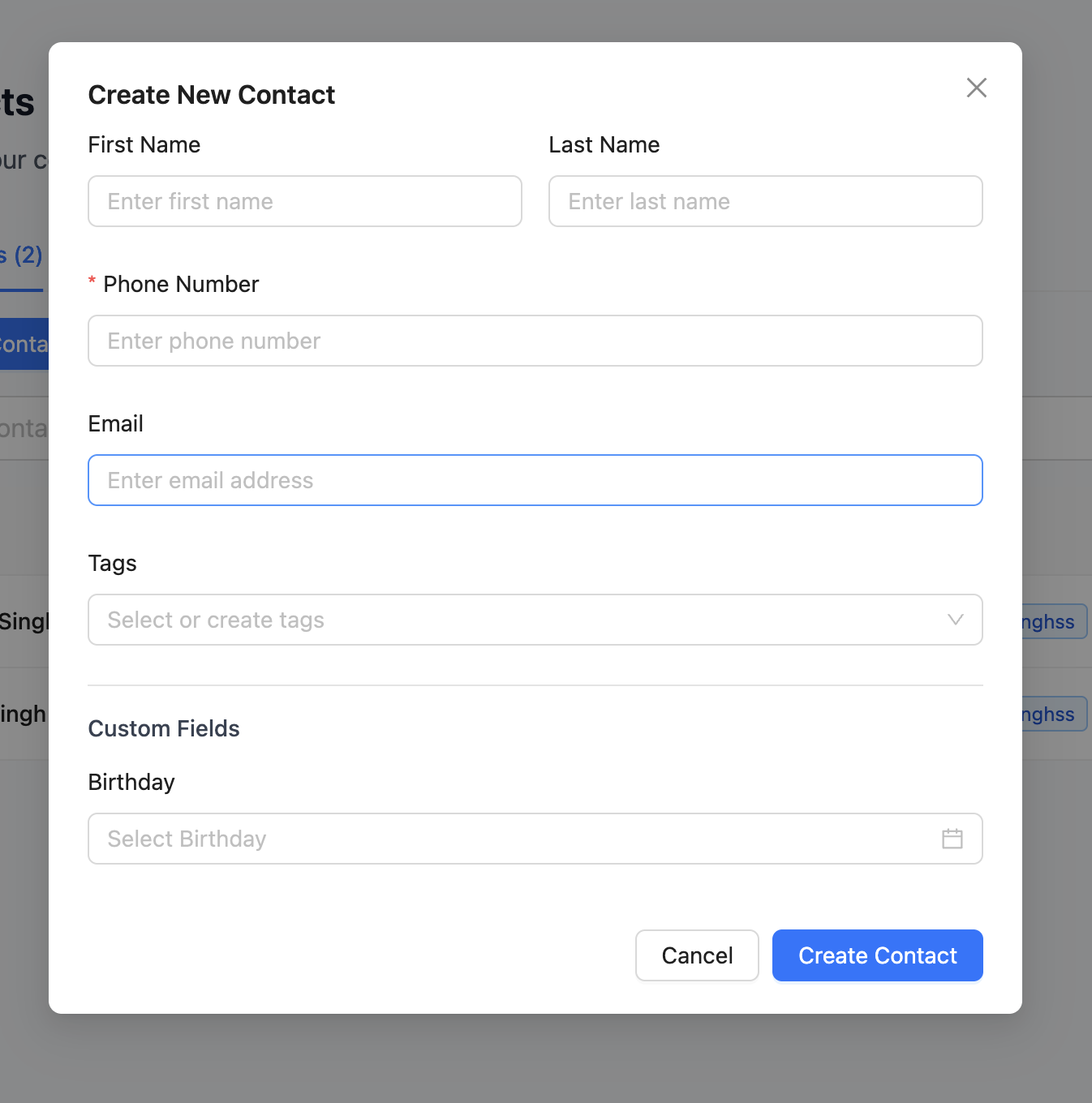
Open Add Contact or edit an existing contact.
Fill the date field you created.
Step 3: Create a Date-Based Voice Campaign
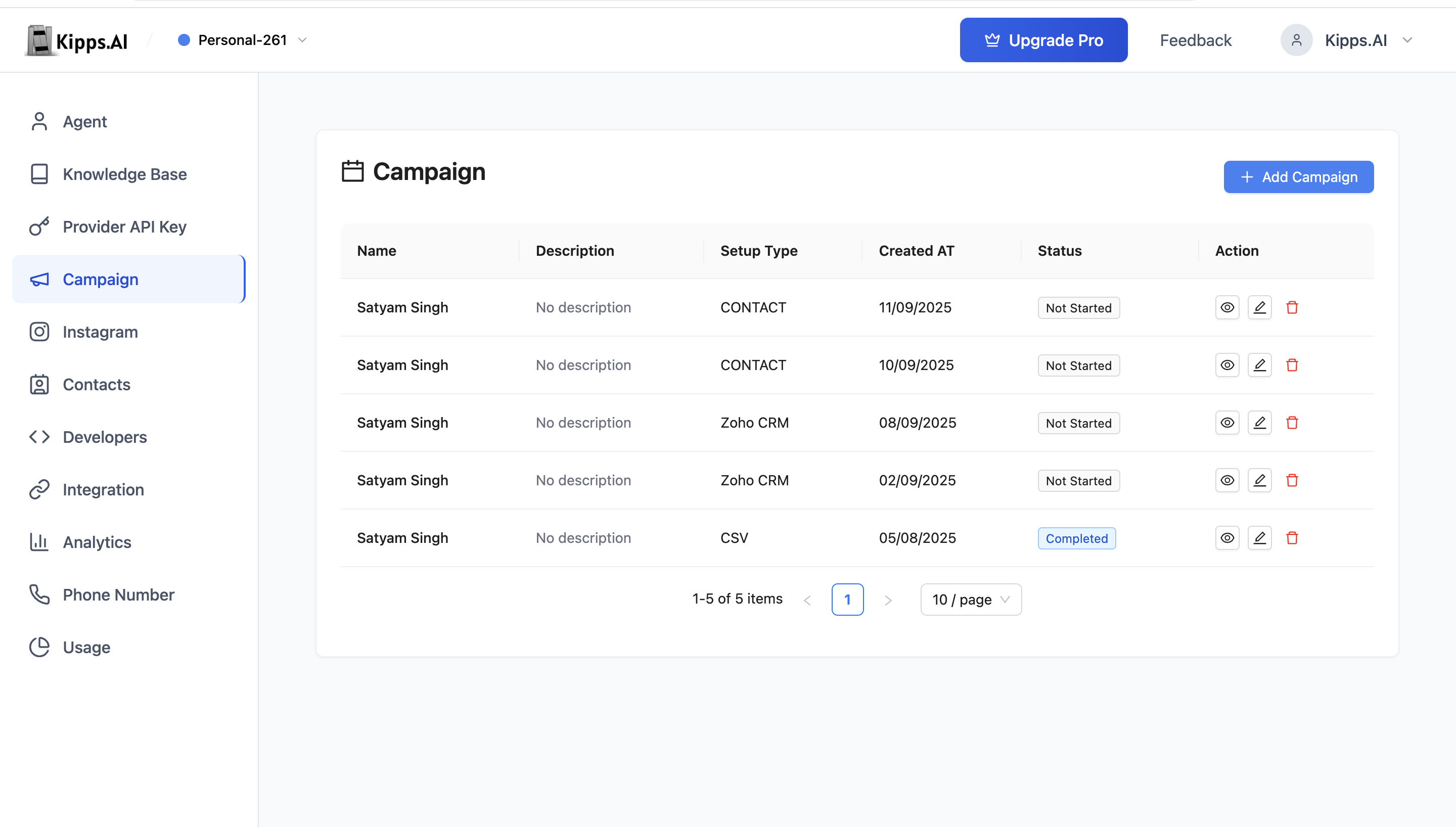
Navigate to Campaigns
Go to the Campaigns section.
Add New Campaign
Click Add Campaign.
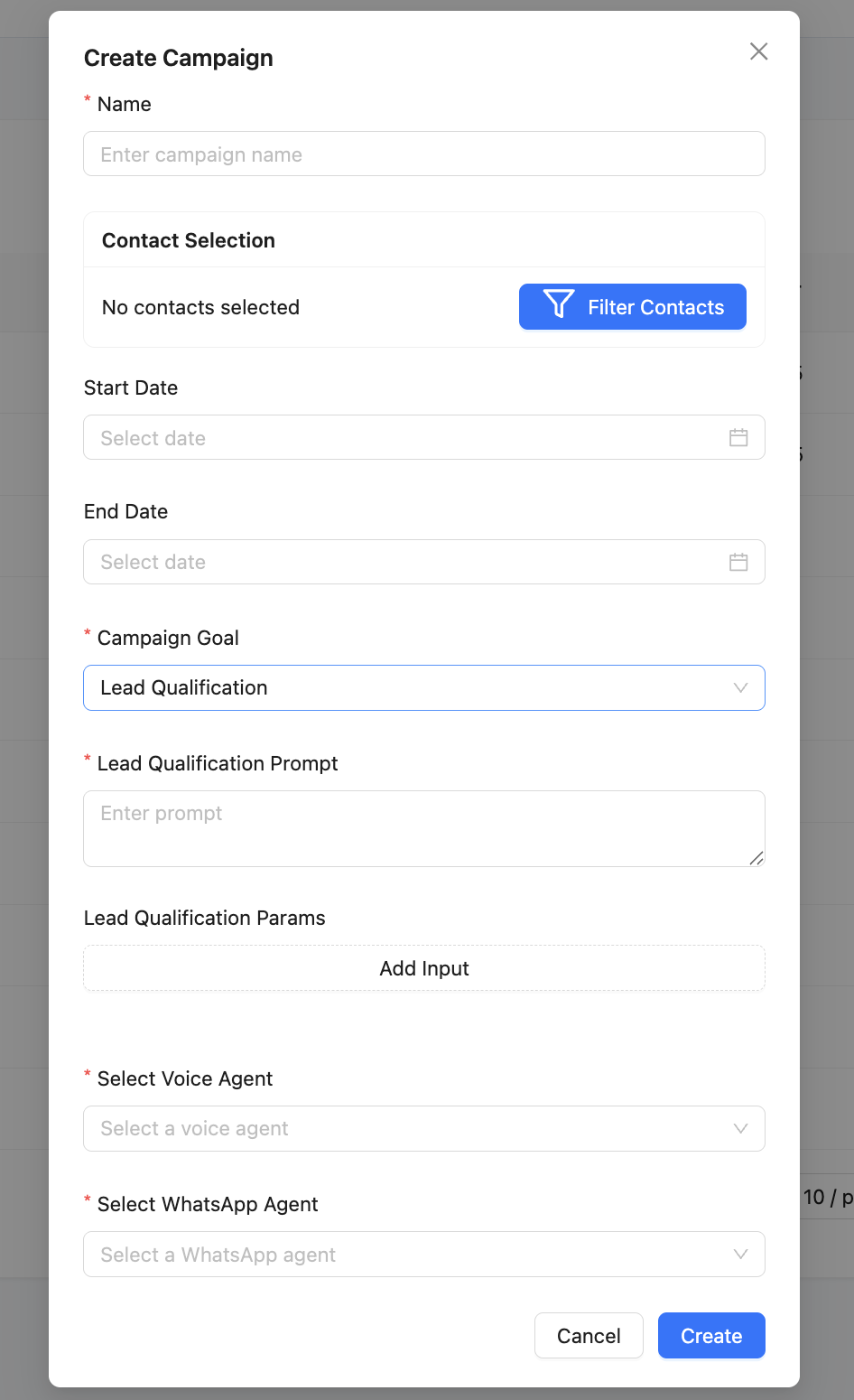
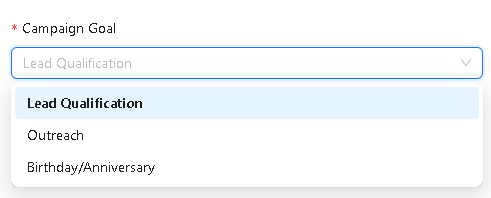
Select Campaign Goal
Choose the appropriate goal:
- Birthday – if using “Date of Birth”
- Anniversary – if using any other custom date field
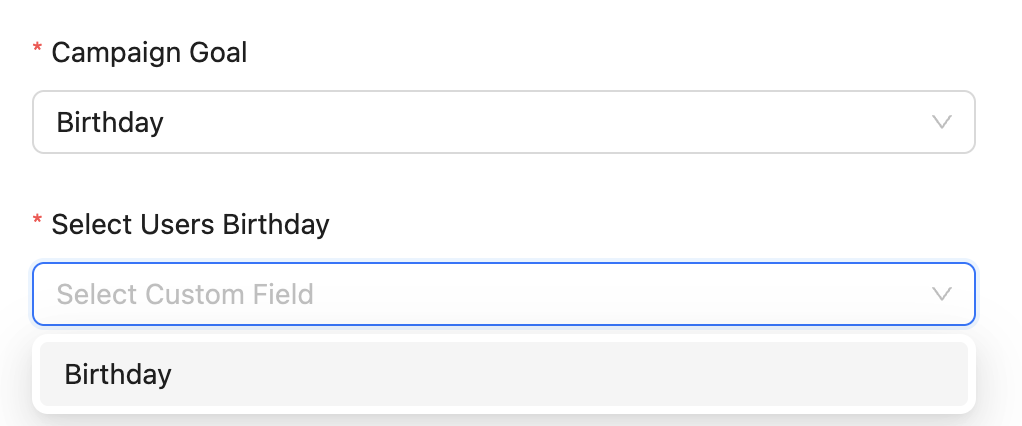
Select Users Date Field
Based on the goal:
- Birthday → Lists all Date fields
- Anniversary → Lists all Date fields
Select the field that should trigger the voice call.
Step 4: Configure Voice Agent
Unlike WhatsApp campaigns, Voice Campaigns do not use templates.
You will configure:
- Voice Agent – The AI agent placing the calls
- Initial Greeting – The first sentence spoken by the bot
- System Prompt – Controls behavior and tone
- Lead Qualification Prompt (optional)
- Qualification Parameters (optional)
Examples of parameters:
- Interest level
- Callback preference
- Budget
- Any custom fields you want extracted
Step 5: Finalize and Activate
Click Create to activate the date-based voice campaign.
On the matching date:
- Birthday → The system will place a call on the contact’s birthday
- Anniversary → The system calls on the chosen custom date each year
View call status and analytics in the Campaign Dashboard.
Examples
Birthday Example
If “Date of Birth” = 1994-06-20, the voice agent will call the contact every 20th June.
Anniversary Example
If “Signup Date” = 2022-01-10, the contact receives an automated voice call every 10th January.
Notes
- Only Date-type fields appear in the dropdown
- A voice agent must be configured before launching the campaign
- Contacts without valid dates are automatically skipped
- Calls follow your configured prompts and qualification logic
Troubleshooting
The birthday campaign is active but no calls are being made on the scheduled dates. Verify that the date field selected (e.g., Date of Birth) is a Date-type custom field and that contacts have valid dates populated in that field. Contacts with empty or invalid date values are automatically skipped. Also confirm the Voice Agent is active and the campaign status shows as running (not paused or draft).
The date field dropdown is empty when configuring the campaign. Only custom fields created as Date-type appear in the dropdown. If the dropdown is empty, go to Contacts → Manage Custom Fields and create a new field with the Date type. Then re-open the campaign setup to select the field.
Contacts have birthdays today but calls have not been made yet. The campaign processes calls based on the configured time zone and call schedule. If calls are scheduled for a specific time of day (e.g., 10 AM), they will not fire until that time in the configured timezone. Wait for the scheduled window before assuming the campaign is not working.
Contacts are receiving calls on the wrong dates.
Check the date format in the contact records. Dates stored in an ambiguous format (e.g., 06/07/2023 which could be June 7 or July 6 depending on locale) may be parsed incorrectly. Use the unambiguous ISO format YYYY-MM-DD for all date values in your contacts.
Frequently Asked Questions
Does the birthday campaign automatically recur every year? Yes. The birthday campaign runs annually — once configured and activated, it calls contacts on their birthday every year as long as the campaign remains active and the contact's date field is populated.
Can I run both a Voice Birthday Campaign and a WhatsApp Birthday Campaign for the same contacts? Yes. You can configure separate Birthday Campaigns for voice and WhatsApp, targeting the same contact list using the same date field. Both campaigns run independently and will trigger on the same date.
What happens to contacts whose birthday is on February 29 (leap day)? Contacts with a February 29 birthday will typically be called on February 28 or March 1 in non-leap years, depending on the platform's date handling logic. Contact Kipps.AI support for details on leap day behavior for your specific setup.
Can I preview which contacts will receive calls on an upcoming date? You can filter your Contacts list by the date field to identify contacts with upcoming dates. This allows you to preview the audience for any specific date before the campaign runs.
Can I personalize the birthday call script with the contact's name using Dynamic Parameters?
Yes. Use {{full_name}} or any other custom field as a Dynamic Parameter in the agent's Welcome Message and Instructions. The agent will address each contact by name during the call, creating a personalized birthday experience.
Related Articles