How to Apply Bluetick for WhatsApp API Account
Learn how to apply for WhatsApp Business Account verification (Bluetick) through Meta Business Manager to get your official business checkmark.
How to Apply Bluetick for WhatsApp API Account
Learn how to apply for the WhatsApp Bluetick (Official Business Account verification) directly from Meta Business Manager.
WhatsApp Bluetick is a small blue check mark that appears next to a verified business’ name or profile picture, indicating that the business has gone through Meta’s verification process. This guide explains the eligibility criteria, advantages, and the verification steps via Meta Business Manager.
Note: Not every business is eligible. Only reputable and well-established brands can apply.
Table of Contents
- Difference between Verified and Non-Verified Accounts
- Benefits of Getting Bluetick
- Eligibility for a Bluetick on WhatsApp
- Apply the Bluetick Application Process
- WhatsApp Bluetick Verification Denied
Difference Between Verified and Non-Verified Accounts
A verified WhatsApp account displays a bluetick badge, signaling legitimacy and credibility.
A non-verified account lacks this badge and may seem less trustworthy to customers.
Benefits of Getting Bluetick
Some key advantages include:
- Increased credibility: Customers trust verified brands more.
- Improved customer engagement: Higher trust means more interactions.
- Increased visibility: Verified businesses may appear higher in search.
- Improved security: Customers are assured they're interacting with an authentic brand.
Eligibility for a Bluetick on WhatsApp
A business must meet all the following criteria:
-
Complete Meta Business Verification
Your Meta Business Manager account must be fully verified.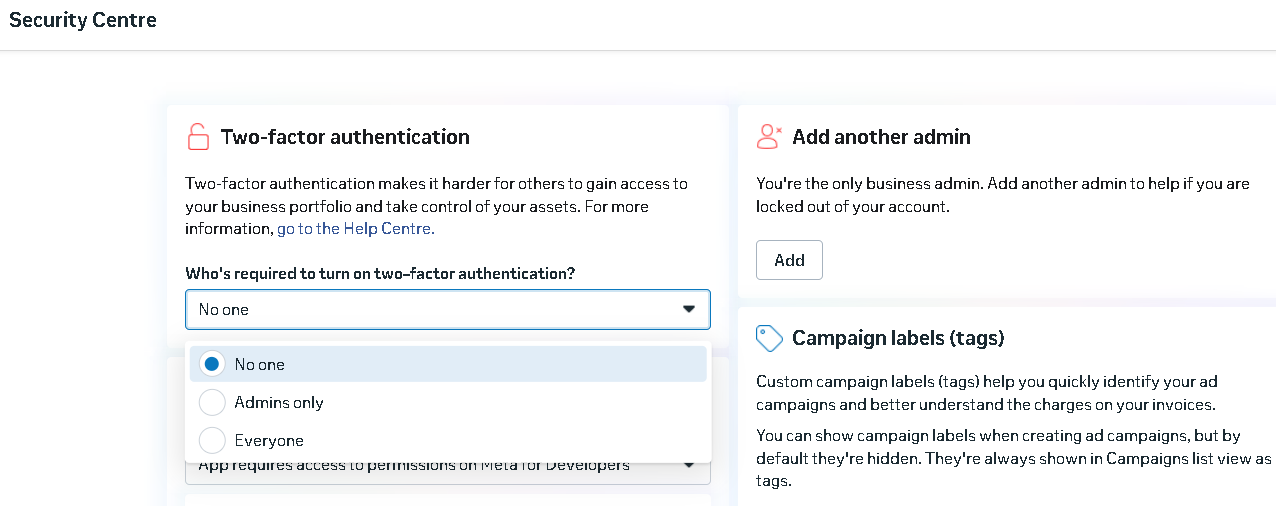
-
Notable and reputable business
Your brand must be recognized or have notable media presence.
Refer to the article: Understand the Notable and Media. -
Tier 2 or above messaging level
Tier 1 may also apply after exchanging 10–15 messages. -
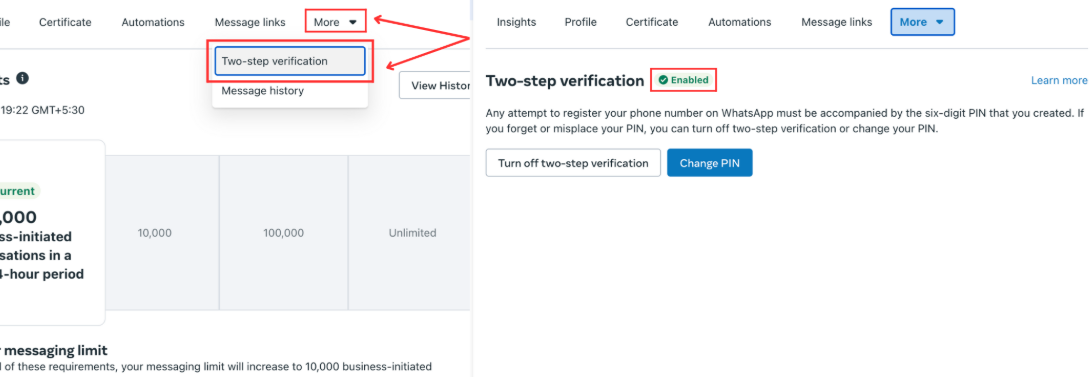
2FA verification enabled
Enable Two-Step Verification in WhatsApp Manager before applying.Navigate to:
More → Two-Step Verification → Enable
Not eligible categories include:
Drugs, tobacco, gambling, alcohol, weapons/ammunition, live animals, adult content, medical/healthcare products, dating services, cryptocurrencies.
If a business meets all criteria, it can apply for the Blue Badge.
Apply the Bluetick Application Process
Follow this step-by-step guide:
- Ensure your Meta Business account is verified.
- Log in to Meta Business Manager.
Or use this link: Meta Business Manager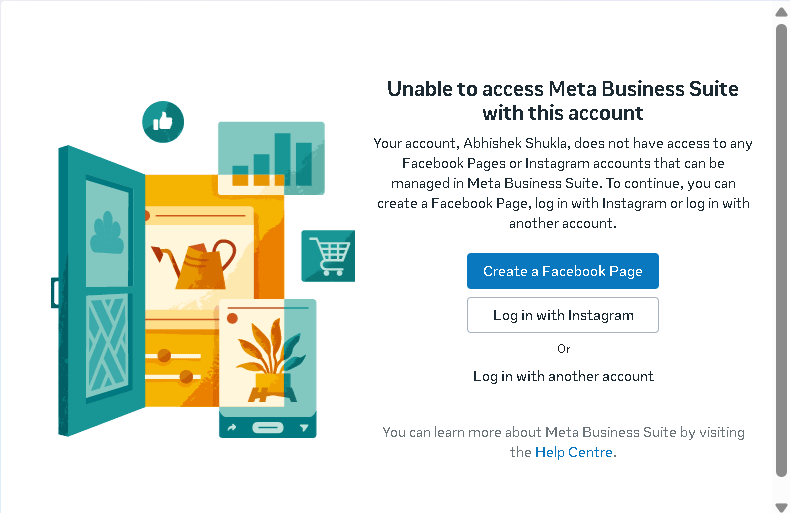
- Under Accounts, select WhatsApp Accounts.
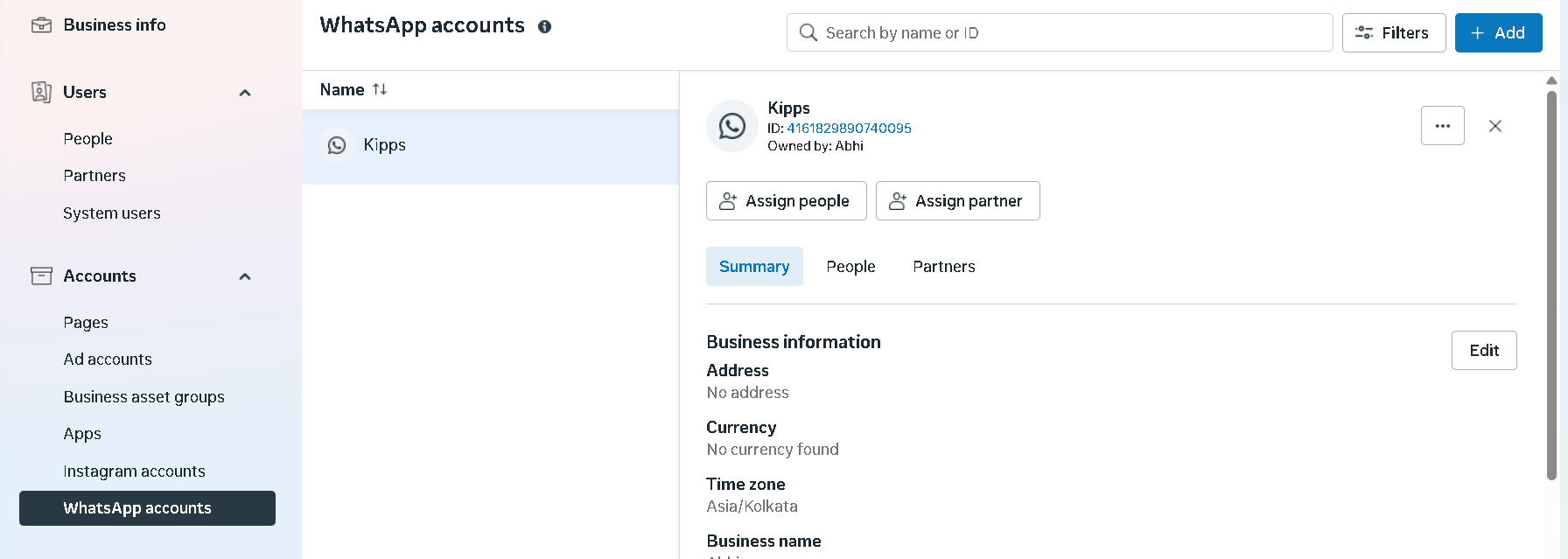
- Scroll down and click WhatsApp Manager.
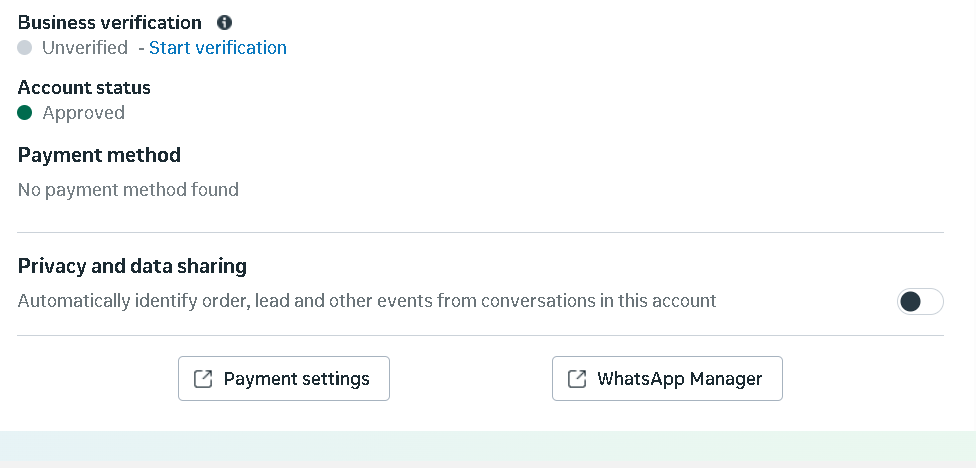
- Select your phone number and click the Settings icon.

- Open the Profile section.
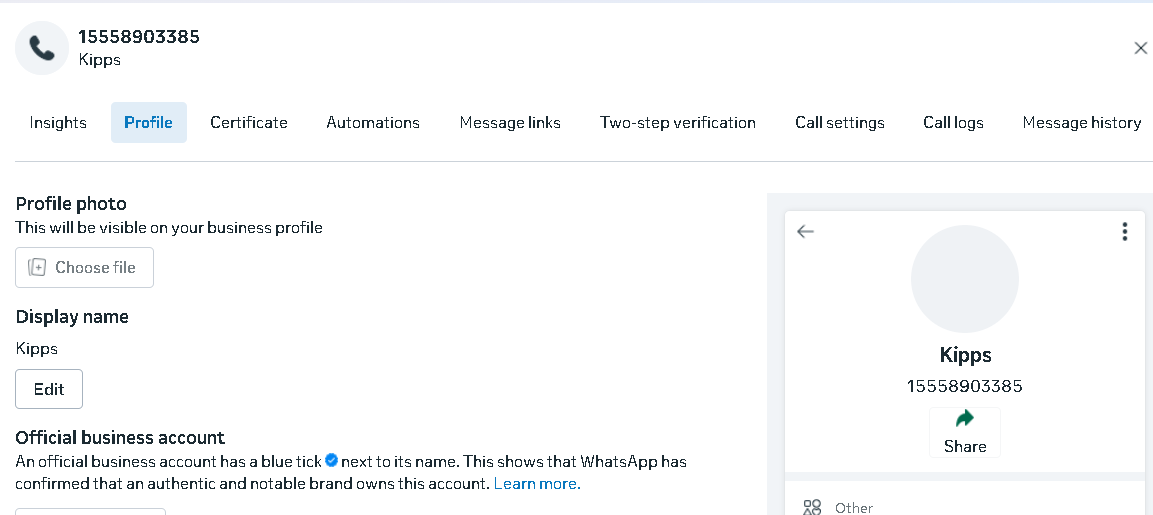
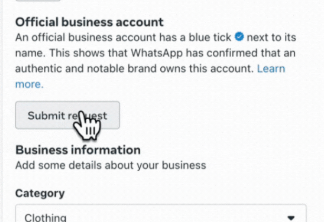
- Click Submit Request.
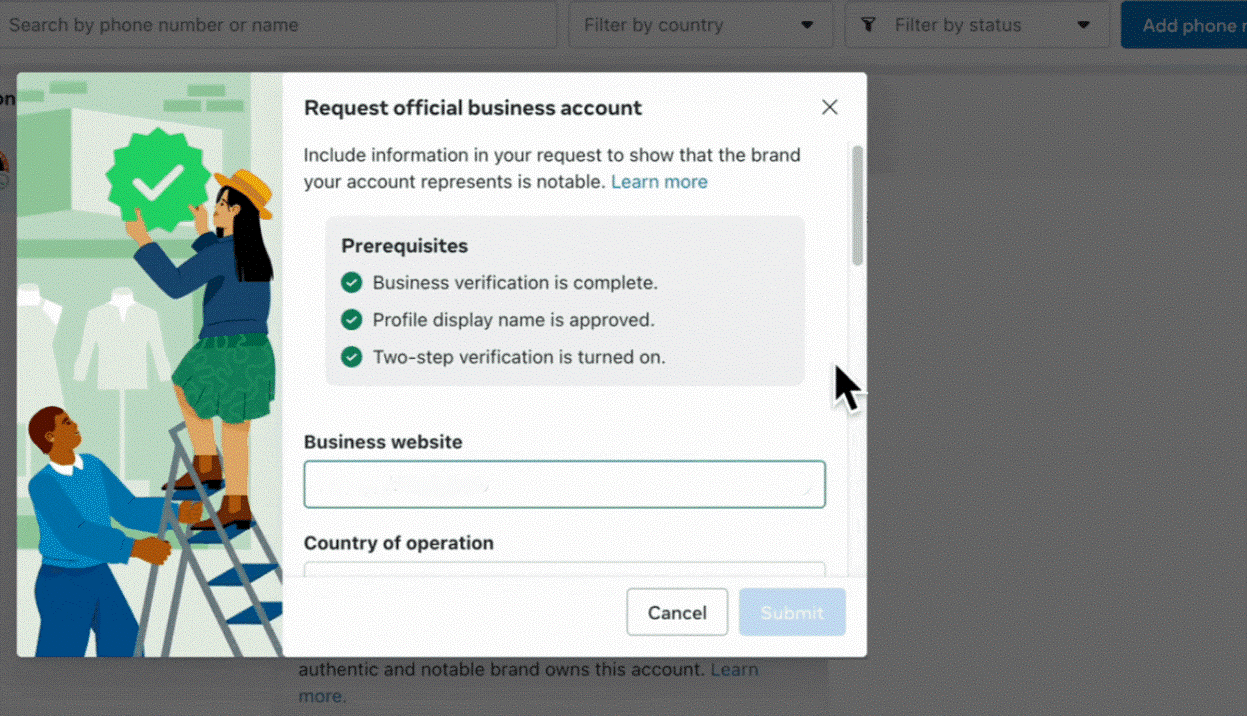
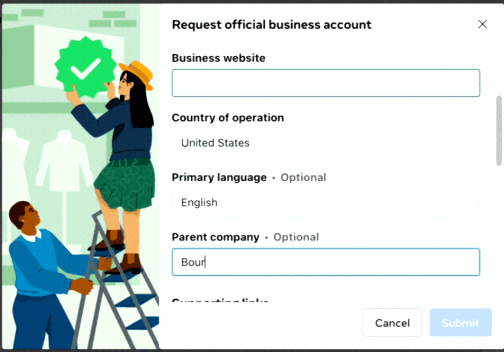
- Fill out the required business details.
- Provide media notability details if applicable.
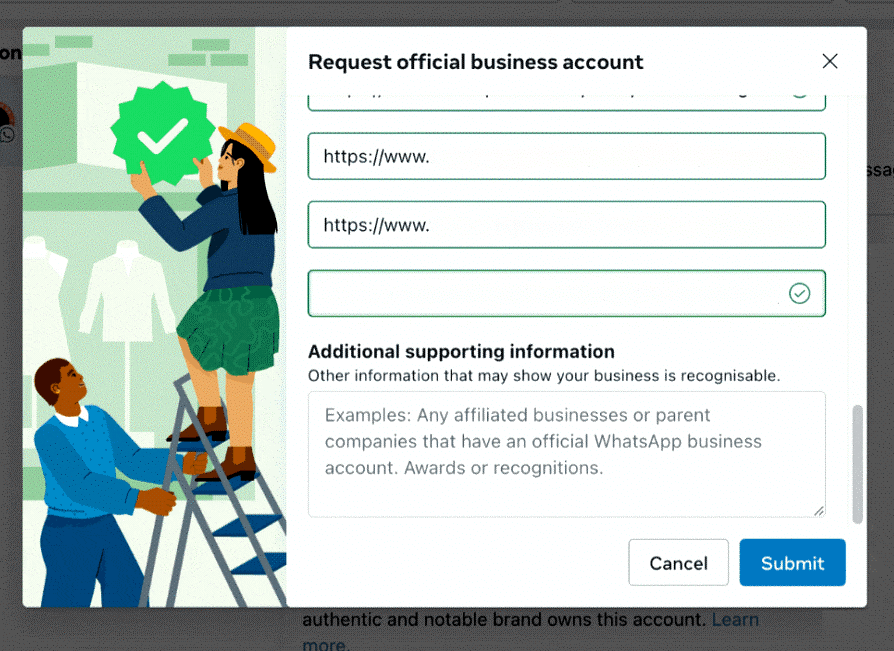
- Skip additional information and click Submit.
WhatsApp Bluetick Verification Denied?
Relax. Most businesses get rejected at least once.
WhatsApp doesn’t share reasons for rejection, but you can reapply after 30 days.
Tips for a Successful Application
- Complete Meta Business Verification before applying: The Bluetick process will automatically fail if your Meta Business Manager account is not verified. Complete verification first.
- Build messaging volume before applying: Meta looks at your messaging tier. Aim to reach Tier 2 (1,000 messages per day) by running regular WhatsApp campaigns before submitting your Bluetick request.
- Prepare media notability documentation: If your brand has been featured in news articles, industry publications, or major blogs, gather those links before starting the application. This is one of the strongest signals Meta evaluates.
- Enable Two-Step Verification in advance: 2FA must be active in WhatsApp Manager before you can submit the application. Set it up in WhatsApp Manager under More > Two-Step Verification.
Troubleshooting
The Submit Request button is greyed out. This usually means your Meta Business Manager account is not fully verified, or your messaging tier is below the minimum required. Complete Meta Business Verification and ensure 2FA is enabled before the button becomes clickable.
The application was submitted but there is no status update after several days. Meta’s review process can take 2–4 weeks. There is no real-time status tracker—you will receive a notification in Meta Business Manager when the review concludes. Avoid submitting duplicate applications while one is pending.
My application was denied but I meet all the criteria. WhatsApp does not share specific rejection reasons. The most common factors for denial are: insufficient messaging volume, lack of media notability documentation, or the business category falling into an ineligible sector. Review the eligibility criteria, strengthen your notability documentation, and reapply after 30 days.
Frequently Asked Questions
How long does the WhatsApp Bluetick verification process take? The review process typically takes 2–4 weeks. Meta does not provide real-time updates during the review—you will receive a notification once a decision is made.
Does getting a Bluetick affect my WhatsApp messaging limits? The Bluetick verification (Official Business Account status) is separate from your messaging tier limits. You can increase messaging limits through regular high-quality campaigns regardless of Bluetick status.
What is the difference between a Verified Meta Business and a Bluetick WhatsApp account? Meta Business Verification confirms your company’s legal identity in Meta’s systems. The WhatsApp Bluetick (Official Business Account) is an additional layer of recognition that Meta grants based on brand notability and eligibility. Both are separate processes.
Can I apply for a Bluetick for multiple WhatsApp numbers under the same business? The Bluetick is associated with your WhatsApp Business Account at the Meta level. If you have multiple WhatsApp numbers under the same Business Account, the verification applies to all of them.
Will the Bluetick be removed if my business changes its name or category? Changes to your business name or profile can trigger a Meta review that may affect your Bluetick status. Notify Meta of any significant business changes to avoid unexpected status changes.
Related Articles