Call My Phone (Outbound Test Call)
Test your voice agent on a real phone call by having it dial your own number directly from Agent Studio, alongside the existing browser-based Test Agent call.
Call My Phone (Outbound Test Call)
This feature allows you to test your voice agent by having it call your actual phone number. It provides a real-world test environment for your agent, complementing the existing browser-based testing.
How It Works
When you initiate an outbound test call, Agent Studio will dial the specified phone number directly. Your voice agent will then interact with you as if it were a live customer call. This process simulates real-world call conditions, allowing you to evaluate the agent's performance outside of a browser environment.
How to Use
Step 1
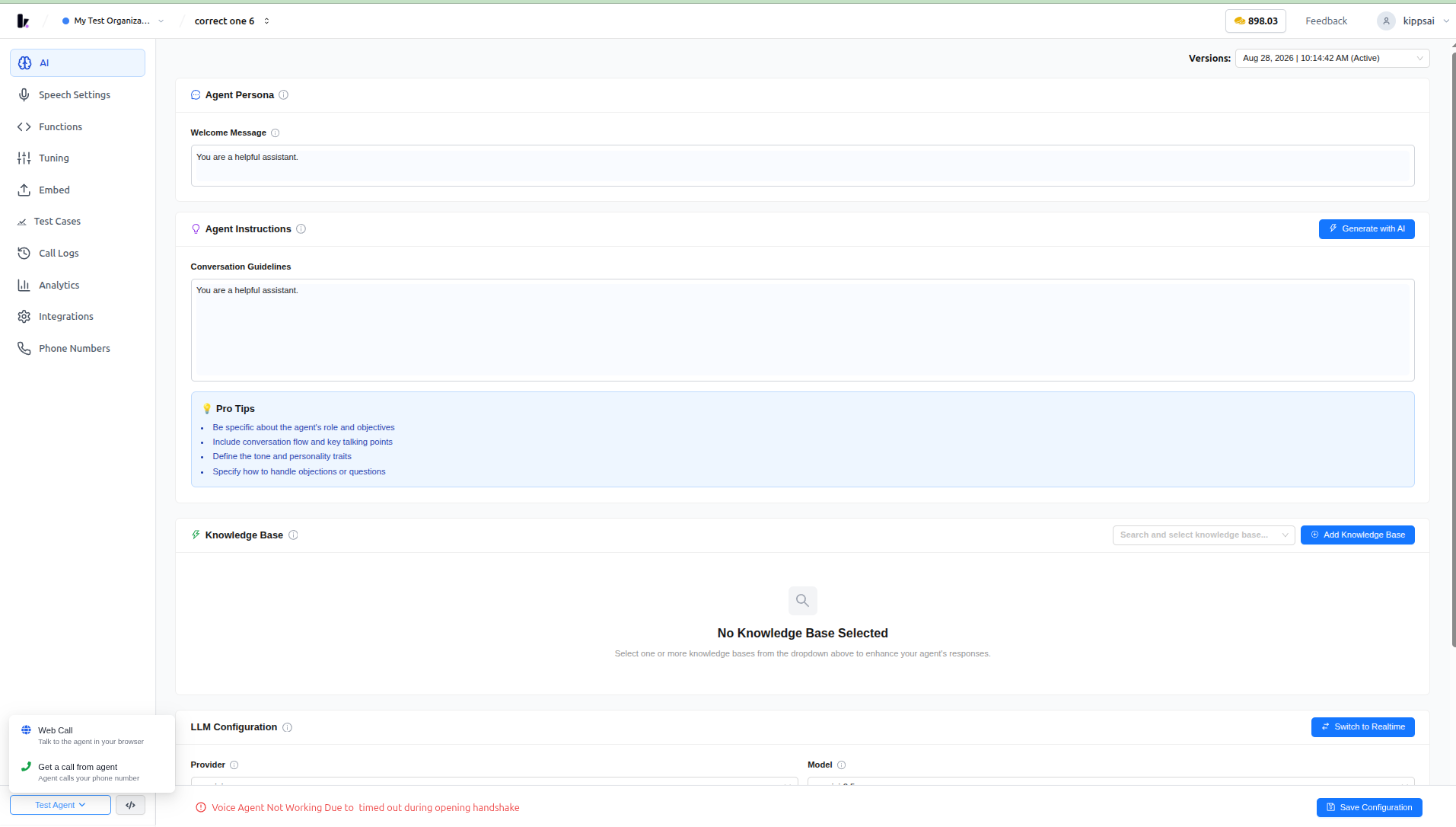
Open your voice agent in Agent Studio and go to the AI tab.
Step 2
Next to the "Test Agent" button, click the green "Call" button.
Step 3
In the "Get a call from agent" dialog, select your country code and enter your phone number.
Step 4
Click "Place Call" — you'll receive a call from the agent within a few seconds.
Step 5
If you see "No active outbound phone integration found," go to the "Phone Numbers" tab in the sidebar and set up an outbound number first.
Benefits
- Lets you validate how the agent actually sounds and behaves on a real phone call: This includes assessing latency, voice quality, and the overall call flow.
- Faster iteration during agent development: You can perform these validations without needing to set up a full campaign or leave the dashboard.
Related Features
This feature is related to Test Agent (browser-based web call), Phone Number Integration, Outbound SIP Calling, and Voice Campaigns.
Screenshots
Related Articles