Multi-Agent Voice Templates
Voice agent templates can now bundle multiple linked agents, so selecting one template creates several ready-to-use voice agents at once instead of just one.
Multi-Agent Voice Templates
Multi-Agent Voice Templates allow you to create a pre-configured team of interconnected voice agents from a single template. This feature simplifies the setup process for complex voicebot systems that require multiple agents to collaborate or hand off calls to each other.
How It Works
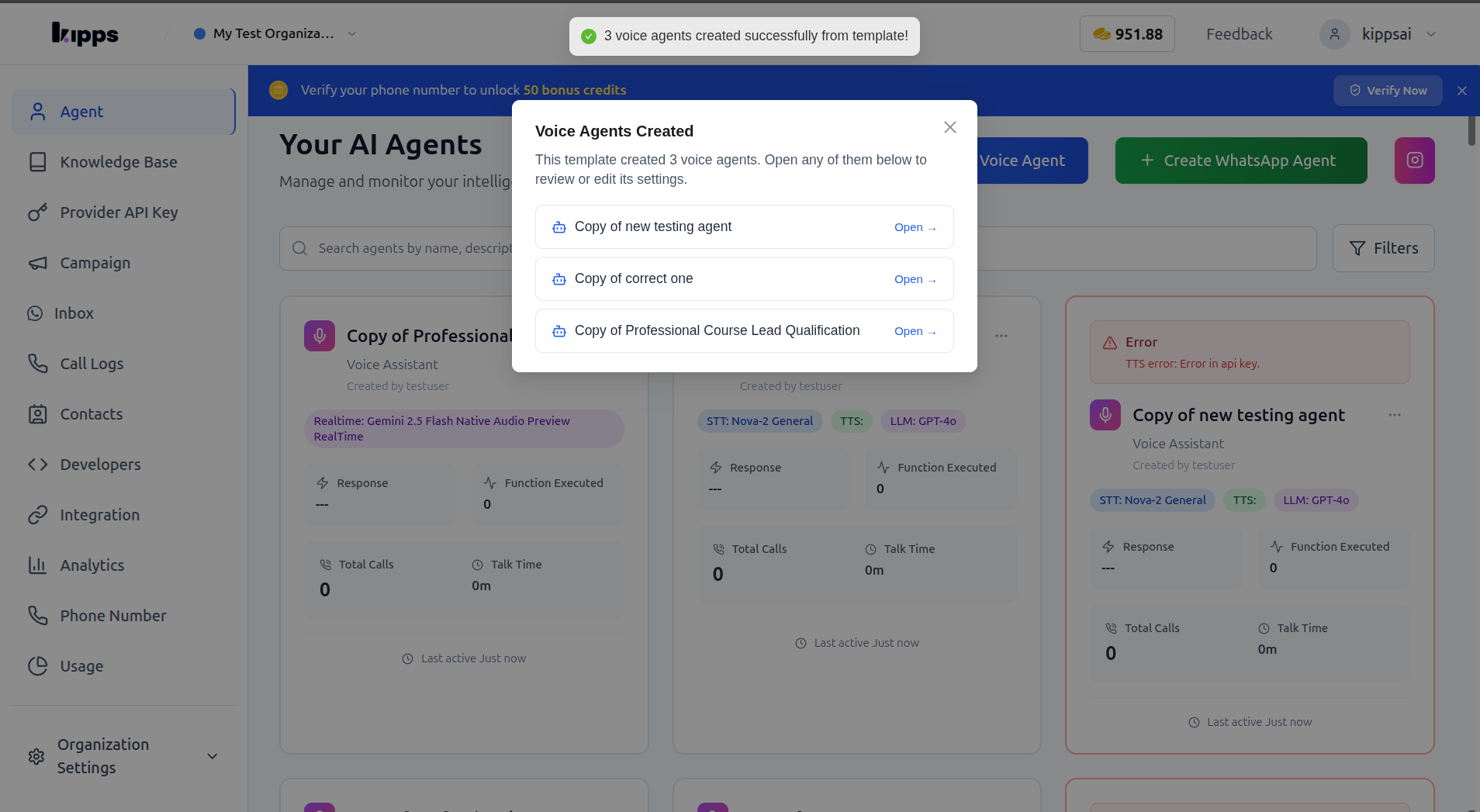
When a Multi-Agent Voice Template is created, it designates a "root" voice agent. Any other agents that the root agent is configured to hand calls off to (using its Agent Handoff functions) are automatically included in the template bundle. You can also specify which integrations (like Google Calendar, WhatsApp, or Shopify) the entire bundle requires, which will be displayed as badges on the template card. When you select such a template to create new agents, all bundled agents are cloned into your organization simultaneously, inheriting their instructions, functions, and voice settings. Each new agent will have an empty knowledge base and will require your organization's specific API keys to be added before it can operate. After creation, a summary popup will list all the new agents, providing quick links to configure each one.
How to Use
Step 1
Open Django admin and edit (or create) a Voicebot Template.
Step 2
Set "Voicebot" to the root agent. Set up Agent Handoff functions on that agent for any other voice agents that should be created alongside it.
Step 3
Under "Template Configuration", check any integrations this bundle requires.
Step 4
From the dashboard, click "Create Agent" → "Voice" and choose the template.
Step 5
Review the "Voice Agents Created" popup, then open each new agent to add your own API keys and knowledge base data.
Benefits
- Set up a linked team of voice agents: Create a main agent and its specialist agents (e.g., for different departments) from one template, streamlining the deployment of complex voicebot workflows.
- Nothing crosses organizations: Knowledge bases are cloned empty, and API keys or credentials are never copied from the template's source organization, ensuring data isolation and security.
- Plan limits are enforced against the whole batch being created: Prevent accidental overages of your voicebot quota by ensuring that plan limits are checked against all agents created by the template, not just individual ones.
Related Features
This feature works in conjunction with Voice Agent Templates, Voice Agents, and Agent Handoff.
Screenshots
Related Articles