Voice Agent – API Functions
Learn how to connect your Kipps.AI Voiceagent to external systems using API functions for real-time data and actions.
Overview
API Functions allow your Voiceagent to interact with your external systems in real time. From checking order statuses to booking appointments or creating support tickets, your Voiceagent becomes more than just conversational—it becomes an intelligent assistant that takes action.
These functions empower the bot to:
- Check order statuses from your e-commerce platform
- Fetch customer details from your CRM
- Book reservations in scheduling tools
- Create support tickets in helpdesk systems
Configuration Steps
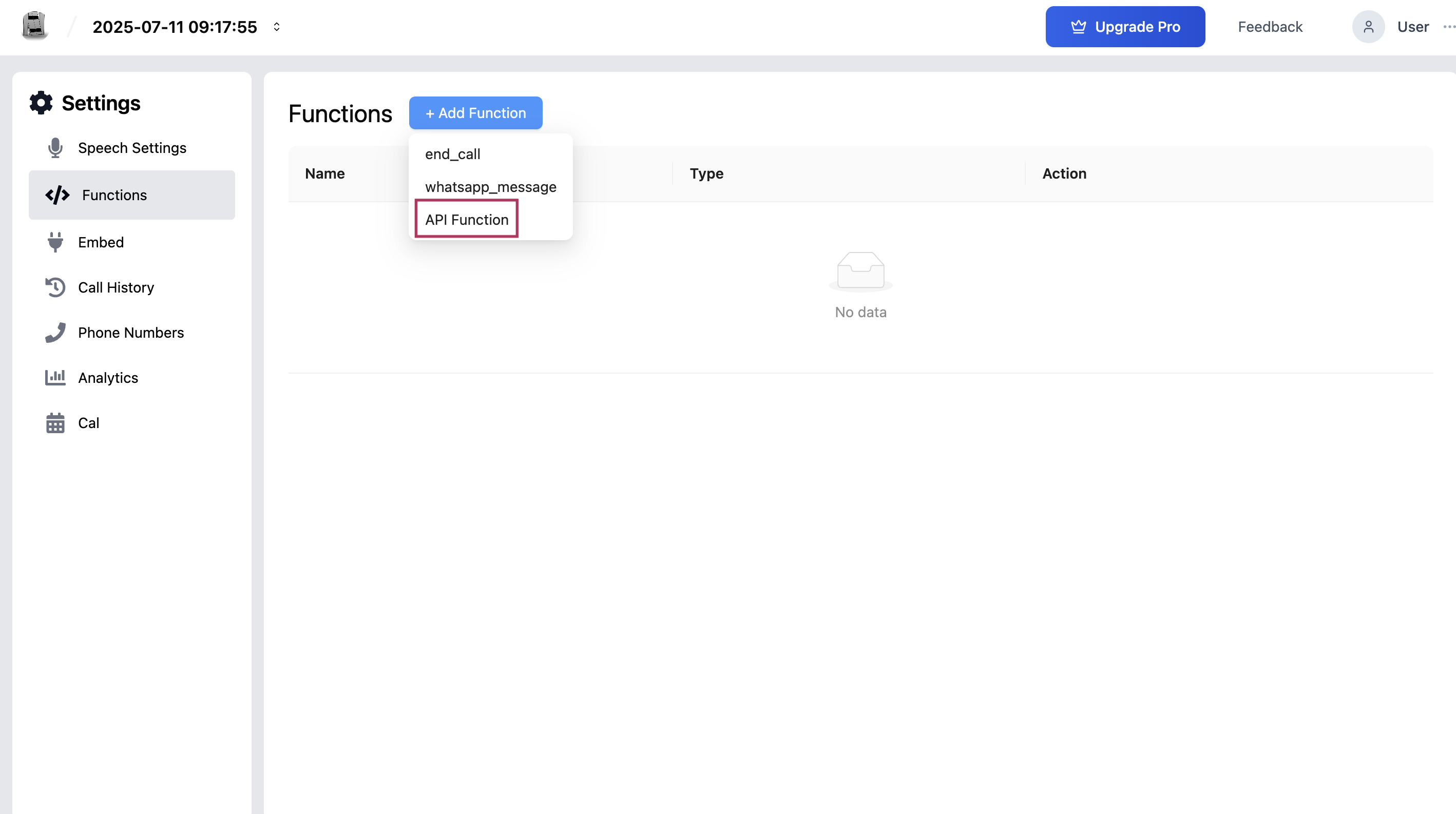
Step 1: Access the API Function Builder
- Go to your Voiceagent’s dashboard.
- Click on Functions from the left-hand menu.
- Click the + Add Function button.
- Choose API Function to open the configuration form.
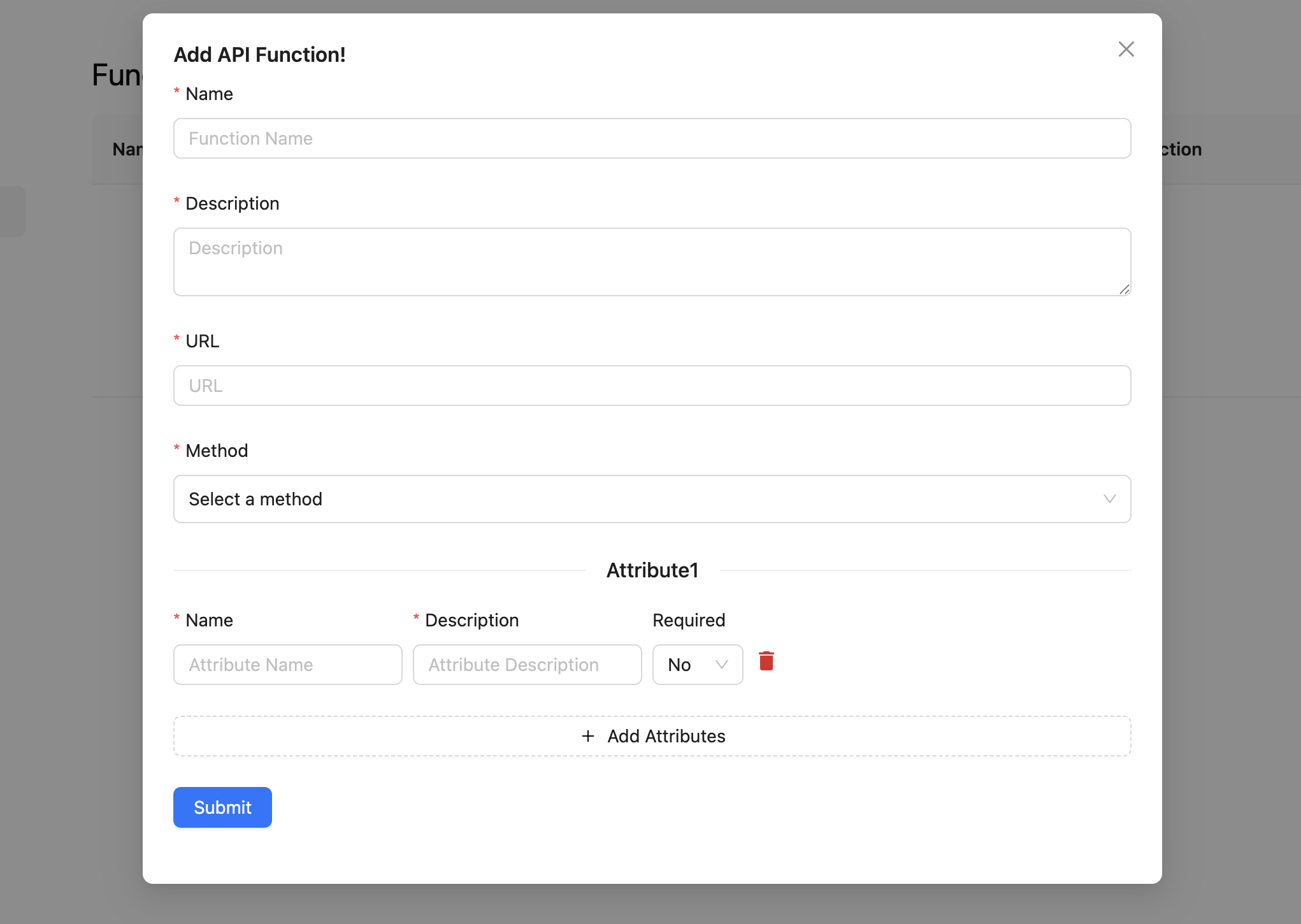
Step 2: Define the Function
Function Name
Provide a simple, descriptive name (e.g., check_order_status, create_support_ticket). This helps the bot identify the action.
Description
Write a clear explanation of when and why the bot should use this function.
Example for check_order_status:
“Use this function to check the current status of a customer’s order. Ask the user for their order number first. Trigger this if the user says things like ‘Where’s my order?’ or ‘Check order status’.”
Step 3: Set the API Endpoint
URL
Enter the full web address of the external API service (e.g., from your store or CRM provider).
Method
Choose how the bot should interact with the service:
GET: Retrieve informationPOST: Submit new dataPUT/PATCH: Update existing recordsDELETE: Remove data
Step 4: Define Input Requirements (Payload Schema)
Before the bot can call the API, it needs specific information from the user. These are called Attributes.
For each attribute:
- Name: System-readable identifier (e.g.,
order_number) - Description: Help text for the bot to understand what to ask the user
Example: “The customer’s order number from their confirmation email.” - Required: Set to “Yes” if the bot must collect this info before proceeding
Example Setup: Order Status Checker
| Field | Example |
|---|---|
| Function Name | check_order_status |
| Description | "Use this to check a customer’s order status. First ask for the order number." |
| URL | https://api.my-store.com/orders |
| Method | GET |
| Attribute | order_number (required) |
How It Works During a Call
- User: "Can you check where my order is?"
- Bot: Detects it should use the
check_order_statusfunction. - Bot: Notices it needs the
order_numberfirst. - Bot: Asks: "Sure, may I have your order number?"
- User: "Yes, it's 12345."
- Bot: Sends a request to
https://api.my-store.com/orders?order_number=12345 - API Response:
{ "status": "Shipped", "tracking_url": "https://tracker.com/xyz" } - Bot: Replies: "Great news! Your order #12345 has been shipped and is on its way to you. I can provide you with the tracking link so you can monitor its progress. Would you like me to share that with you?"
Final Step: Save and Test
After completing the form:
- Click Save.
- Test the flow by calling your Voiceagent and asking it to trigger the API Function.
- Confirm:
- The bot asks for the correct info
- The API call is made correctly
- The bot explains the result naturally
Managing Your API Functions
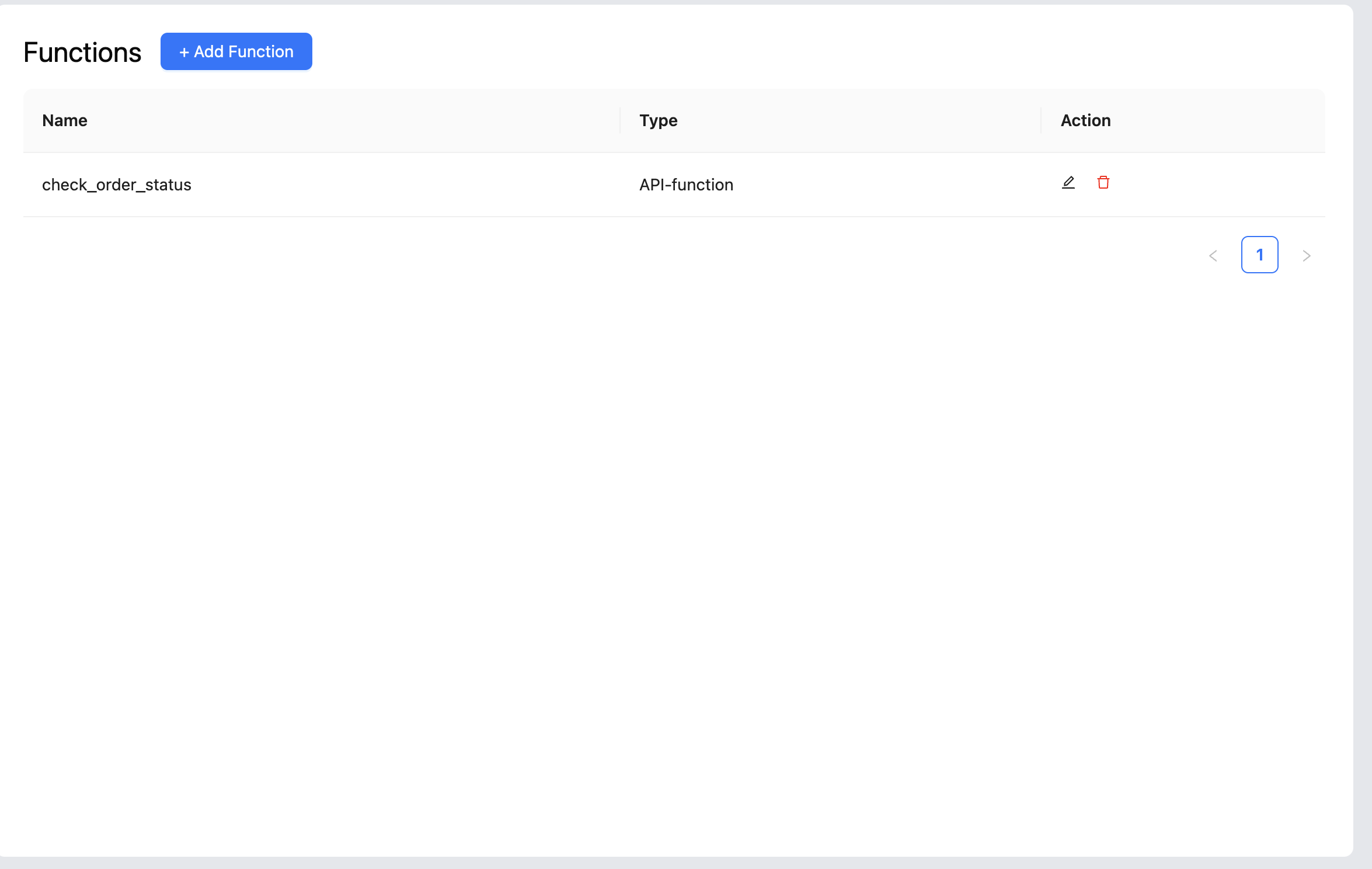
After creating one or more API functions, the main Functions page becomes your central dashboard for managing them. All your created functions will appear in a list, allowing you to easily see, edit, or delete them as your needs change.
Editing an API Function
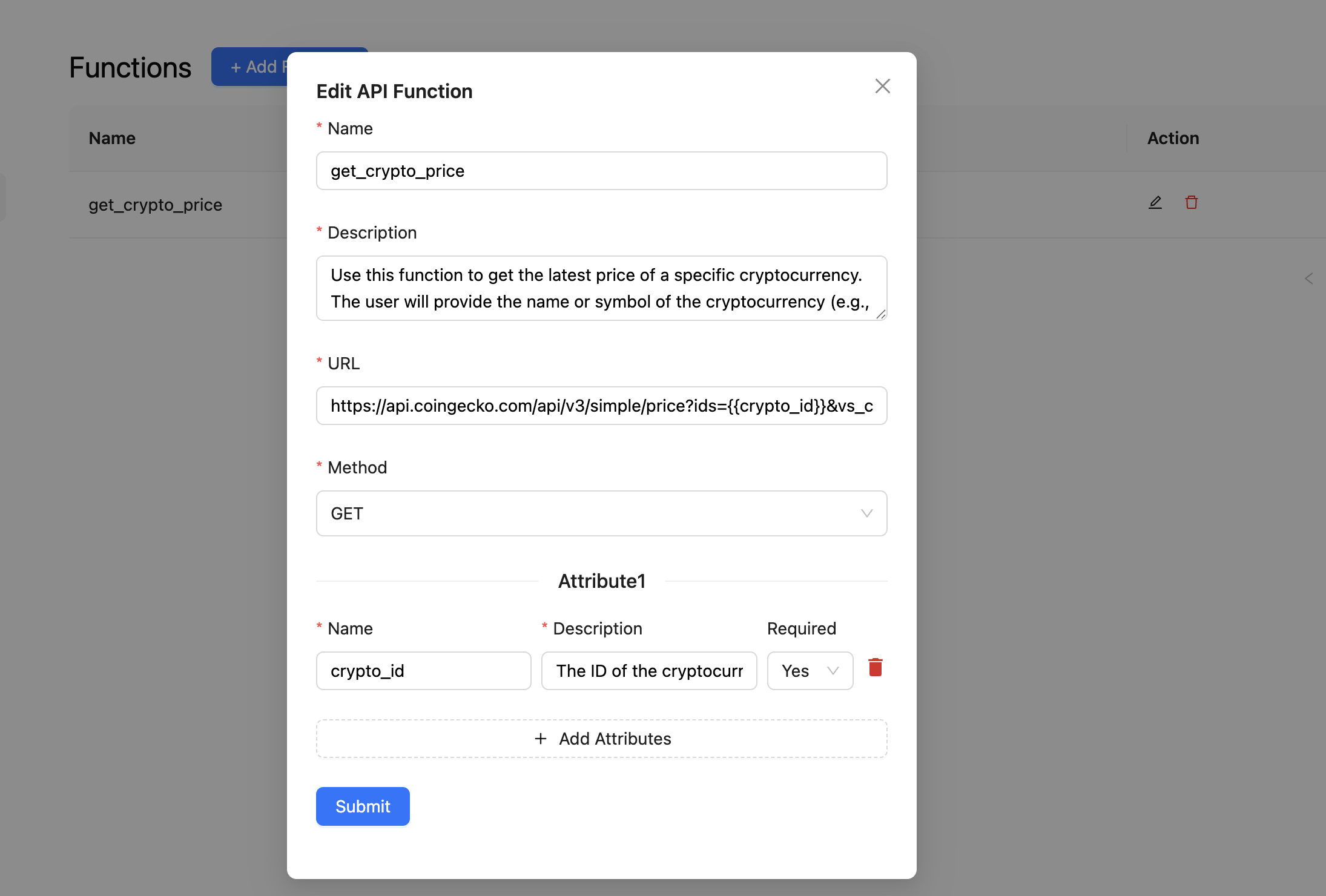
As your business processes or external APIs change, you may need to update your functions.
- Find the Function: In the list of API functions, locate the one you wish to modify.
- Click the Edit Icon: Next to the function's name, you will see an Edit icon. Click it.
- Modify the Details: The form will open pre-filled with existing details. You can update the name, description, URL, method, or attributes.
- Save Your Changes: Click Save or Update. The updated configuration is applied immediately.
Deleting an API Function
If a function is no longer needed, you can permanently remove it.
- Find the Function: In the function list, locate the one to delete.
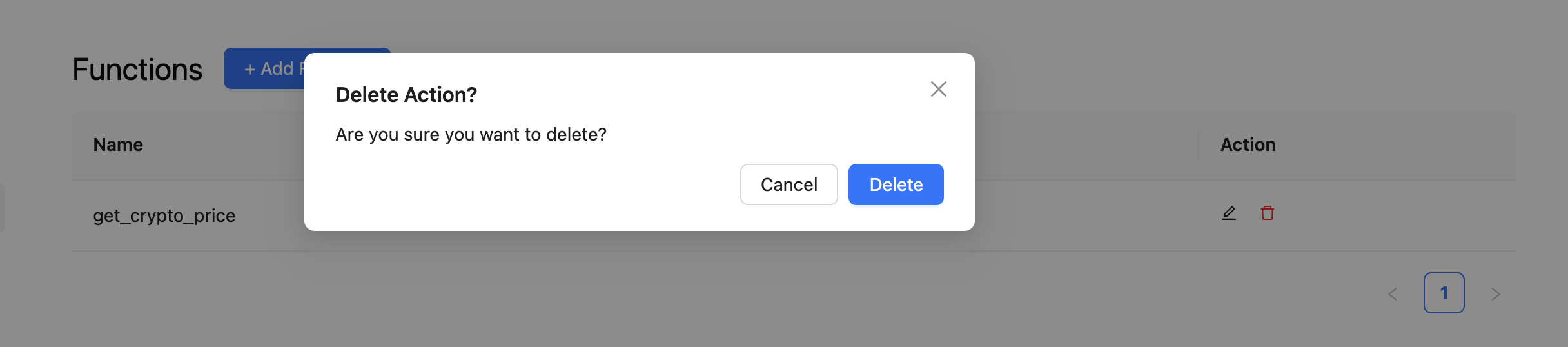
- Click the Delete Icon: Next to the function's name, click the trash icon.
- Confirm Deletion: A confirmation popup will ask if you are sure.
- Confirm to Delete: Click Delete. This action is permanent.
API Functions turn your Voiceagent into an operational powerhouse. With just a few clicks and the right API details, your bot can take real-world actions and serve users with real-time accuracy.
Troubleshooting
The Voiceagent never calls the API function, even when the user asks a relevant question. The function description controls when the agent decides to invoke the function. Make the description more explicit by listing exact phrases a user might say: "Use this function when the user asks about order status, shipment tracking, or delivery updates. Collect the order number before calling." Vague descriptions cause the agent to skip the function.
The API is called but the bot doesn't relay the response correctly. Verify that your API endpoint returns a clean, structured JSON response. Log the raw response to confirm the fields match what the function description references. If the response contains nested objects or arrays, simplify the structure or update the description to tell the agent which specific fields to read.
The API function works in testing but fails during real calls. Check whether your API enforces IP allowlisting or requires headers (API key, Bearer token) that are not configured. Add authentication headers in the function's header configuration. Also confirm the API is accessible from Kipps.AI's infrastructure and not blocked by a firewall or VPN requirement.
The bot asks for required attributes twice or seems confused about what it already collected. This typically happens when the attribute description is ambiguous. Make each attribute's description precise: specify the exact format expected (e.g., "6-digit numeric order ID from the confirmation email, not the tracking number"). Avoid overlapping attribute names that the bot might confuse.
Frequently Asked Questions
How many API functions can I add to a single Voiceagent? You can add multiple API functions to a single Voiceagent. Each function should serve a distinct purpose with a clear description so the agent can reliably choose the correct function based on user intent.
What authentication methods are supported for external APIs? API Functions support standard HTTP header authentication, including API keys, Bearer tokens, and Basic Auth credentials. Add your authentication credentials in the function's header configuration. OAuth flows requiring a browser redirect are not directly supported.
Is there a timeout for API calls made during a live voice call? Yes. API calls have a strict timeout to avoid long pauses during conversations. Keep your external API response time under 3–5 seconds. For slow operations, consider returning an immediate acknowledgment from your API and following up via a separate WhatsApp message using the send_whatsapp_message function.
Can I pass the caller's phone number to the external API automatically? Yes. The caller's phone number is available as a system variable. Include it as an attribute in the payload schema with a description like "The caller's phone number, collected automatically from the session." The agent will populate it from the active call context without asking the user.
Can one API function trigger actions in multiple external systems? A single API function calls one endpoint. To interact with multiple systems, either chain them through your backend (your API calls both systems before returning a response) or configure separate API functions for each system and let the agent call them in sequence during the conversation.
Related Articles