Incoming Call Trigger Node
Start a Workflow Campaign whenever a caller ends a call to one of your inbound phone numbers.
The Incoming Call Trigger node starts a workflow for a caller once their call to one of your numbers ends. Use it to take action on leads who call you directly, or to handle callbacks from leads who missed or cut a previous outbound call.
How It Works
- The node fires immediately once the call ends — like the API/Webhook trigger, there is no polling delay.
- On each call, Kipps first creates or updates a contact by matching the caller's phone number, then proceeds through the rest of the workflow for that lead.
- The trigger only fires while the campaign is started. Calls that come in while the campaign is paused will not start the workflow.
1. Add the Incoming Call Trigger Node
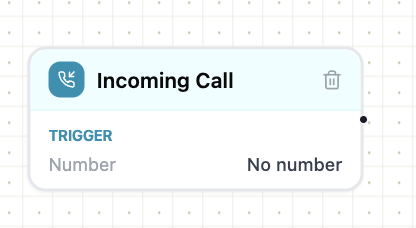
Open the Triggers group in the left NODES sidebar and drag the Incoming Call node onto the canvas.
2. Configure the Node
Double-click the node on the canvas to open the Configure drawer, and give it a Node Name.
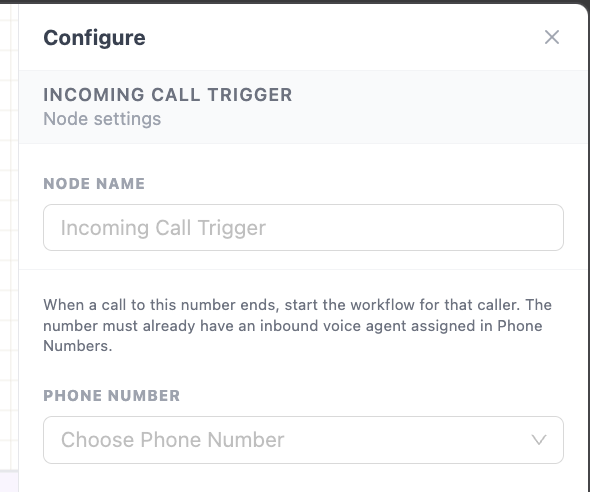
When a call to the selected number ends, this node starts the workflow for that caller.
3. Select the Phone Number
The only thing you need to configure here is the Phone Number.
Unlike an outbound call, where you separately choose an agent and a number on the node itself, an inbound number can only ever be mapped to a single agent — and that mapping is done when you buy or link the number under the Phone Number tab, not on this node. So this node just needs to know which of your already-configured numbers to listen on.
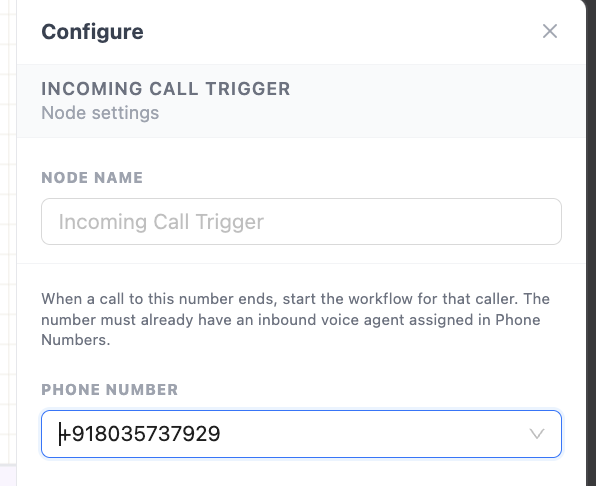
If the number you want isn't in the dropdown, or doesn't yet have an inbound agent assigned, set that up first under Phone Number.
Frequently Asked Questions
1. Does the workflow start while the call is still in progress, or only after it ends?
Only after it ends. The node is explicitly a call-end trigger, so the workflow starts once the caller hangs up, not while the call is still connected.
2. Can I assign a different agent to the same number for different workflows?
No. An inbound phone number can only be mapped to a single agent at a time, and that mapping is set once under the Phone Number tab — not per node. If you need different handling per workflow, branch after this node using a Logic & Data node instead of trying to reassign the agent per flow.
3. Does this create a new contact for every inbound call, even from an existing lead?
No. Kipps matches the caller's phone number against existing contacts first — if a match is found, that contact's fields are updated rather than a duplicate being created.
4. Will inbound calls be missed if the campaign is paused?
The call itself is still answered by the agent assigned to the number under Phone Number, since that assignment is independent of any workflow campaign. However, this trigger will not start a workflow for that call while the campaign is paused — resume the campaign to have new calls start the workflow again.
Next Steps
Connect the Trigger output to whatever should happen next for an inbound caller — for example, Logic & Data to branch based on who called, or a Write Back node to log the callback against the existing contact.
Related Articles