Dynamic Parameters – Personalization for Voice Agents
Learn how Dynamic Parameters work in Voice Agents, how they pull data from contacts, and where they can be used across inbound calls, campaigns, and embedded web calls.
Overview
Dynamic Parameters allow your Voice Agent to personalize conversations by inserting real user data directly into the script.
These values come from:
-
Contacts --> Custom Fields
-
iframe URL parameters
If a parameter is missing, the system automatically replaces it with “unknown” so your agent produces broken or random sentences.
Where Dynamic Parameters Work (and Do Not Work)
| Call Type | Supported | Notes |
|---|---|---|
| Test Call | ❌ No | Internal testing ignores parameters |
| iframe (embed) | ✅ Yes | Accepts values via URL parameters |
| Inbound Phone Call | ✅ Yes/❌ No | Only works if contact exists |
| Test Outbound Call | ❌ No | Simulation mode |
| Campaign Outbound Call | ✅ Yes/❌ No | Uses data from Contacts |
Where Dynamic Parameters Can Be Used
They work inside:
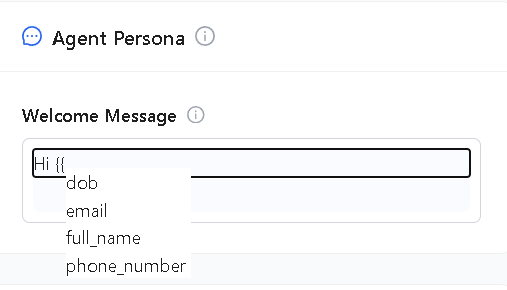
1. Welcome Message
The very first message your agent speaks.
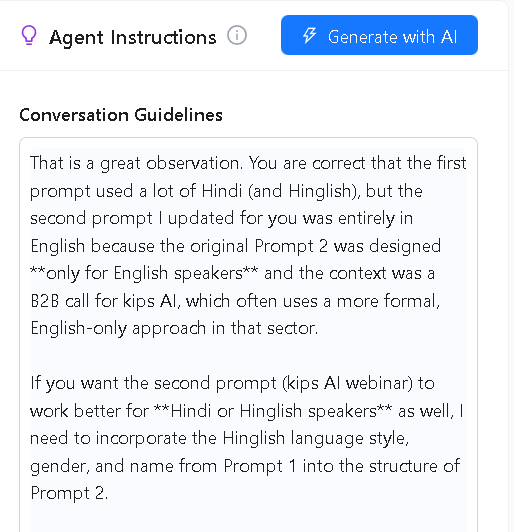
2. Agent Instructions
Used to control how the agent thinks and responds.
What Are Dynamic Parameters?
Dynamic Parameters are placeholders written as:
{{parameter_name}}
They automatically fill with user-specific data such as:
{{full_name}}{{city}}{{appointment_date}}{{email}}- Custom fields created in Contacts
Custom Fields from Contacts
Dynamic Parameters pull values from:
- Contact list attributes
- Any Custom Field you added
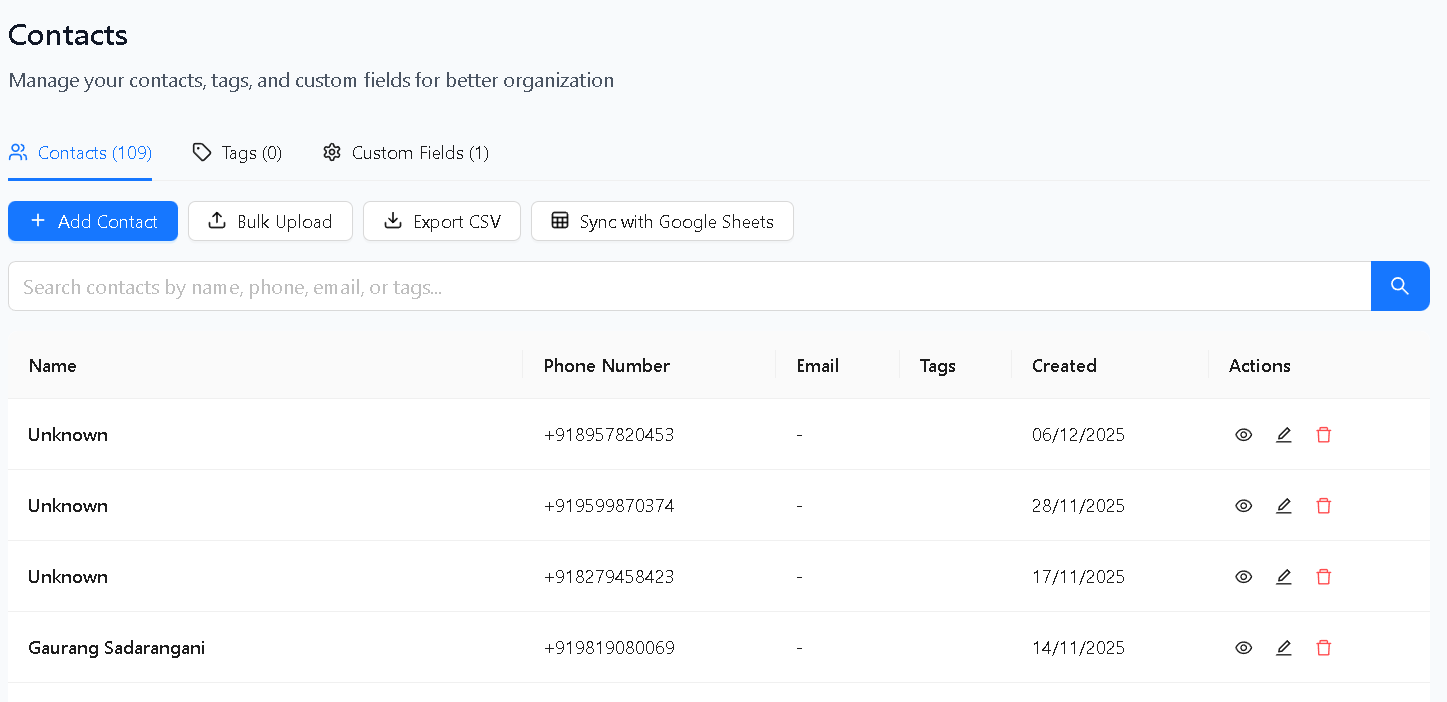
If a value is empty → it becomes “unknown” during the call.
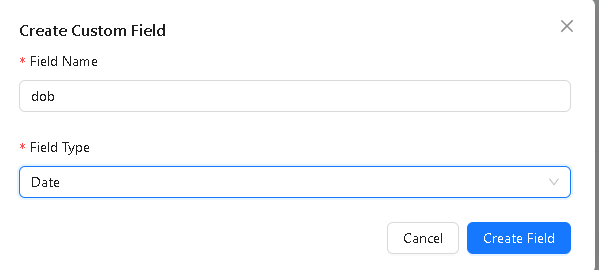
Creating Dynamic Parameters From Custom Fields
To add new fields:
- Navigate to Contacts
- Open Manage Custom Fields
- Add a new custom field
- That field becomes available for dynamic parameters
Phone Number Integration: How Dynamic Parameters Behave
When a Voice Agent is assigned to a phone number, behavior changes depending on the call type.
Inbound Call Logic
- If the caller exists in Contacts → parameters populate normally
- If the caller does NOT exist → all parameters become unknown
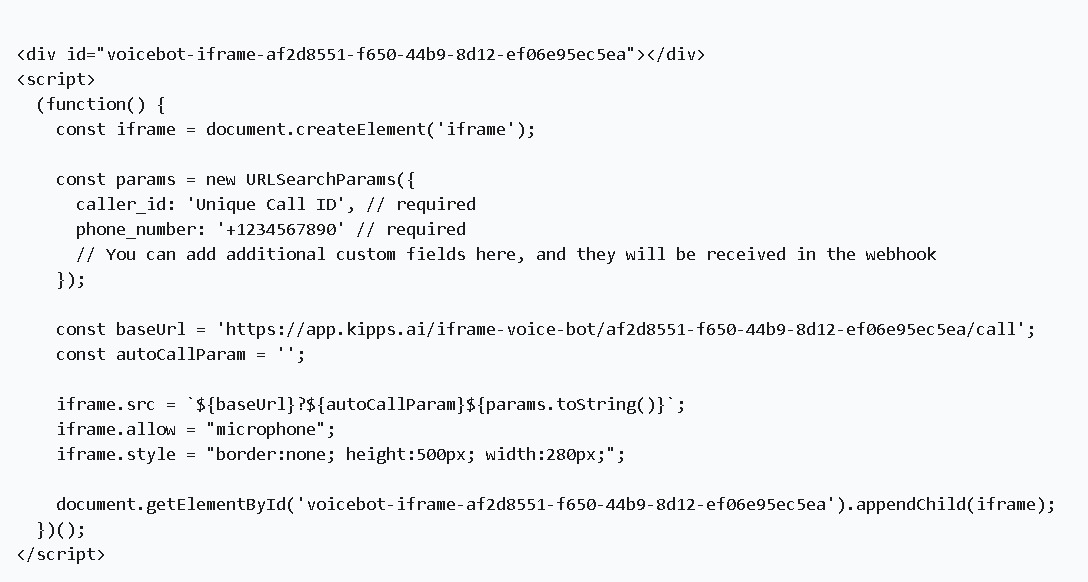
How iframe Call Parameters Work
You can pass parameters through the embed URL:
?full_name=Riya&dob=2000-12-01
Agent result:
“Hi Riya, I see your date of birth is 2000-12-01.”
If a value is not provided → it becomes unknown.
Example Use Cases
1. Personalized Greeting
Hi {{full_name}}, thanks for calling today.
If missing:
“Hi, your name is unknown, thanks for calling today.”
2. Conditional Instructions
If {{city}} is unknown, politely ask the caller to provide their city.
3. Appointment Reminders
Your upcoming appointment is on {{appointment_date}}.
Your upcoming appointment is on {{appointment_date}}.
This prevents the agent from generating awkward or broken speech.
Summary
Dynamic Parameters make your Voice Agent:
- More personalized
- More context-aware
- More human-sounding
They work across inbound calls, iframe embeds, and campaign outbound calls.
Missing values automatically become unknown, ensuring smooth dialogue every time.
Troubleshooting
Dynamic parameters are showing "unknown" during campaign outbound calls even though contacts have values.
Verify that the custom field names in your contact records exactly match the parameter names used in the script (e.g., {{full_name}} must match a field named full_name in Contacts, not Full Name or fullname). Field names are case-sensitive. Also confirm the contacts were uploaded with values in those fields — blank cells become "unknown."
Parameters work in iframe embed calls but not inbound phone calls. For inbound phone calls, parameters only populate if the caller's phone number matches an existing contact in your database. If the caller is not in your Contacts list, all parameters default to "unknown." Add the caller's number to Contacts with the relevant custom field values to enable personalization for them.
I added a new custom field in Contacts but it is not available as a dynamic parameter in the agent. Custom fields may take a moment to propagate to the agent editor. Refresh the agent's configuration page after adding the field. If it still does not appear, confirm the field was saved successfully in Contacts → Manage Custom Fields.
The agent reads out "unknown" mid-sentence, which sounds unnatural.
Add a fallback instruction in the Agent Instructions section: for example, "If {{full_name}} is unknown, do not say the user's name — greet them generically instead." This teaches the agent to handle missing values gracefully rather than reading "unknown" aloud.
Frequently Asked Questions
Can I use dynamic parameters in API function attributes?
Yes. You can reference dynamic parameters (e.g., {{email}}, {{order_id}}) within API function attribute descriptions to pre-populate values the agent passes to your external API, reducing the need to ask the caller for information they already provided.
What happens if a dynamic parameter is missing for some contacts in a campaign? For contacts where the field is empty, the parameter automatically resolves to "unknown." Design your script and instructions to handle this gracefully — for example, if the appointment date is unknown, have the agent ask the caller to confirm it rather than stating "your appointment is on unknown."
Can I pass dynamic parameters through the iframe embed URL?
Yes. Append parameters to the iframe src URL as query strings: ?full_name=John&city=Mumbai. The agent reads these values and injects them into the conversation. This is useful for embedding a personalized voice widget on authenticated account pages where user data is already known.
Are dynamic parameters visible to the caller in any way?
No. Dynamic parameters are internal to the agent's script and instructions. The caller only hears the resolved value (e.g., their actual name or city), not the placeholder syntax like {{full_name}}.
Can I create dynamic parameters based on tags assigned to a contact?
Tags are not directly available as dynamic parameters. Only custom fields created in Contacts → Manage Custom Fields can be used as {{parameter_name}} placeholders. If you need tag-based logic, convert the tag to a custom field value for the relevant contacts.
Related Articles